EZ-USB Development Kit User Guide, Doc. # 001-66390 Rev. *D 59
USB PC Host Utilities and SuiteUSB Applications
■ BulkTrans: This button is used transfer data over Bulk IN/OUT endpoints. After the Bulkloop
firmware example is downloaded (Bulkloop.hex), this button is used to send data over Bulk IN/
OUT endpoints using the Bulk Trans button. A sample demonstration is provided in the section
Bulkloop Example on page 77. For more details on Cyconsole, refer to CyConsole.chm and
CyConsole.pdf at C:\Cypress\Cypress Suite USB 3.4.7\CyConsole. A sample demon-
stration of this utility, while using firmware examples, is provided in the section EZ-USB Develop-
ment Kit Firmware Examples chapter on page 65.
■ FileTrans: This button is used to download raw packet data to the EZ-USB device.The sample
files that can be used to transfer are available at <Installed_directory>\<Ver-
sion>\Target\File_Transfer.
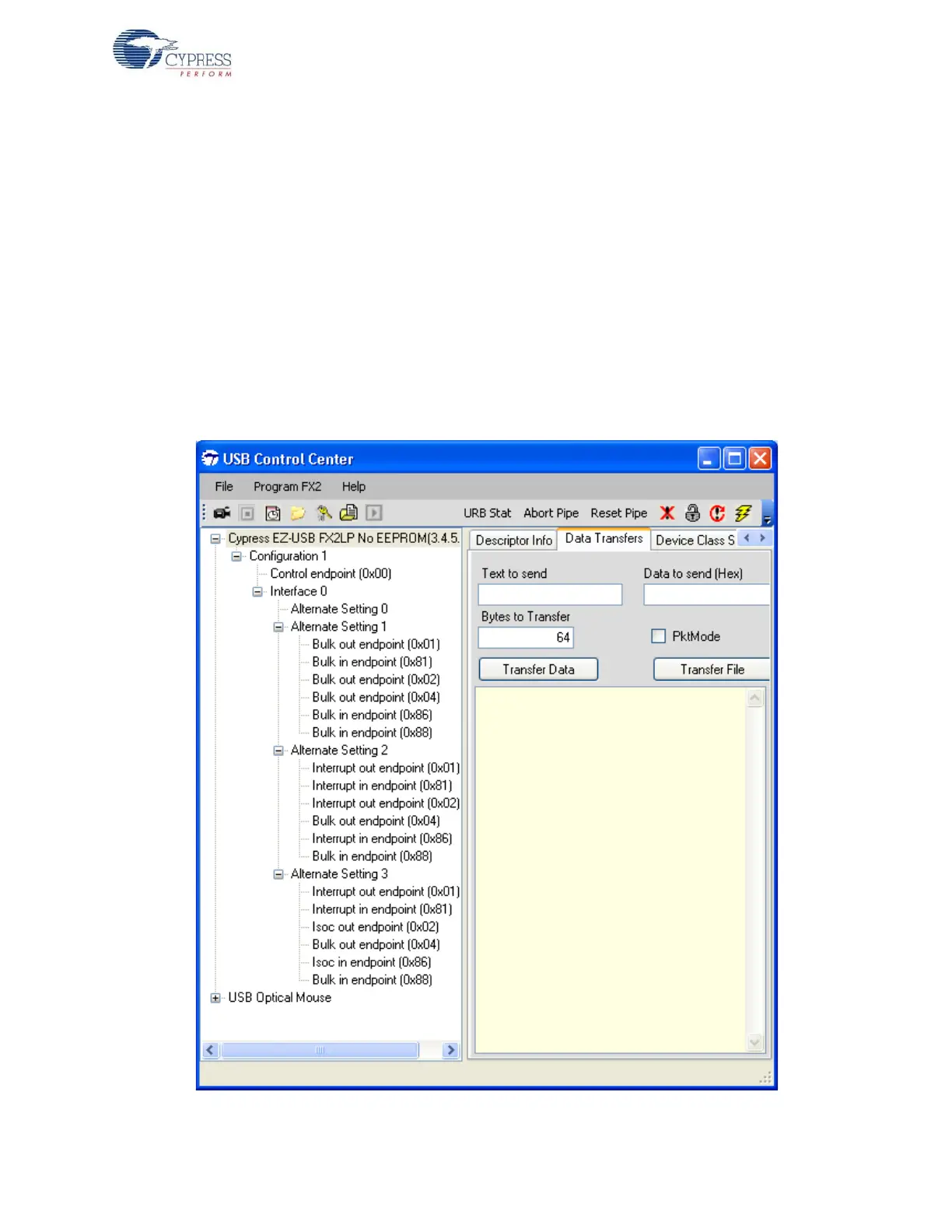
7.2.2 CyControlCenter Utility
The CyControlCenter performs functions similar to the CyConsole application. Following are the
major functions of CyControlCenter.
Figure 7-3. CyControlCenter Snapshot for the EZ-USB Device



 To Next Page