EZ-USB Development Kit User Guide, Doc. # 001-66390 Rev. *D 81
EZ-USB Development Kit Firmware Examples
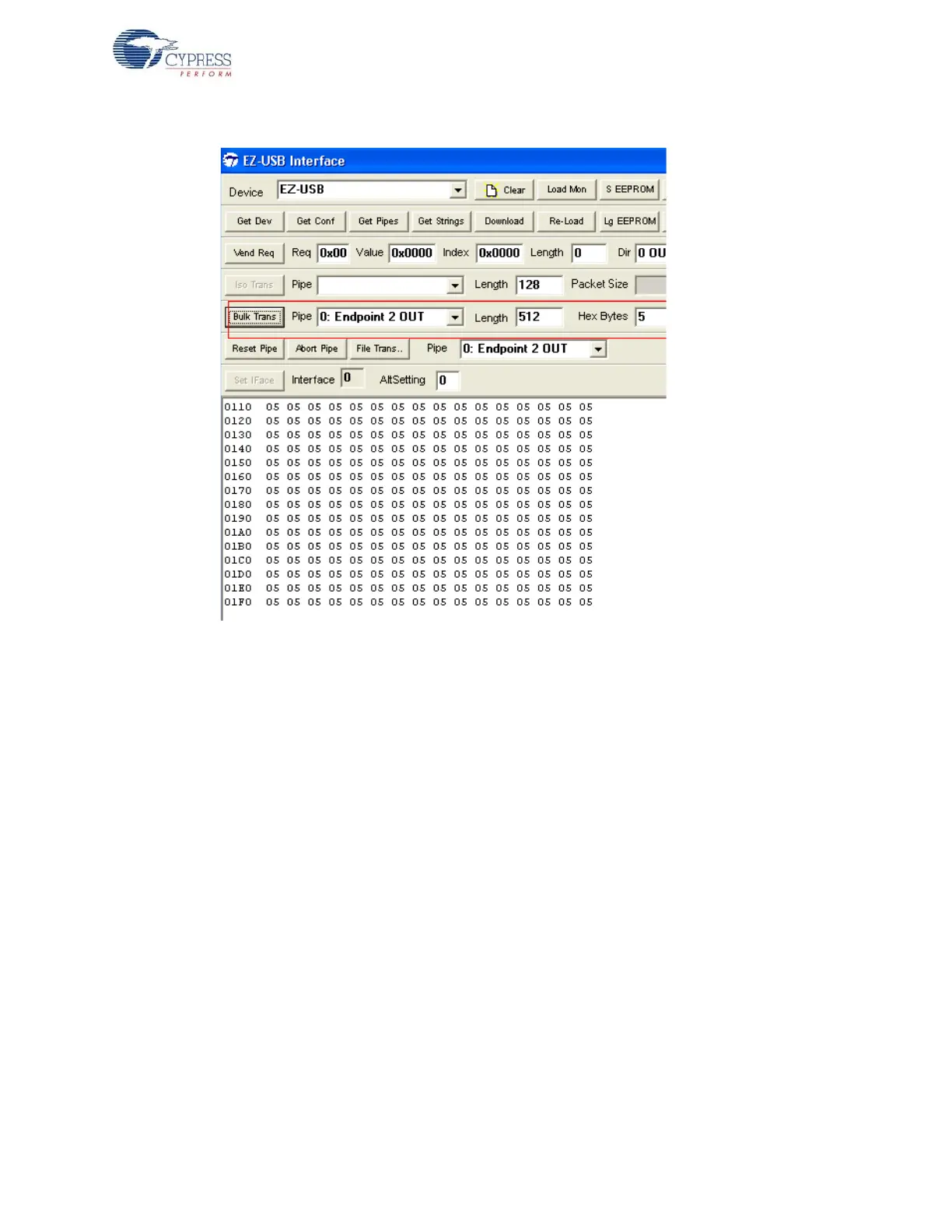
Figure 8-6. EP2 OUT Data Transfer using CyConsole
2. Select EP6 IN as pipe near BulkTrans button and enter length as 512 byte. Click on BulkTrans
button. The data sent on EP2 is loopbacked through EP6. The following figure summarizes the
entire operation. The same sequence can be repeated for EP4-OUT and EP8-IN pair.
Note Step 2-3 can be repeated for EZ-USB FX1 with data transfer length of 64 Bytes
8.5.5.2 Test using Cybulk Application
The Bulkloop firmware can be tested using this C++ application. For 32-bit Windows OS the CyBulk
can be accessed at C:\Cypress\Cypress Suite USB 3.4.7\CyAPI\examples\cybulk\x86\Release.
The 64-bit version of Cybulk application is located at C:\Cypress\Cypress Suite USB
3.4.7\CyAPI\examples\cybulk\x64\Release. Select EZ-USB device in the drop down menu and
also select anyone the Bulk Endpoint pairs- EP2/EP6 or EP4/EP8. The following Figure 8-7 summa-
rizes the entire operation. Different data patterns of Bulk USB packets can be chosen under Send
Data pattern and maximum transfer size upto 2048 bytes.



 To Next Page