EZ-USB Development Kit User Guide, Doc. # 001-66390 Rev. *D 79
EZ-USB Development Kit Firmware Examples
After the data is transferred, endpoint 2 has to be 'rearmed' to accept a new packet from the host.
Endpoint 6 has to be 'committed', that is, make the FIFO buffers available to the host for reading
data from endpoint 6.
This is accomplished by the following statements:
EP6BCH = EP2BCH;
SYNCDELAY;
EP6BCL = EP2BCL; // commit EP6IN by specifying the number of bytes the
host can read //from EP6
SYNCDELAY;
EP2BCL = 0x80; // re (arm) EP2OUT
The same operation is carried out to implement a data loop with endpoints 4 and 8.
8.5.2 Building Bulkloop Firmware Example Code for EZ-USB RAM and EEPROM
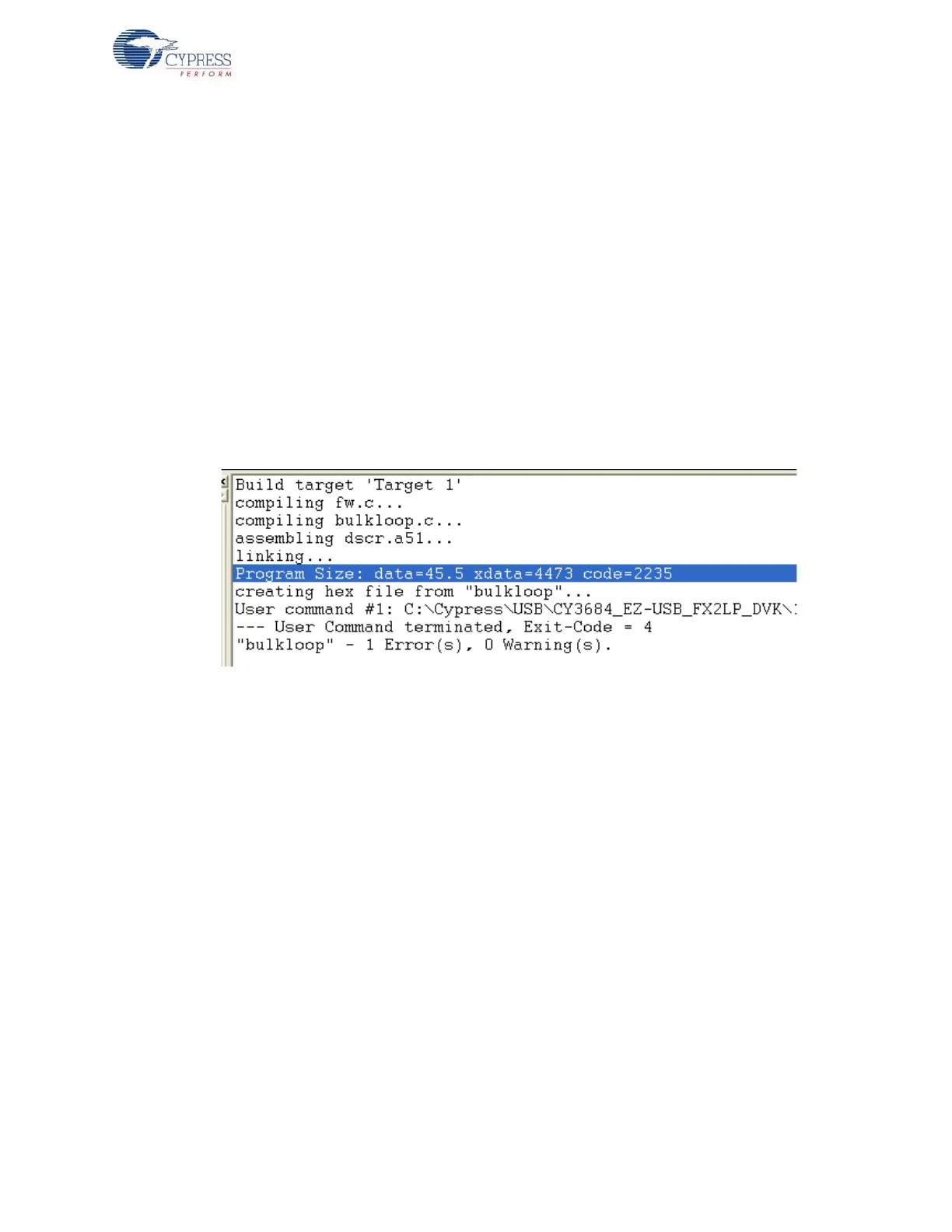
■ Click on Build Target button at the top right corner of the IDE. Following snapshot of the Build
window of the Keil IDE shows the successful compilation of the entire project.
Figure 8-5. Output Window Snapshot of Bulkloop Project Build
Note Observe in Figure 8-5 the total code bytes of the Bulkloop project is less than the 4-k code
limit Keil µVision2 IDE provided along with the kit.
■ Firmware output for EZ-USB RAM memory: The output of the Build Target is bulkloop.hex
relevant for downloading to EZ-USB RAM memory.
■ Firmware output for external EEPROM: To generate EEPROM compatible firmware Image the
Keil IDE invokes hex2bix.exe utility to convert the output file bulkloop.hex into bulkloop.iic.
Right click on Target1 in Project Window and select Options for Target 'Target1'.This will pop-up
keil settings for this project. Select Output tab and observe at the bottom of IDE the hex2bix utility
is invoked under Run User program#1 section and observe the hex2bix utility is invoked in the
following manner
..\..\Bin\hex2bix -i -c 0x00 -f 0xC2 -o bulkloop.iic bulkloop.hex
Refer to the application note, “Using the hex2bix Conversion Utility - AN45197, to know more about
the hex2bix utility.
8.5.3 Method to Download Bulkloop Firmware Image to Internal RAM or EEPROM
Refer to Method to Download Firmware Image to EZ-USB Internal RAM Memory on page 69 and
Method to Download Firmware Image to External I2C EEPROM on page 69 and follow similar proce-
dure to download bulkloop.hex to RAM memory and bulkloop.iic to the Large EEPROM using
Cyconsole/CyControlCenter. The bulkloop.hex and bulkloop.iic files located at
<Installed_directory>\<Version>\Firmware\Bulkloop must be chosen accordingly for



 To Next Page