58 EZ-USB Development Kit User Guide, Doc. # 001-66390 Rev. *D
USB PC Host Utilities and SuiteUSB Applications
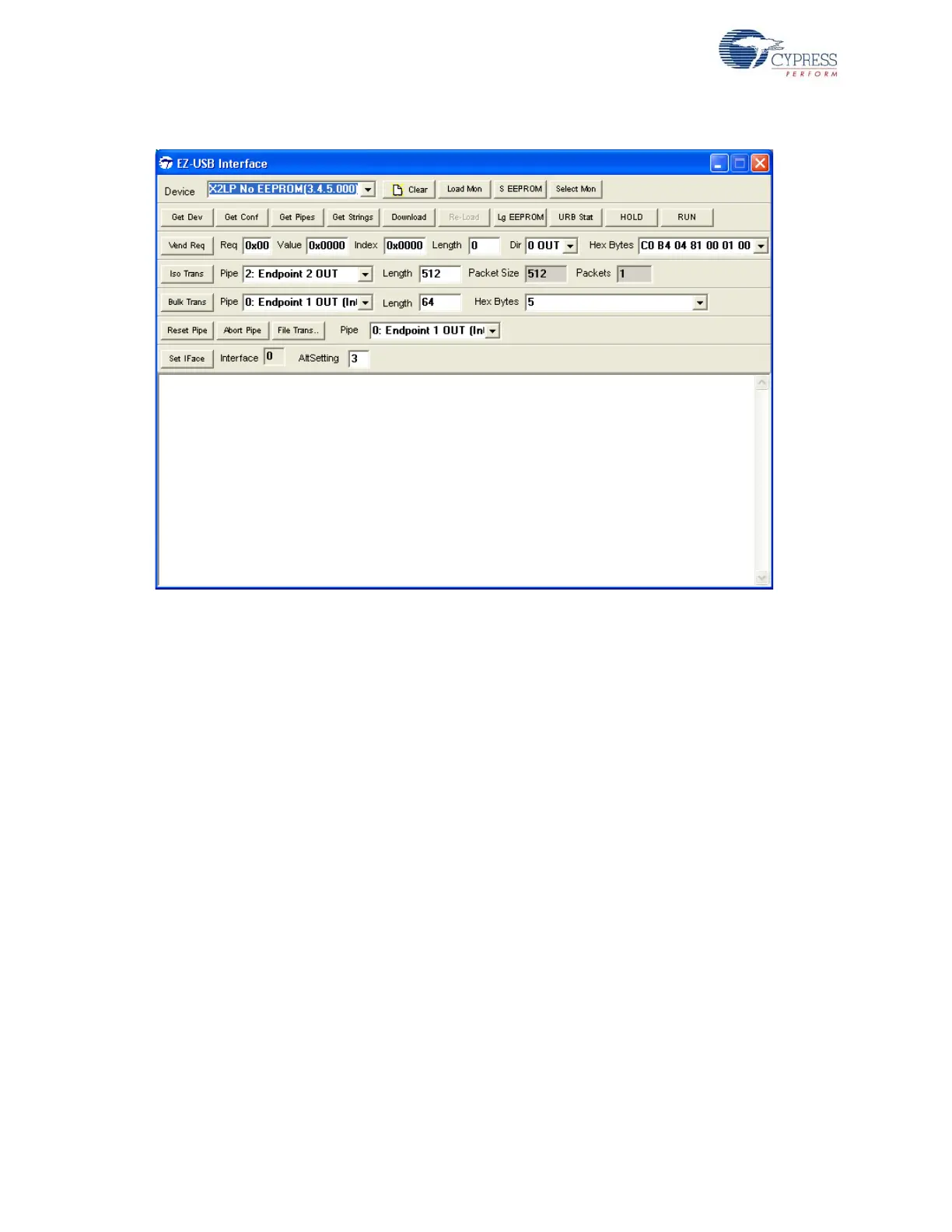
Figure 7-2. EZ-USB Interface Window
The functionality of the most frequently used buttons are as follows:
■ Download: This button is used to download the firmware(.hex format) file to the EZ-USB RAM
memory
■ Lg EEPROM: This button is used to store the entire firmware (.iic) in Large EEPROM U5 -
24LC128. The EEPROM needs to be selected before firmware download using the SW1 and
SW2 switches.
■ S EEPROM: This button is used to store the entire firmware (.iic) in small EEPROM U6 -
24L0C0(16 bytes).The image contains a new VID/PID used to replace default Fuse ROM VID/
PID.The EEPROM needs to be selected before firmware download using the SW1 and SW2
switches.
■ Select Mon: This is the Keil Monitor program provided with the EZ-USB kits to help you debug
the firmware through the UART port. After the kit software installation, the Keil monitor programs
are located at <Installed_directory>\<Version>\Target\Monitor.
■ Load Mon: This button is used to download Keil monitor program to either internal or external
RAM memory. After the monitor download, the EZ-USB firmware is debugged through the UART
port. A sample demonstration of Keil monitor usage is provided in the section Debugging Using
Keil Monitor Program on page 97As mentioned in table this command is used to read and write
contents to small EEPROM.
■ Vend Req: This button is used to send different vendor commands to the EZ-USB device. The
use of this button is explained in the section Vend_ax Example on page 91
■ Iso Trans: This button is used to transfer data over Isochronous IN/OUT endpoints. After the
Cystream firmware example is downloaded (CYStream.hex) from C:\Cypress\Cypress
Suite USB 3.4.7\Firmware\CyStreamer, this button is used to send data over Isochro-
nous IN/OUT endpoints



 To Next Page