EZ-USB Development Kit User Guide, Doc. # 001-66390 Rev. *D 57
USB PC Host Utilities and SuiteUSB Applications
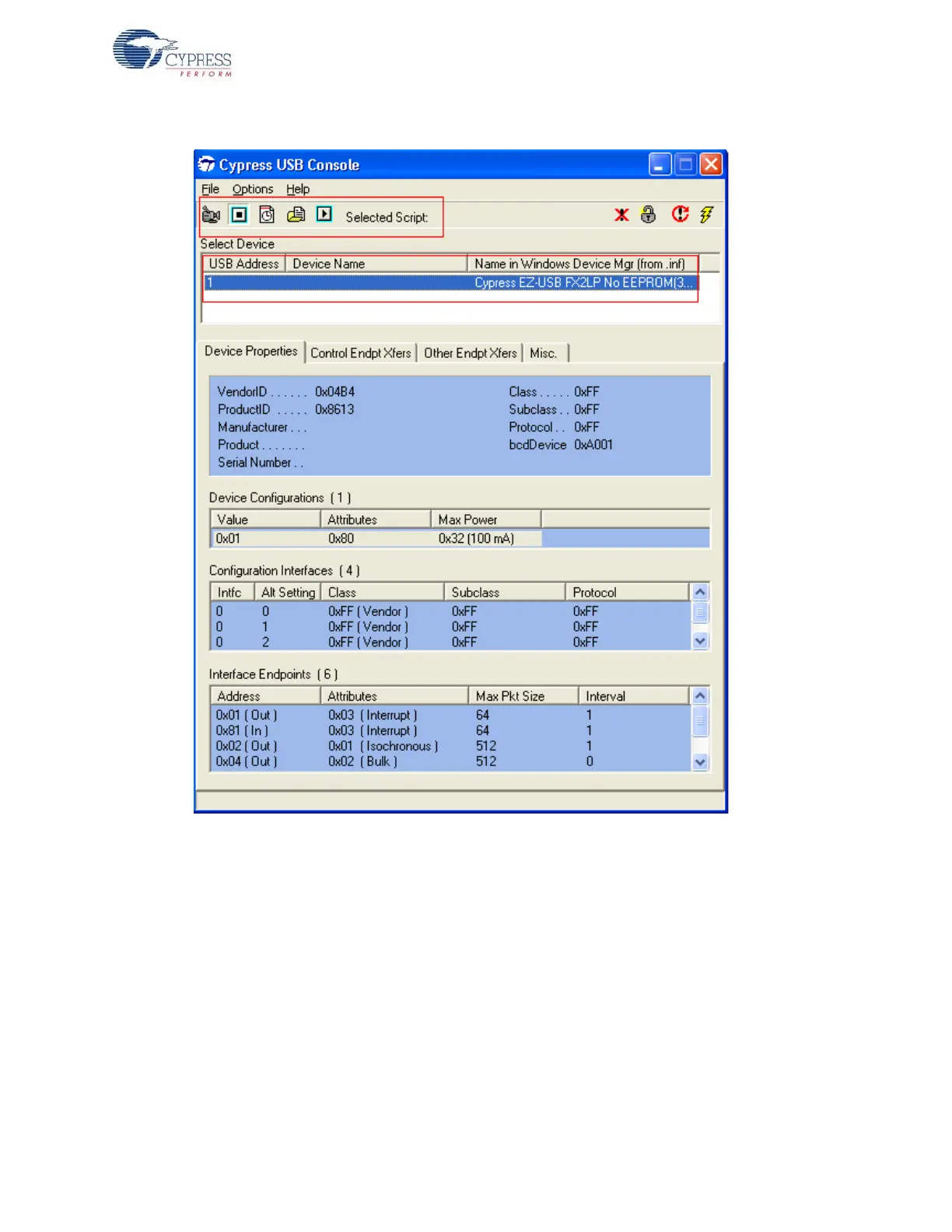
Figure 7-1. CyConsole Main Window Snapshot
Figure 7-1 displays the connected Cypress USB 2.0 device (FX2LP, in this case) and its attributes,
such as USB class, and the list of endpoints it supports.
Prior to firmware download, the Record Script button on the top left corner is used to record the
entire download process, including the firmware binary embedded inside it. After firmware download
is complete, click the Stop Recording button to save the entire download into a script file - xxx.spt.
To verify the script, load it using the Load Script button and play using Play Script. Due to the firm-
ware embedded inside the script getting downloaded, the EZ-USB development board will re-enu-
merate with the new VID/PID defined in the firmware. The process of script download is mentioned
in the section Script File Generation and Play using CyConsole on page 48. Click on Options > EZ-
USB Interface and the window shown in Figure 7-2 pops up.



 To Next Page