54D-Link D-ViewCam User Manual
Section 3 - Conguration
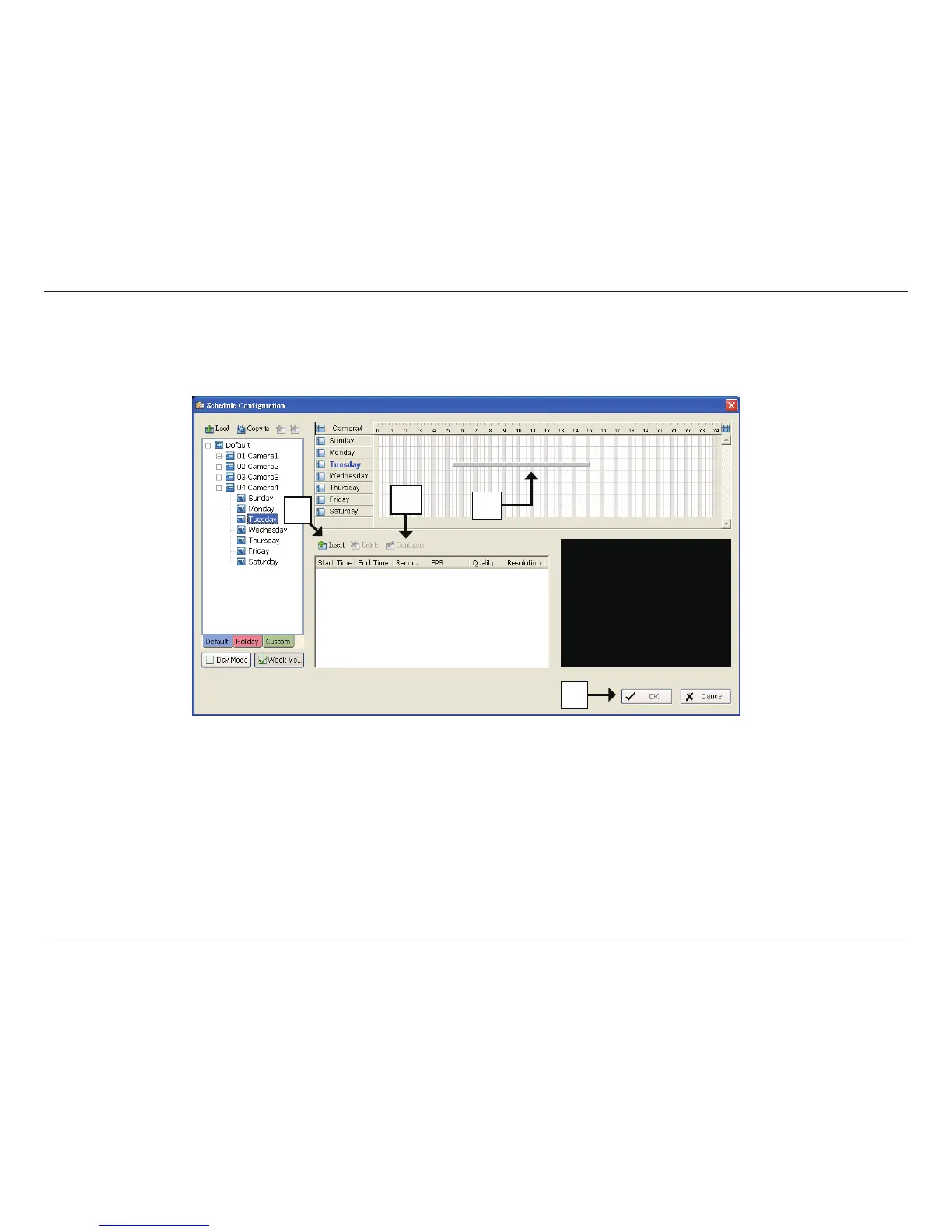
Insert a New Schedule Manually
Step 1
Left-click and draw the bar you want to add to the time table. The scheduled time will show as a grey bar.
Step 2
Click the Insert icon and add a new schedule in the Regular Mode, i.e. to record video during the time period you set with 30 FPS, Normal
video quality, and Normal resolution.
Step 3
Change the settings by clicking on the Congure icon or double-click the schedule information.
Step 4
Click OK.
1
2
3
4


 To Next Page