60D-Link D-ViewCam User Manual
Section 3 - Conguration
Playback
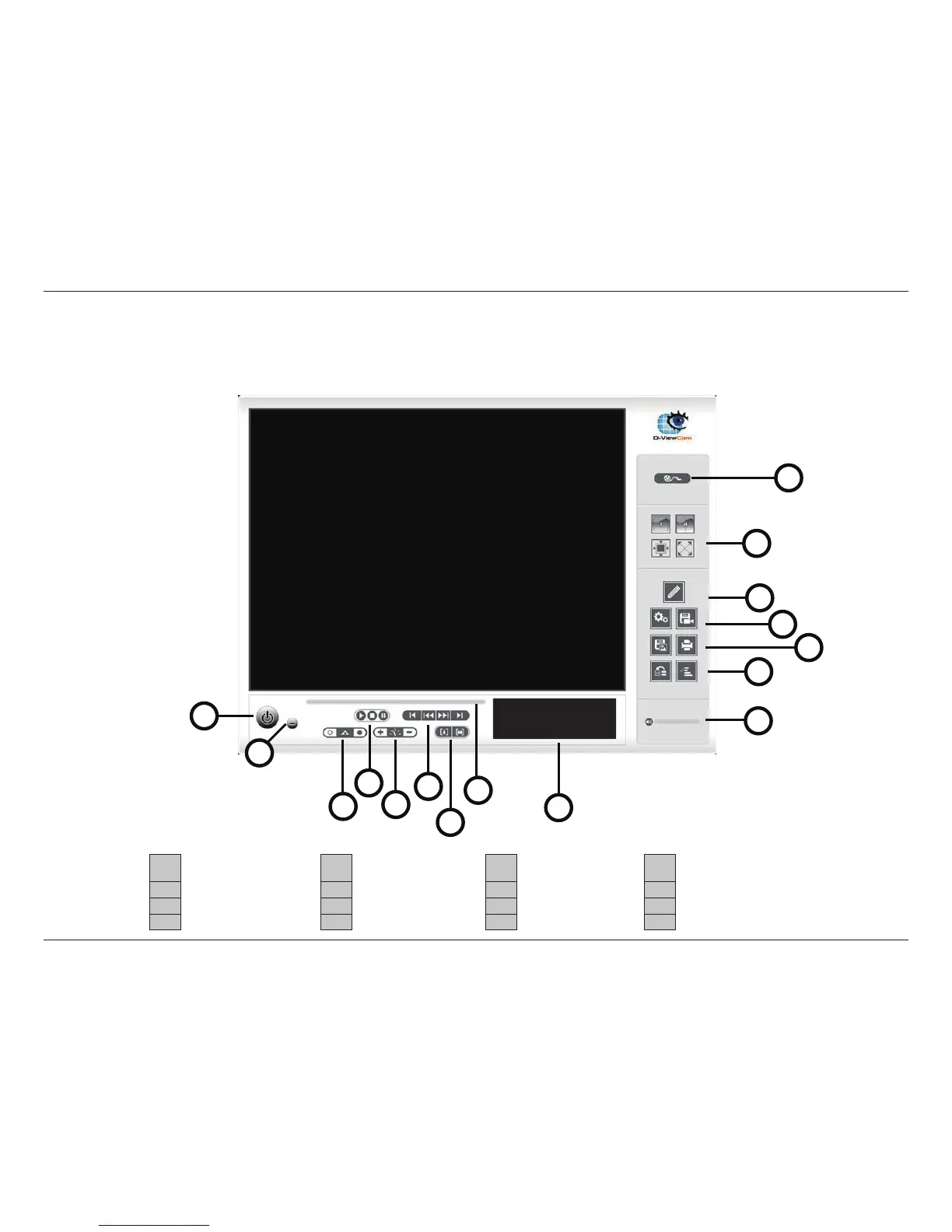
The Playback console allows you to watch the recorded video, view and/or search for unusual events, and view recorded system
information.
1 Exit Playback 5 Speed 9 Information Window 13 Enhancement
2 Minimize Window 6 Play/Rewind/Fast Forward 10 Open Record 14 Setting & Save Video
3 Cue (Start/Stop Point) 7 Zoom 11 Volume Control 15 Snapshot & Print
4 Control (Play/Stop/Pause) 8 Scroll Bar 12 Screen Division 16 Backup & Log Viewer
1
2
3
5
6
7
8
9
11
10
12
13
14
15
16
4


 To Next Page