66D-Link D-ViewCam User Manual
Section 3 - Conguration
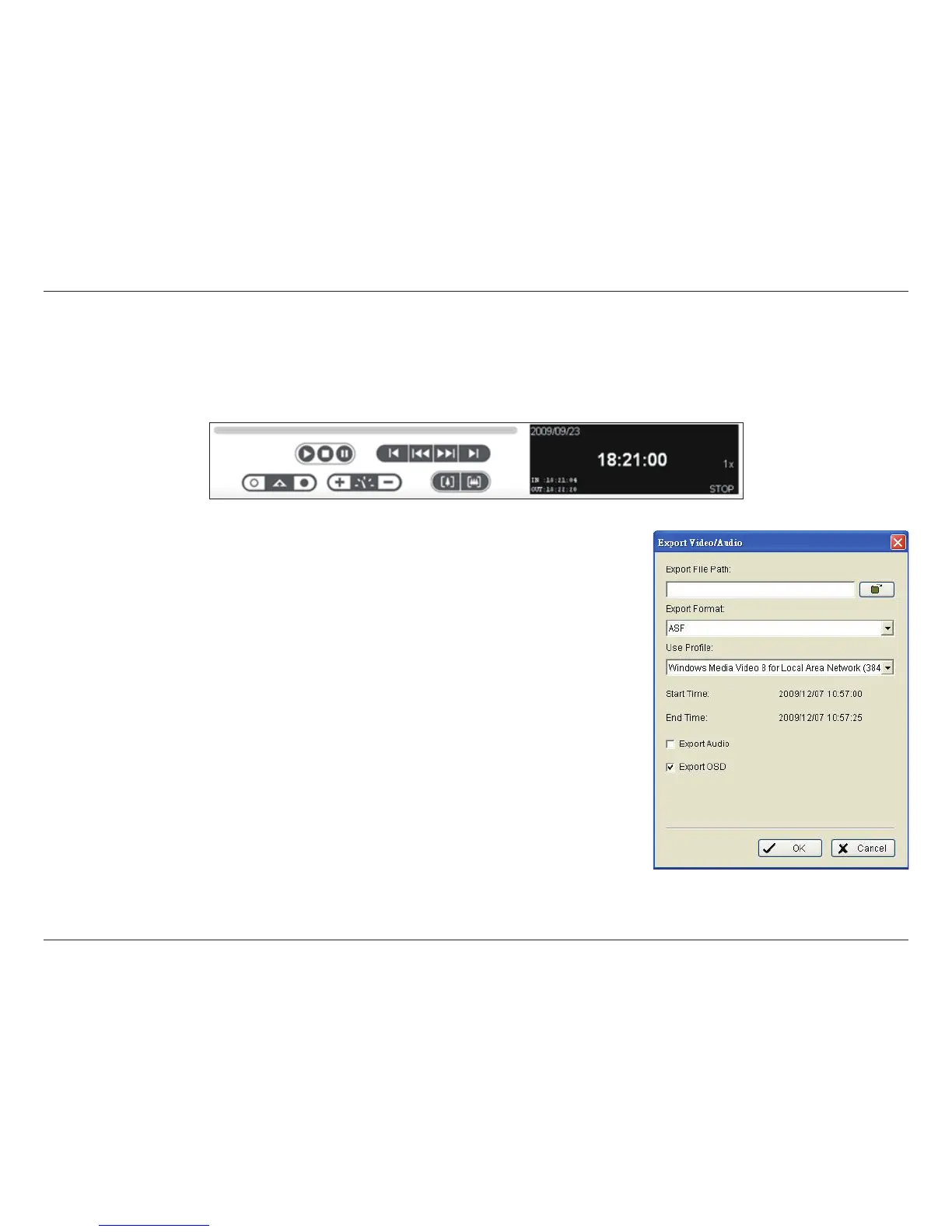
Step 3: Click the Save Video icon. Select the location where you want to save the le at and
enter the le name. Click Save.
Step 4: Set the Export Format from the drop-down (ASF or AVI).
Step 5: Select the prole to use from the Use Prole drop-down.
Step 6: Select to export (i.e. save) the recorded video with Audio, OSD (On-Screen Display),
or export video only.
Step 7: Click OK to save the video.
Save Video
Step 1: Click on the display screen to select the camera display that you want to save as a video clip.
Step 2: Click the cue buttons to select the start and end points. The cue in and cue out time will show in the information window.


 To Next Page