95D-Link D-ViewCam User Manual
Section 3 - Conguration
Backup Recorded File(s)
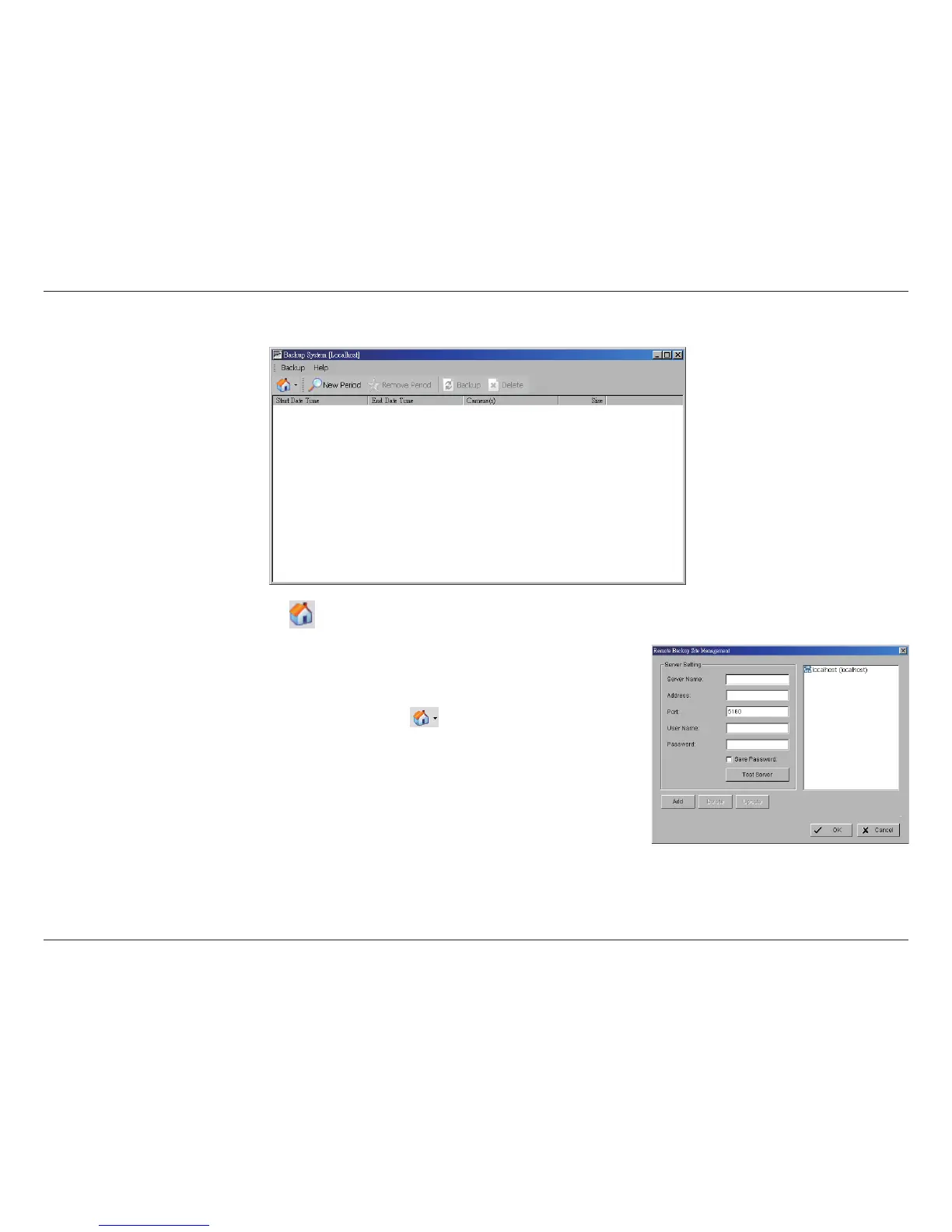
Step 1: Click the Remote Sever icon to add and setup the backup.
• Enter the IP address or DNS, Port, Username, and Password.
• Click Add to add the server.
• Click OK to exit the Setting panel.
Step 2: To access the Remote Backup Site, click on the icon and enter the username/
password of the remote server to access the backup site.
Step 3: Click on New Period to open the Select DateTime Period panel.
Step 4: Select the data you want to backup by highlighting the time period. You may also set
up a start and end time in the Date Time Period section.


 To Next Page