83D-Link D-ViewCam User Manual
Section 3 - Conguration
E-Map
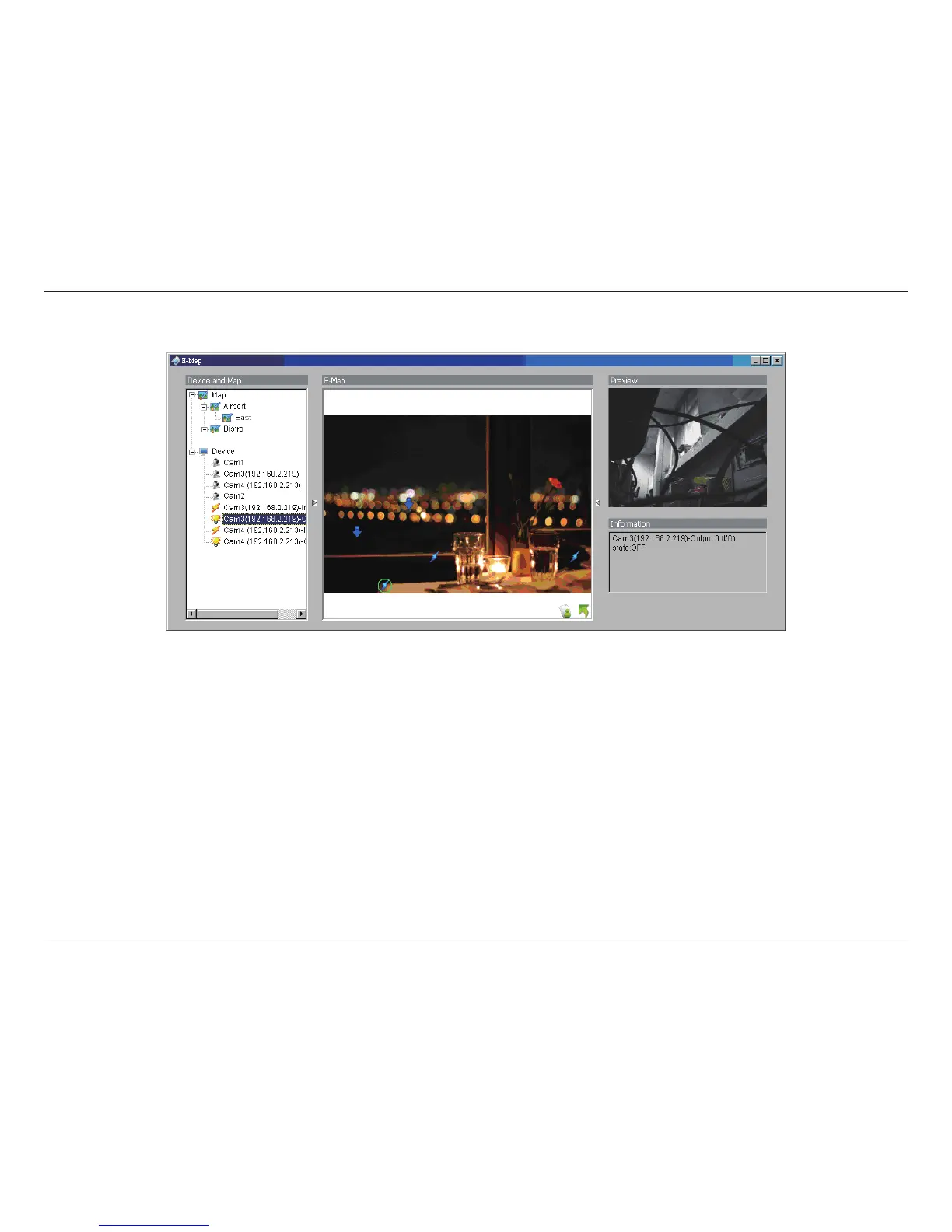
With E-Map, users can track the actual location and alarm status easily for each camera and receive instant response when the event
happens. The arrows and lightening icon on E-Map represent cameras and I/O devices and these icons will turn red once they are triggered
by alarms.
To launch E-Map application, simply click on Start and select Open E-Map from start menu to open E-Map window.
There are 2 modes in E-Map application:
Edit mode: Allow users to add/edit maps and indicators of devices. In Edit mode, the function buttons on the bottom of the window
will be active, and then setup the conguration before running E-map function at the rst time.
Operate mode: All settings will be activated in this mode.


 To Next Page