56D-Link D-ViewCam User Manual
Section 3 - Conguration
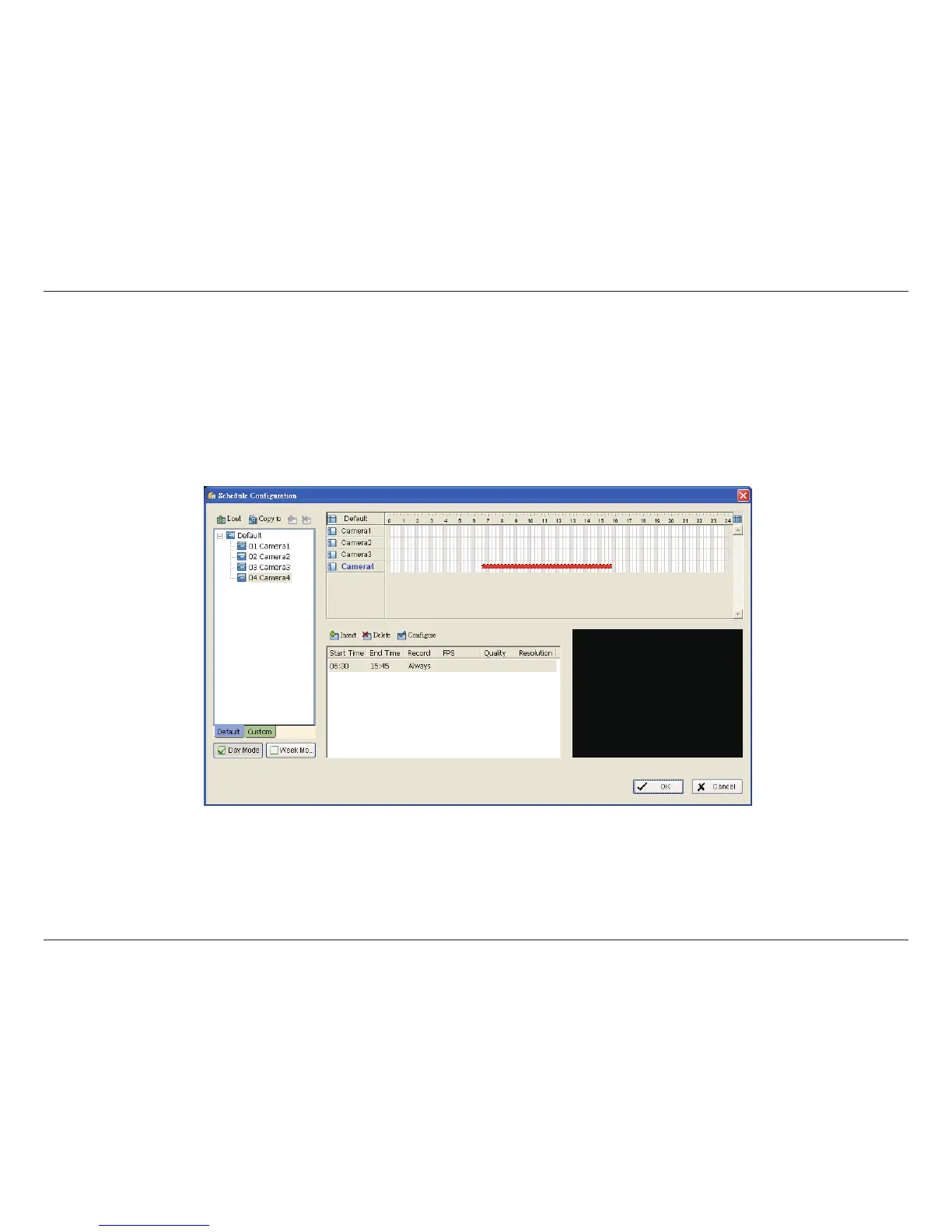
Adjust the Schedule Settings
You can manually change the settings at any time after you insert or load a schedule.
Option 1: Move the cursor to the Time Bar and slide the bar to the left or right to change the start and end points.
Option 2: Click on the Congure icon or double-click on the schedule information on the screen (highlighted in blue) to
open the Encoding Option panel (next page) and change the settings.


 To Next Page