xStack
®
DGS-3600 Series Layer 3 Managed Gigabit Ethernet Switch
PIM Candidate RP Settings
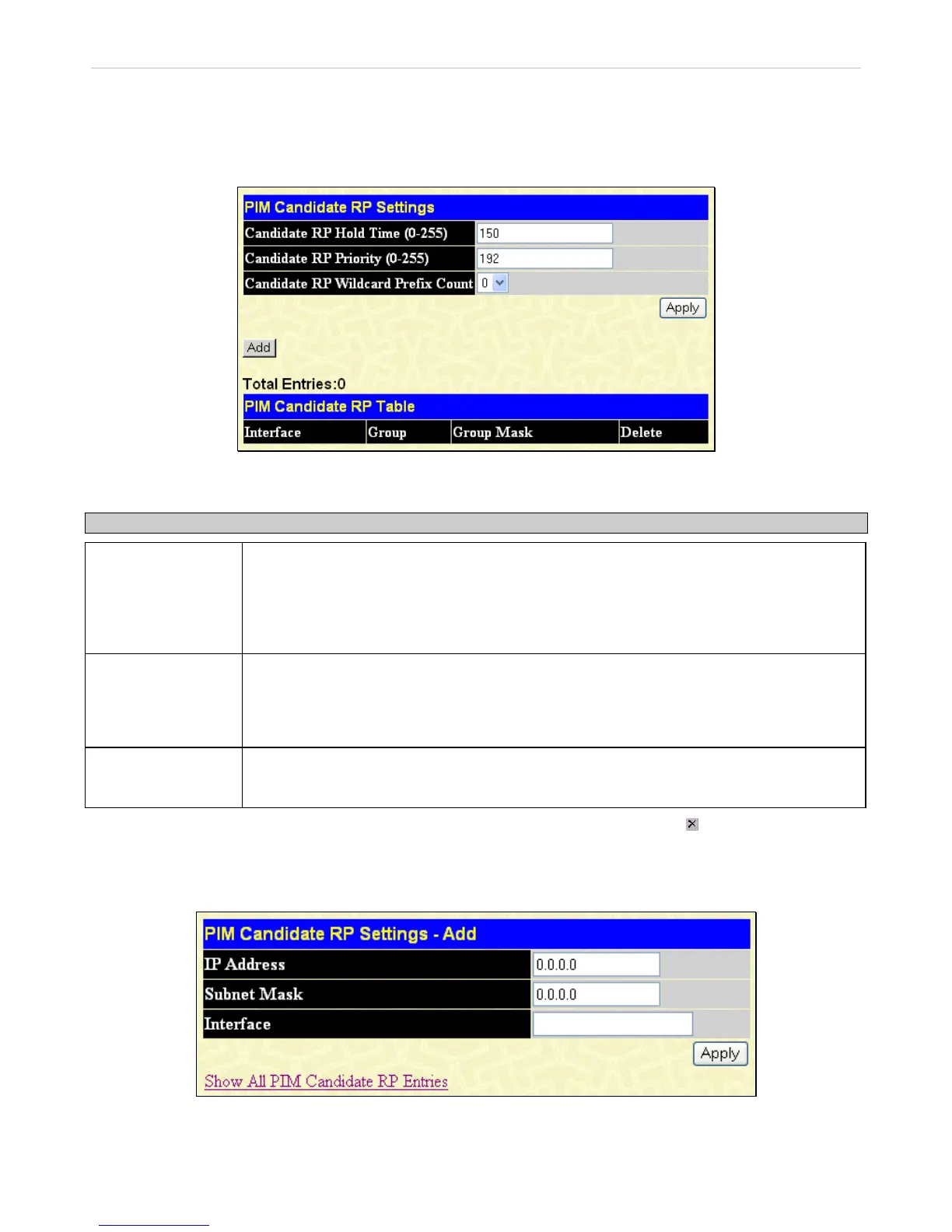
The following window is used to set the Parameters for this Switch to become a candidate RP.
To view this window, click L3 Features > IP Multicast Routing Protocol > PIM > PIM Candidate RP Settings, as shown
below:
Figure 4- 129. PIM Candidate RP Settings window
The following fields can be viewed or set:
Parameter Description
Candidate RP Hold
Time (0-255)
This field is used to set the time Candidate RP (CRP) advertisements are valid on the PIM-
SM enabled network. If CRP advertisements are not received by the BSR within this time
frame, the CRP is removed from the list of candidates. The user may set a time between 0
and 255 seconds with a default setting of 150 seconds. An entry of 0 will send out one
advertisement that states to the BSR that it should be immediately removed from CRP status
on the PIM-SM network.
Candidate RP
Priority (0-255)
Enter a priority value to determine which CRP will become the RP for the distribution tree.
This priority value will be included in the router’s CRP advertisements. A lower value means a
higher priority, yet, if there is a tie for the highest priority, the router having the higher IP
address will become the RP. The user may set a priority between 0 and 255 with a default
setting of 192.
Candidate RP
Wildcard Prefix
Count
The user may set the Prefix Count value of the wildcard group address here by choosing a
value between 0 and 1 with a default setting of 0.
Click Apply to implement changes made. To remove an entry from the table, click its corresponding under the Delete heading.
To add a PIM Candidate RP, click the Add button in the previous window, which will display the following window for the user
to configure.
Figure 4- 130. PIM Candidate RP Settings – Add window
The following fields can be set:
270












 To Next Page