xStack
®
DGS-3600 Series Layer 3 Managed Gigabit Ethernet Switch
Super VLAN
This section is used to create a super VLAN. The specified VLAN must be an 802.1Q VLAN. If the specified VLAN does not
exist, the operation will not be successful.
NOTE:
1. If a user specifies the super VLAN name, the VLAN must be an existing 802.1Q VLAN.
2. L3 route protocols, VRRP, multicast protocols, and IPV6 protocols cannot run on a super VLAN interface.
A super VLAN is used to aggregate multiple sub VLANs in the same IP subnet. A sub-VLAN is a L2 separate broadcast domain.
The super VLAN cannot have any physical member ports; hosts reside on sub VLANs. Once an IP interface is bound to a super
VLAN, the proxy ARP will enable automatically on the interface for communication between its sub VLANs. If an IP interface is
bound to a super VLAN, it cannot bind to other VLANs. A super VLAN cannot be a sub VLAN of other super VLANs.
Super VLAN Settings
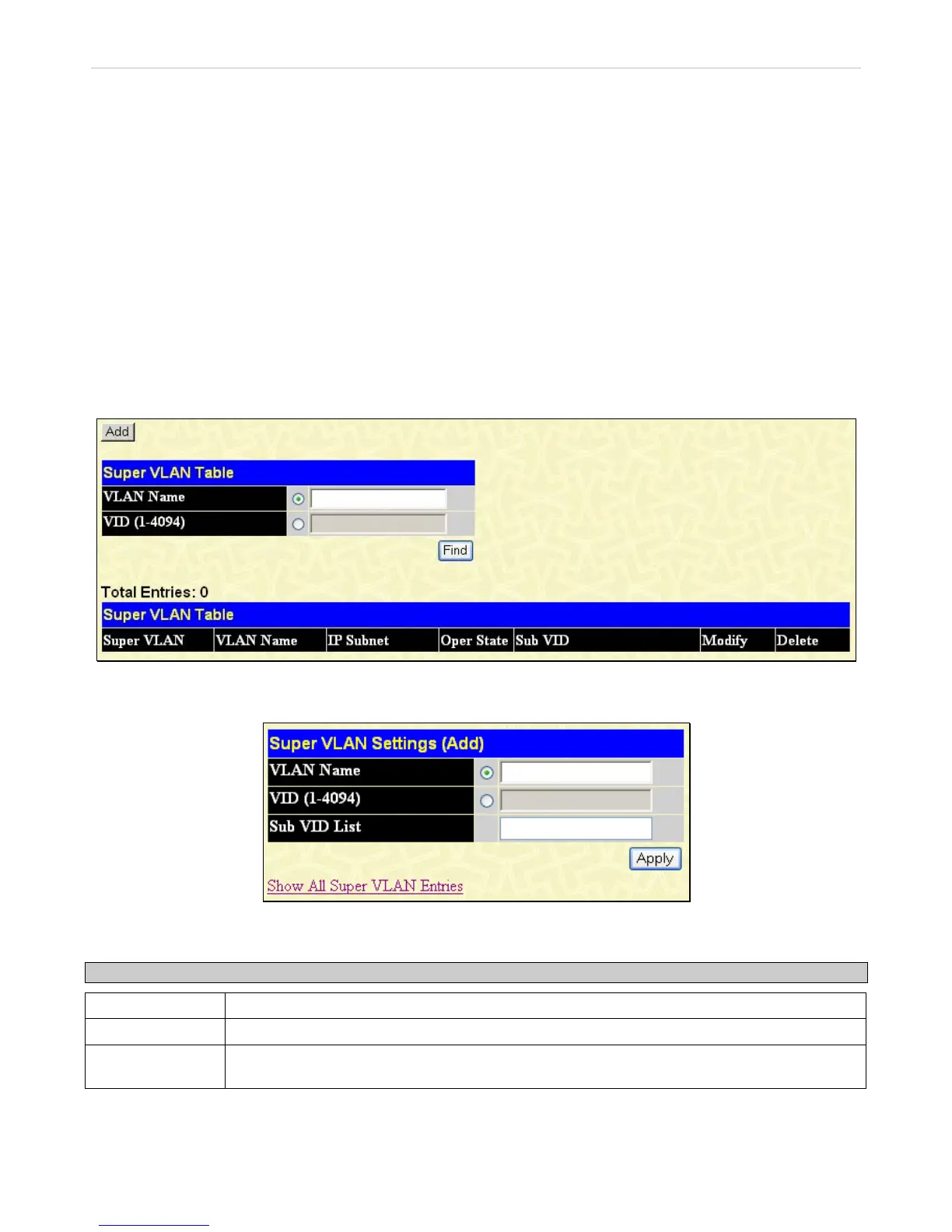
This window is used to configure a super VLAN.
To view this window, click L2 Features > VLAN > Super VLAN > Super VLAN Settings, as shown below:
Figure 3- 22. Super VLAN Table window
Click the Add button to reveal the following window for the user to configure:
Figure 3- 23. Super VLAN Settings (Add) window
The following fields may be configured:
Parameter Description
VLAN Name
Enter the name of the super VLAN. The VLAN name must be an existing 802.1Q VLAN.
VID (1-4094)
Enter the VLAN ID of the super VLAN.
Sub VID List
Enter the sub VLANs of the super VLAN. By default, a newly created super VLAN does not have
any sub VLANs configured.
Click Apply to implement changes made.
109












 To Next Page