xStack
®
DGS-3600 Series Layer 3 Managed Gigabit Ethernet Switch
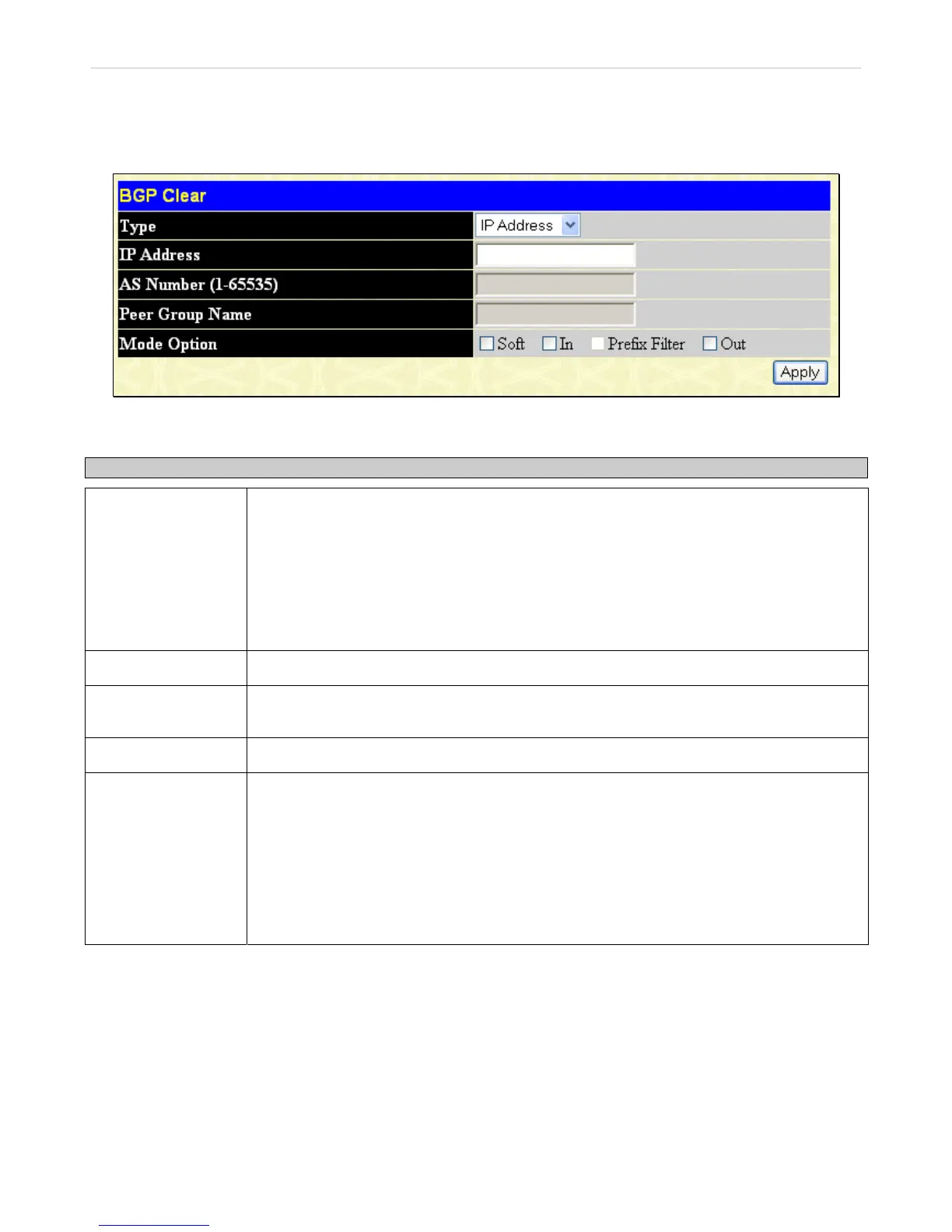
BGP Clear
This window is used to reset the Border Gateway Protocol (BGP) connections using hard or soft reconfigurations.
To view this window, click L3 Features > BGP > BGP Clear, as shown below:
Figure 4- 146. BGP Clear window
To configure BGP clear on the Switch, complete the following fields:
Parameter Description
Type
Choose among IP Address, AS, Peer Group, External, or All.
IP Address - Specify to reset the session with the specified neighbor.
AS - Specify to reset sessions with BGP peers in the specified Autonomous System.
Peer Group - Specify to reset a peer group.
External - Specify all eBGP sessions will be reset.
All - Specify that all current BGP sessions will be reset.
IP Address
If IP Address is specified in the Type above, enter an IP address.
AS Number (1-
65535)
If AS is specified in the Type above, enter an Autonomous System number.
Peer Group Name
If Peer Group is specified in the Type above, enter a peer group name.
Mode Option
Tick the desired mode option: Soft, In, Prefix Filter, or Out.
Soft – This initiates a soft reset. It does not tear down the session.
In – This iInitiates inbound reconfiguration. If neither in nor out keywords are specified, both
inbound and outbound sessions are reset.
Prefix Filter – The local site configured prefix filter will be notified to the remote neighbor
when inbound soft reset is applied.
Out – This initiates outbound reconfiguration.
Click Apply to implement changes made.
287












 To Next Page