xStack
®
DGS-3600 Series Layer 3 Managed Gigabit Ethernet Switch
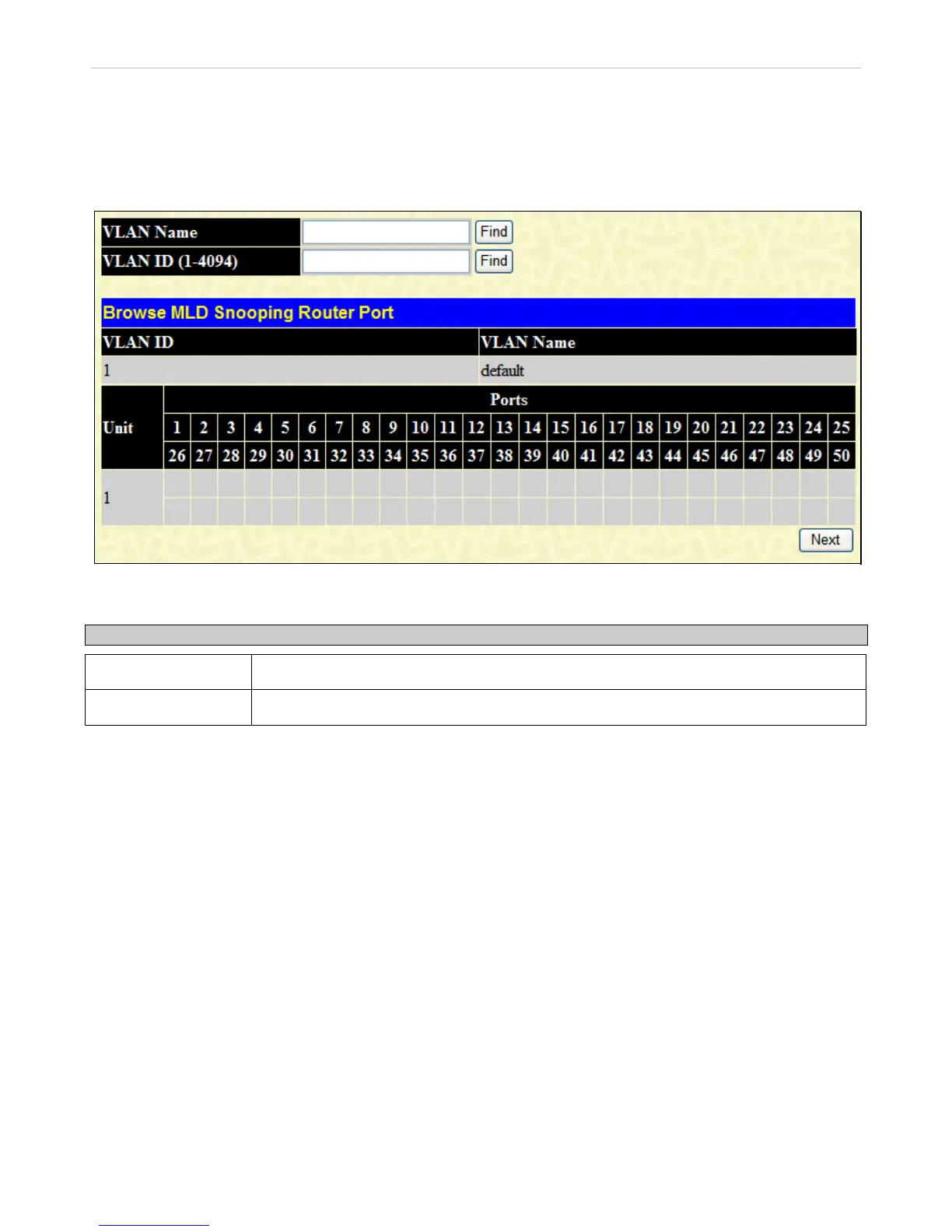
Browse MLD Router Port
This displays which of the Switch’s ports are currently configured as router ports in IPv6. A router port configured by a user
(using the console or Web-based management interfaces) is displayed as a static router port, designated by S. A router port that is
dynamically configured by the Switch is designated by D and a Forbidden port is designated by F.
To view this window, click Monitoring > Browse MLD Snooping Router Port, as shown below:
Figure 8- 21. Browse MLD Snooping Router Port window
The following fields may be set or viewed:
Parameter Description
VLAN Name
Enter the VLAN name and then click the Find button.
VLAN ID (1-4094)
Enter the VLAN ID and then click the Find button.
433












 To Next Page