User's Manual
136
5.7 Configuring Record Settings
You can record video manually or automatically and configure the recording settings to main stream
and sub stream respectively.
5.7.1 Enabling Record Control
●
Manual recording operation requires the user have the permission to access
STORAGE
settings.
●
Check to ensure the HDD installed in the Device has been formatted properly.
Procedure
Step 1 Right-click on the live view screen, the shortcut menu is displayed. On the shortcut menu,
select
Manual Control
>
Record Control
.
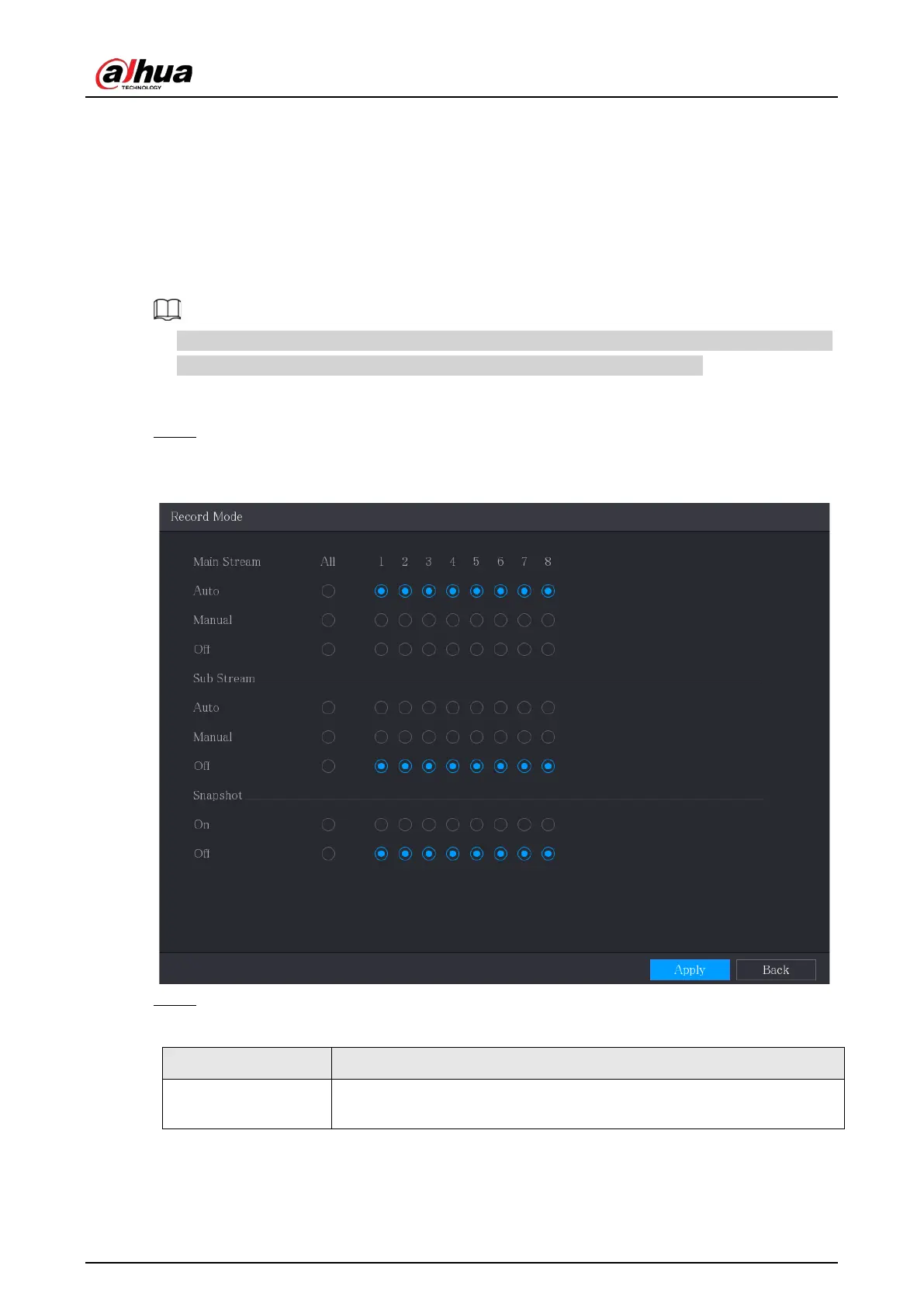
Figure 5-89 Record mode
Step 2 Configure the settings for the record control parameters.
Table 5-32 Record control parameters
Parameter Description
Channel
Displays all the analog channels and the connected digital channels. You
can select a single channel or select
All
.



 To Next Page
 Loading...