User's Manual
277
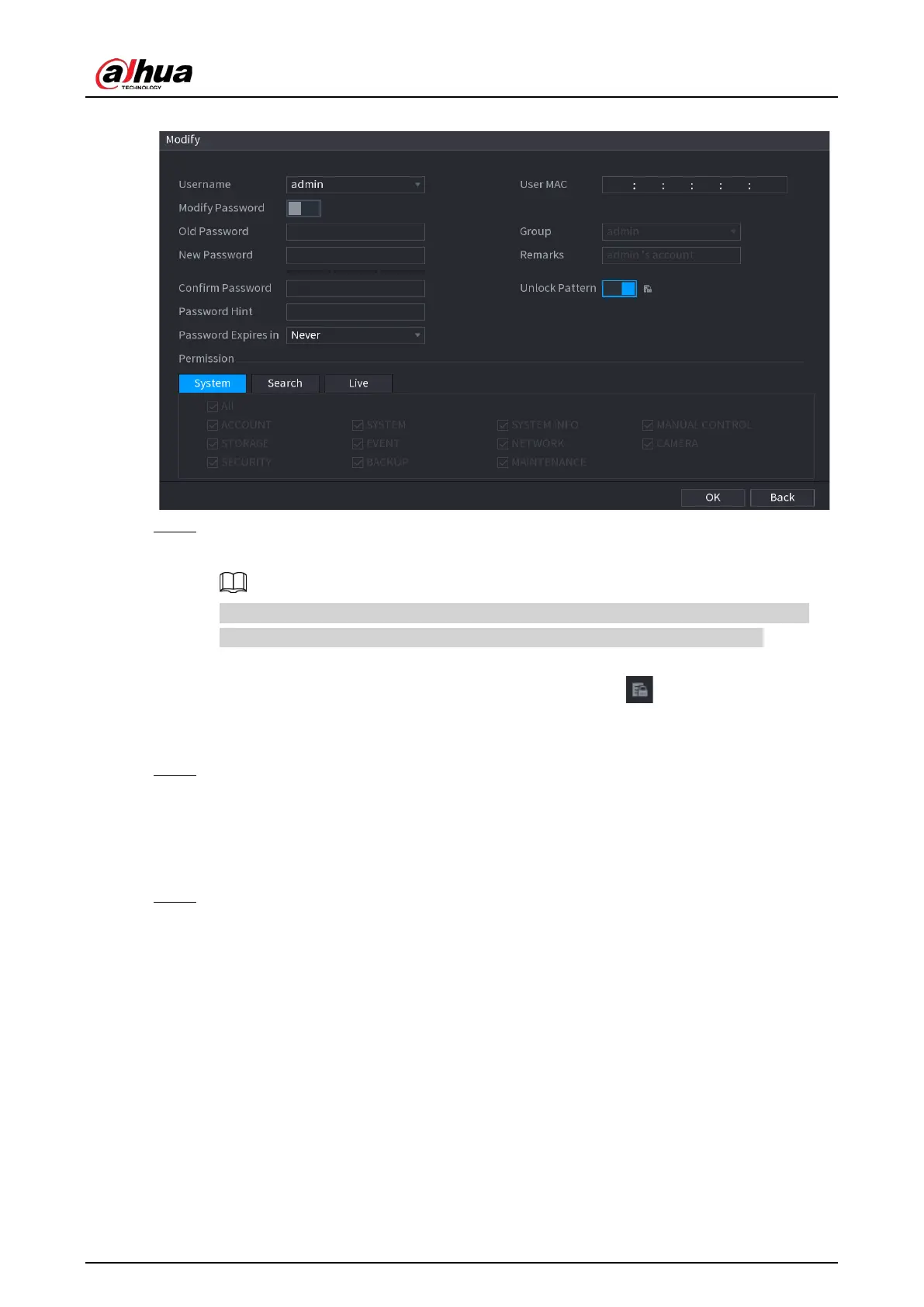
Figure 5-242 Modify
Step 3 Change the settings for password, username, user group, user MAC, memo, password
validity period and authority
The new password can be set from 8 digits through 32 digits and contains at least two
types from number, letter and special characters (excluding"'", """, ";", ":" and "&").
For the admin account, you enable/disable the unlock pattern and modify password hint.
●
To use the unlock pattern, enable
Unlock Pattern
, click , draw a pattern in the
Unlock Pattern
page, and then click
Save
to save the setting.
●
Enter password hint text in
Password Hint
box.
Step 4 Click
OK
to complete the settings.
5.16.1.3 Deleting a User Account
Procedure
Step 1 Select
Main Menu
>
ACCOUNT
>
User
.


 To Next Page
 Loading...
