User's Manual
159
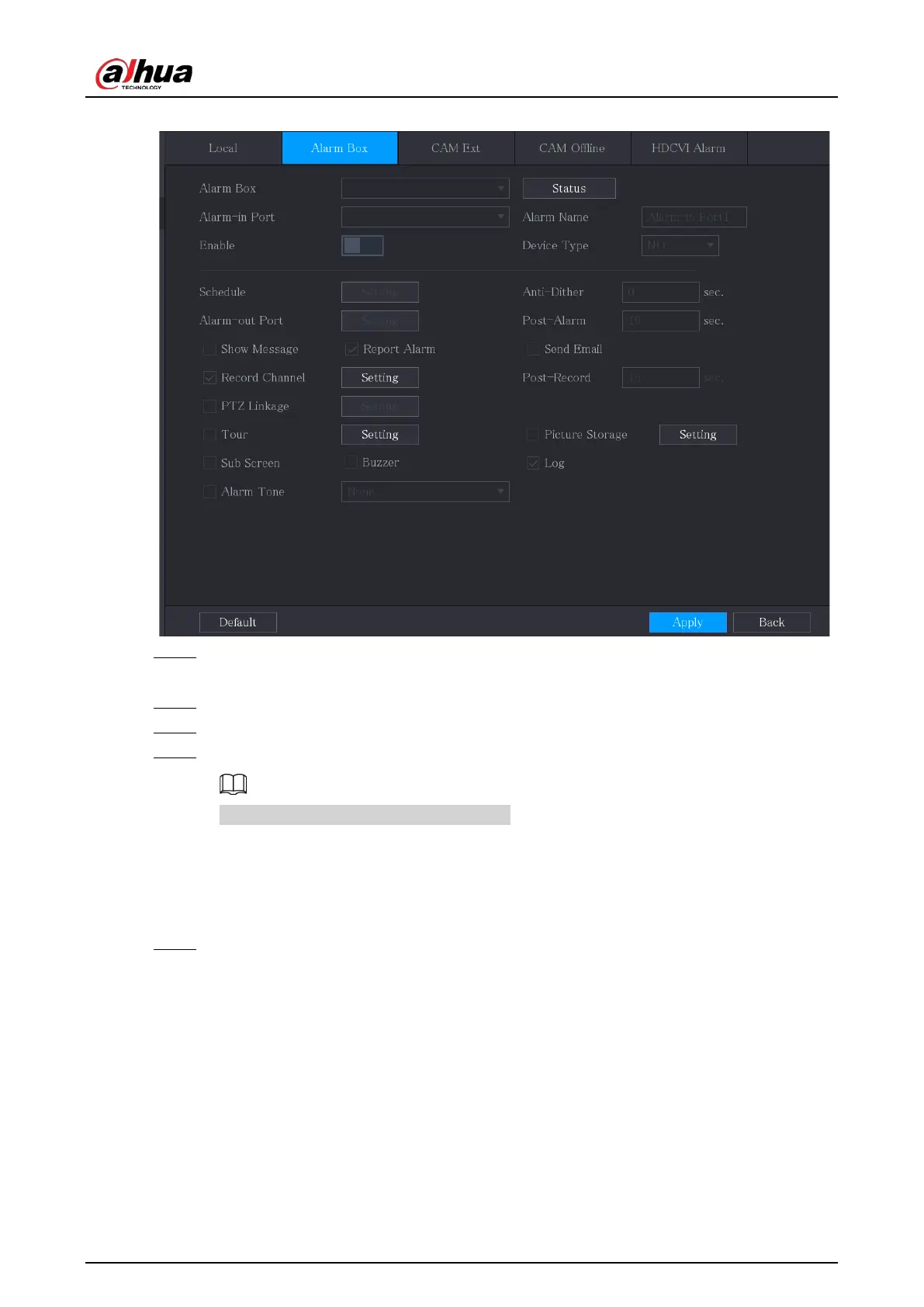
Figure 5-113 Alarm box
Step 2 In the
Alarm Box
list, select the alarm box number corresponding to the address number
configured by the DIP switch on the Alarm Box.
Step 3 In the
Alarm-in Port
list, select the alarm input port on the Alarm Box.
Step 4 Configure the settings for other parameters of the Alarm Box.
Step 5 Click
Apply
to complete the settings.
Click
Default
to restore the default setting.
5.10.2.3 Configuring Alarms from External IP Cameras
Procedure
Step 1 Select
Main Menu
>
ALARM
>
Alarm-in Port
>
CAM Ext
.



 To Next Page
 Loading...