User's Manual
171
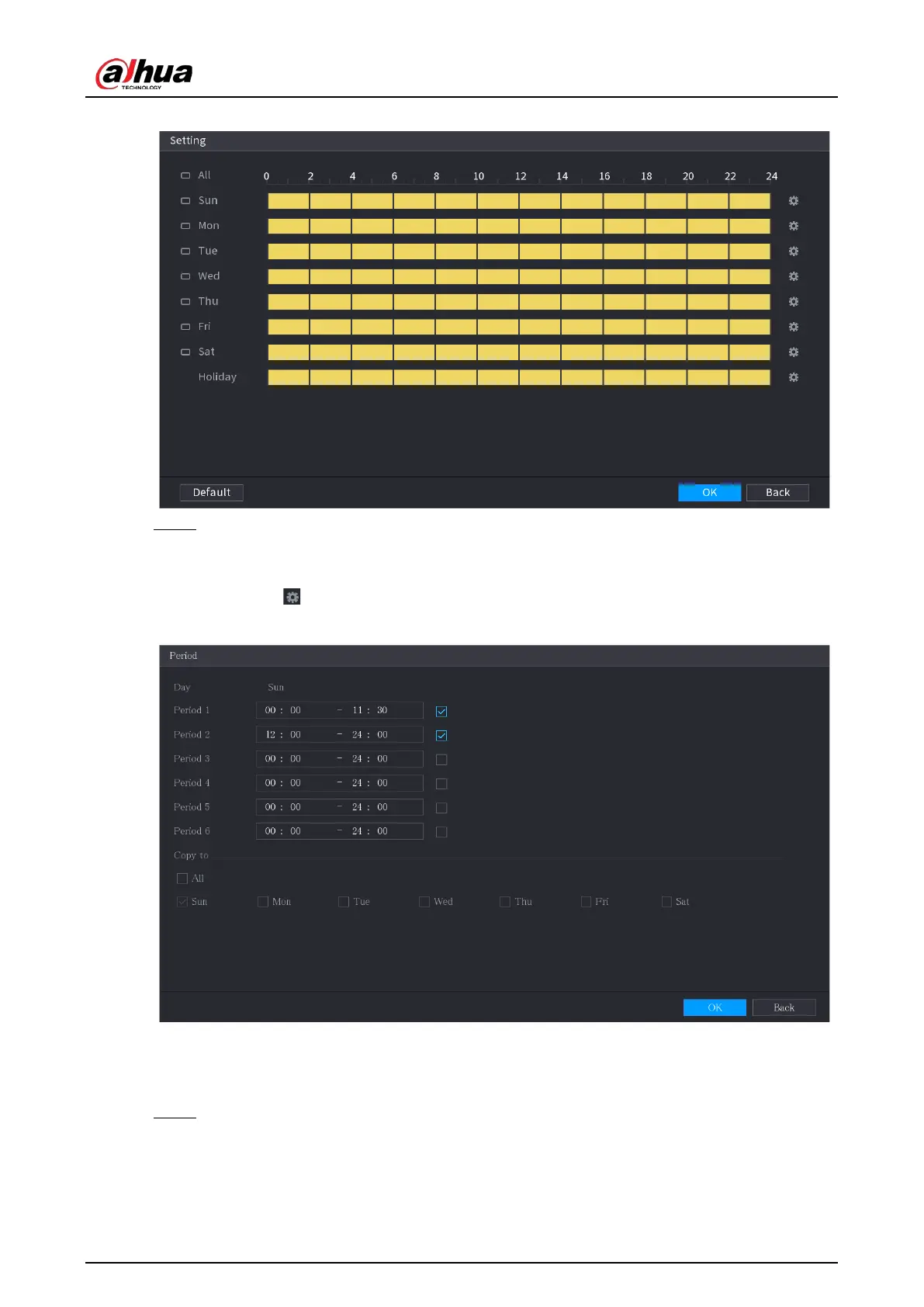
Figure 5-124 Setting
Step 2 Define the motion detection period. By default, it is active all the time.
●
Define the period by drawing.
●
Define the period by editing. Take Sunday as an example.
1) Click
.
Figure 5-125 Period
2) Enter the time frame for the period, and then select the checkbox to enable the
settings.
3) Click
OK
to save the settings.
Step 3 On the
Motion Detection
page, click
Apply
to complete the settings.
5.10.4.2 Configuring Video Loss Settings
When the video loss occurs, the system activates the alarm.


 To Next Page
 Loading...
