User's Manual
204
5.11.2.3 IVS Function
The IVS function processes and analyzes the images to extract the key information to match with the
preset rules. When the detected behaviors match with the rules, the system activates alarms.
If you select AI by device, then among face detection and recognition, IVS function, and video
structuring, you can use one of them at the same time for the same channel.
5.11.2.3.1 Configuring IVS Parameters
The alarms are generated according to the configured parameters.
Procedure
Step 1 Select
Main Menu
>
AI
>
Parameters
>
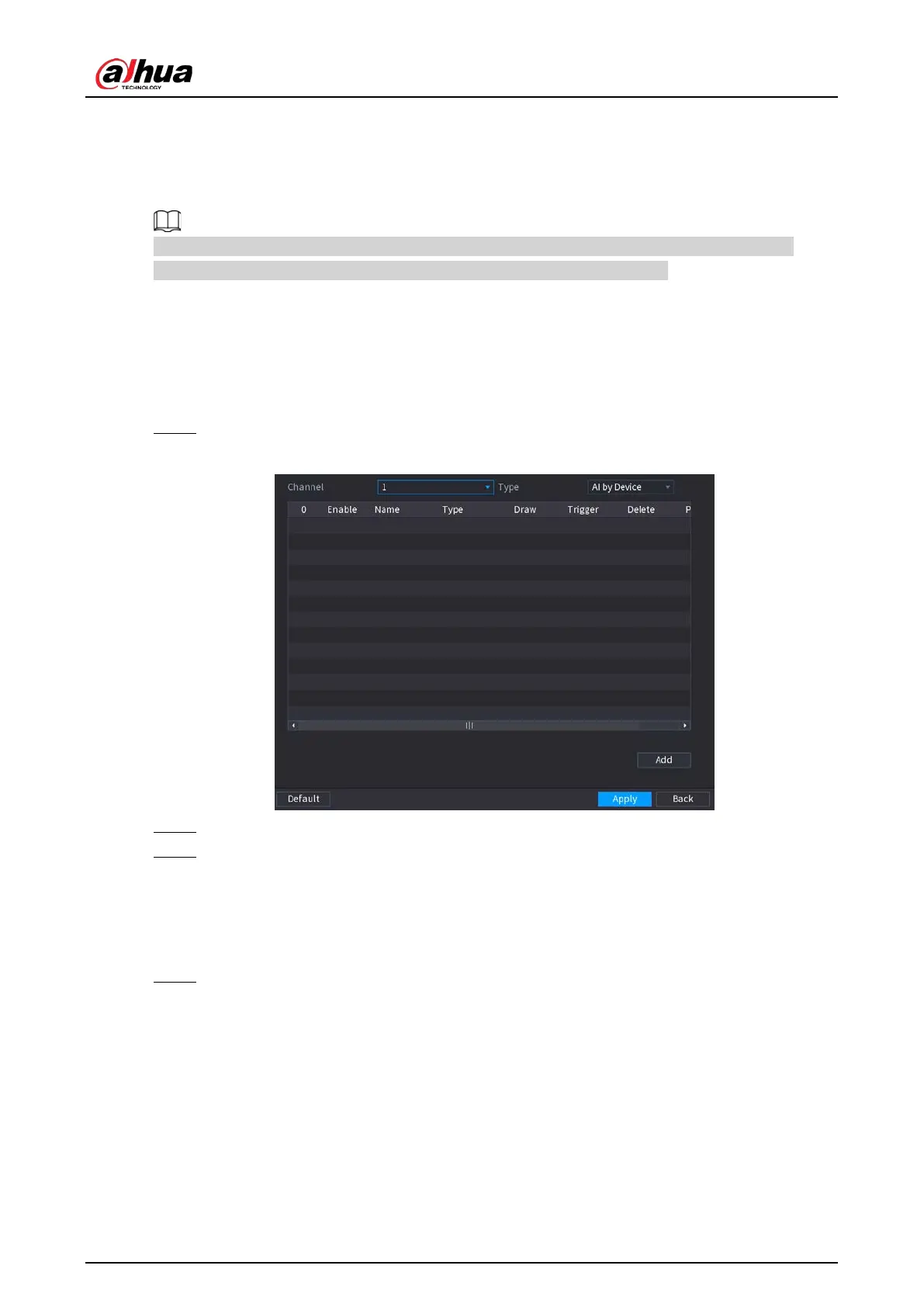
IVS
.
Figure 5-163 IVS
Step 2 In the
Channel
list, select the channel number that you want to configure the IVS function.
Step 3 At
Type
, you can select from
AI by Camera
and
AI by Device
.
●
AI by Camera
: This option requires certain AI cameras. The camera will do all the AI
analysis, and then give the results to the DVR.
●
AI by Device
: The camera only transmits normal video stream to the DVR, and then the
DVR will do all the AI analysis.
Step 4 Click
Add
.


 To Next Page
 Loading...
