User's Manual
141
select
Manual Control
>
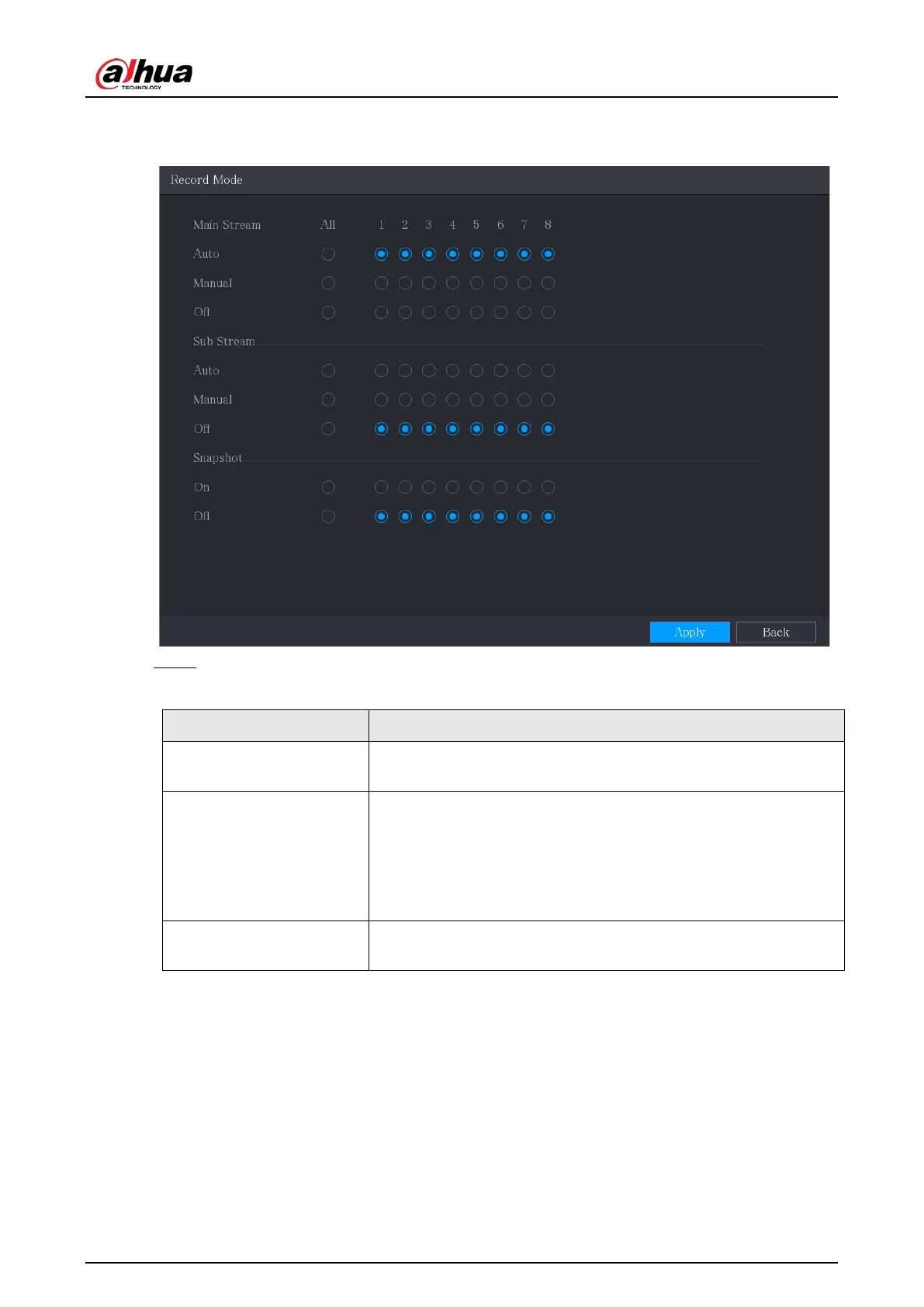
Record Mode
.
Figure 5-95 Record mode
Step 2 Configure the settings for the record control parameters.
Table 5-33 Record control parameters
Parameter Description
Channel
Displays all the analog channels and the connected digital
channels. You can select a single channel or select
All
.
Main Stream/Sub Stream
●
Auto
: Automatically record according to the record type and
recording time as configured in the recording schedule.
●
Manual
: Keep general recording for 24 hours for the selected
channel.
●
Stop
: Do not record.
Snapshot
Enable or disable the scheduled snapshot for the corresponding
channels.
5.9.2 Instant Playback
You can use the instant playback function to play back the previous 5 seconds to 60 minutes of the
recorded video in any channel. For details about instant playback function, see ."5.2.2.1 Instant
Playback".


 To Next Page
 Loading...
