User's Manual
160
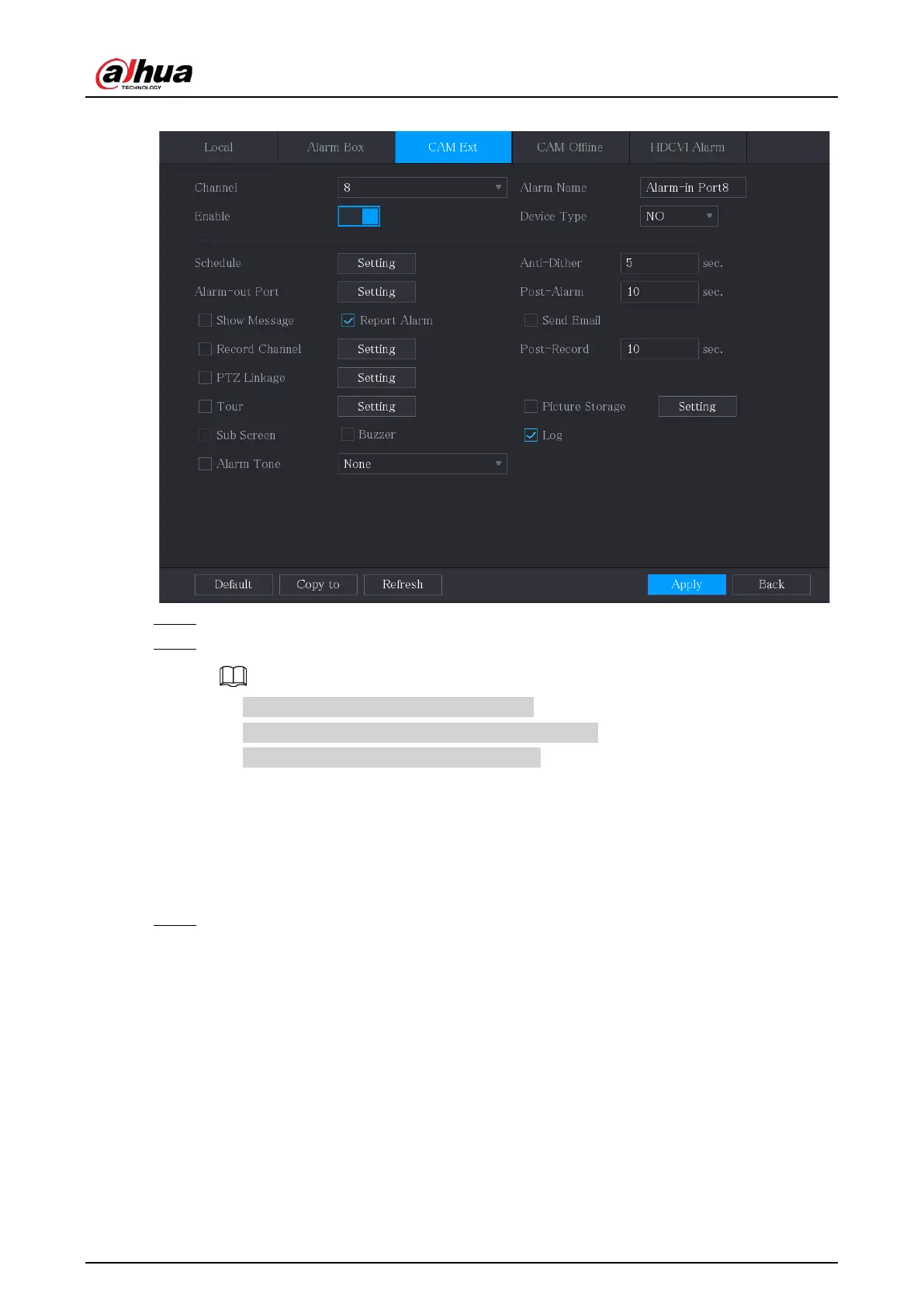
Figure 5-114 CAM ext
Step 2 Configure the alarm input settings from the external IPC.
Step 3 Click
Apply
to complete the settings.
●
Click
Default
to restore the default setting.
●
Click
Copy to
to copy the settings to other channels.
●
Click
Refresh
to refresh configured settings.
5.10.2.4 Configuring Alarms for IP Camera Offline
You can configure the alarm settings for the situation when the IP camera is offline.
Procedure
Step 1 Select
Main Menu
>
ALARM
>
Alarm-in Port
>
CAM Offline
.


 To Next Page
 Loading...
