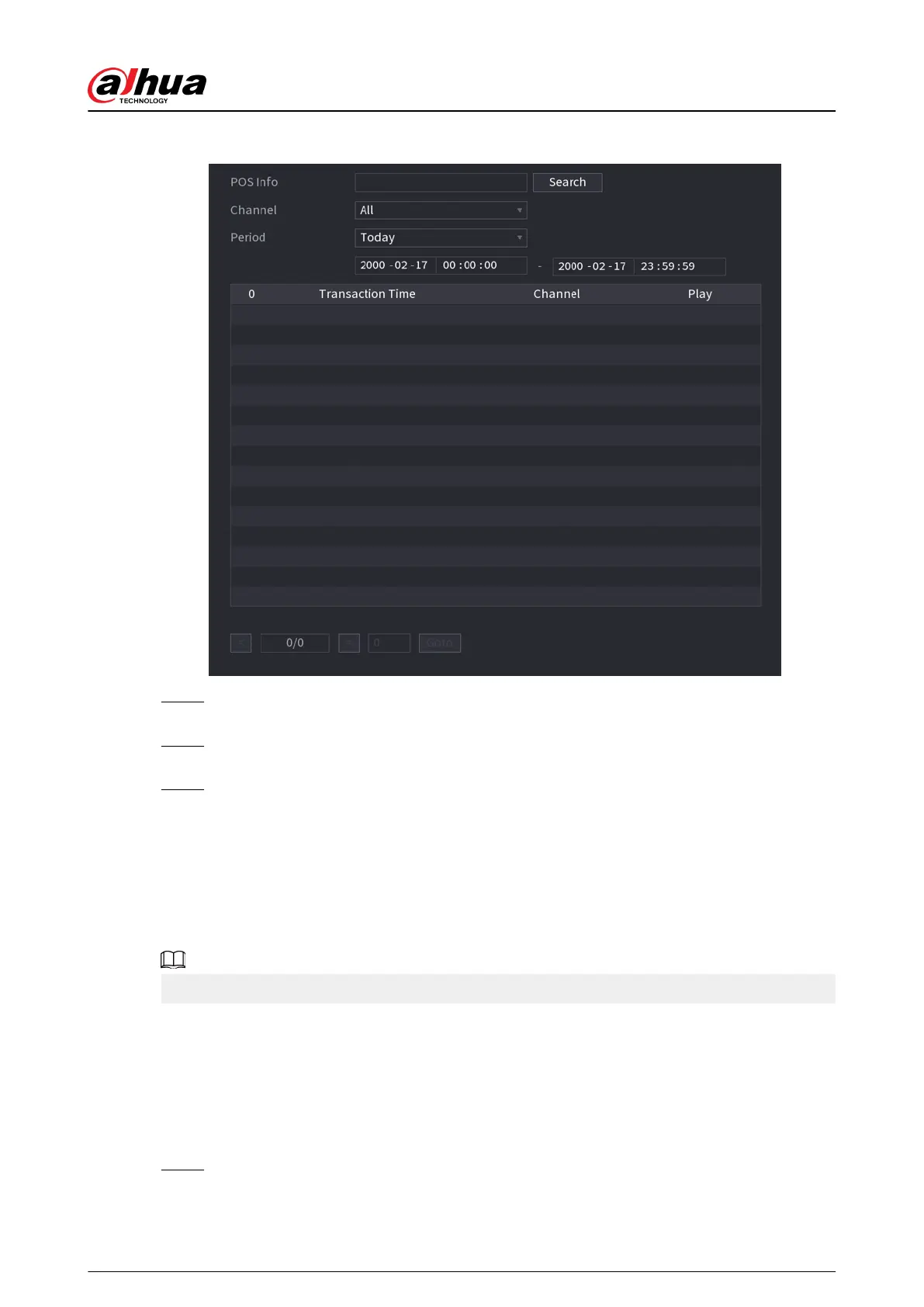
Figure 5-304 POS search
Step 2 In the POS Search box, enter the information such as transaction number on your
receipt, amount, or product name.
Step 3 In the Start Time box and End Time box, enter the time period that you want to search
the POS transaction information.
Step 4 Click Search.
The searched transaction results display in the table.
5.18 Audio
The audio function is to manage audio les and set schedule play function. It is to realize audio
broadcast activation function.
This function is available on select models.
5.18.1 File Management
You can add audio les, listen to audio les, rename and delete audio les, and congure the audio
volume.
Procedure
Step 1 Select Main Menu > AUDIO > File Management.
User's Manual
427


 To Next Page
 Loading...