20 Installation Manual 3P291714-7H
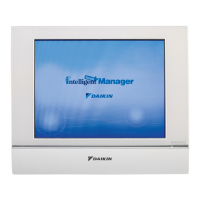
DCM601B51 intelligent Touch Manager
English
2.4 Connecting I/O module
The intelligent Touch Manager can be used in conjunction with the I/O module. The I/O
module provides a maximum of 960 I/O points for controlling non-DAIKIN peripheral
equipment such as lighting equipment and security lock systems.
WARNING
• Be sure to perform this procedure with the power supply turned off. Not doing
so may cause an electric shock.
• Do not clamp the cables with high-current lines such as a power cable.
2.4.1 Terminals location and conceptual connection diagram
<Conceptual drawing of I/O module connection>
MONITOR
RS-485
A
A Max. 30 nodes
Connect the I/O module to the RS-485 terminals located on the rear face. Be sure to con-
nect the positive (+) core to the + (positive) terminal and the negative (–) core to the –
(negative) terminal, respectively. If you are using shielded stranded wire cables, twist and
connect the strands of wire to the G (Ground) terminal.
2.4.2 Requirements that must be met
• Cable type: CPEV or FCPEV cable (shielded type also acceptable)
• Cable length: 500 meters or less
• Core thickness: φ0.65 - 0.9mm
• Limitation in contacts per node is 120 or less. Maximum number of nodes is 30.
• The intelligent Touch Manager must be connected as a terminal to the RS-485 wiring.










 To Next Page