Installation Manual 3P291714-7H
DCM601B51 intelligent Touch Manager
15English
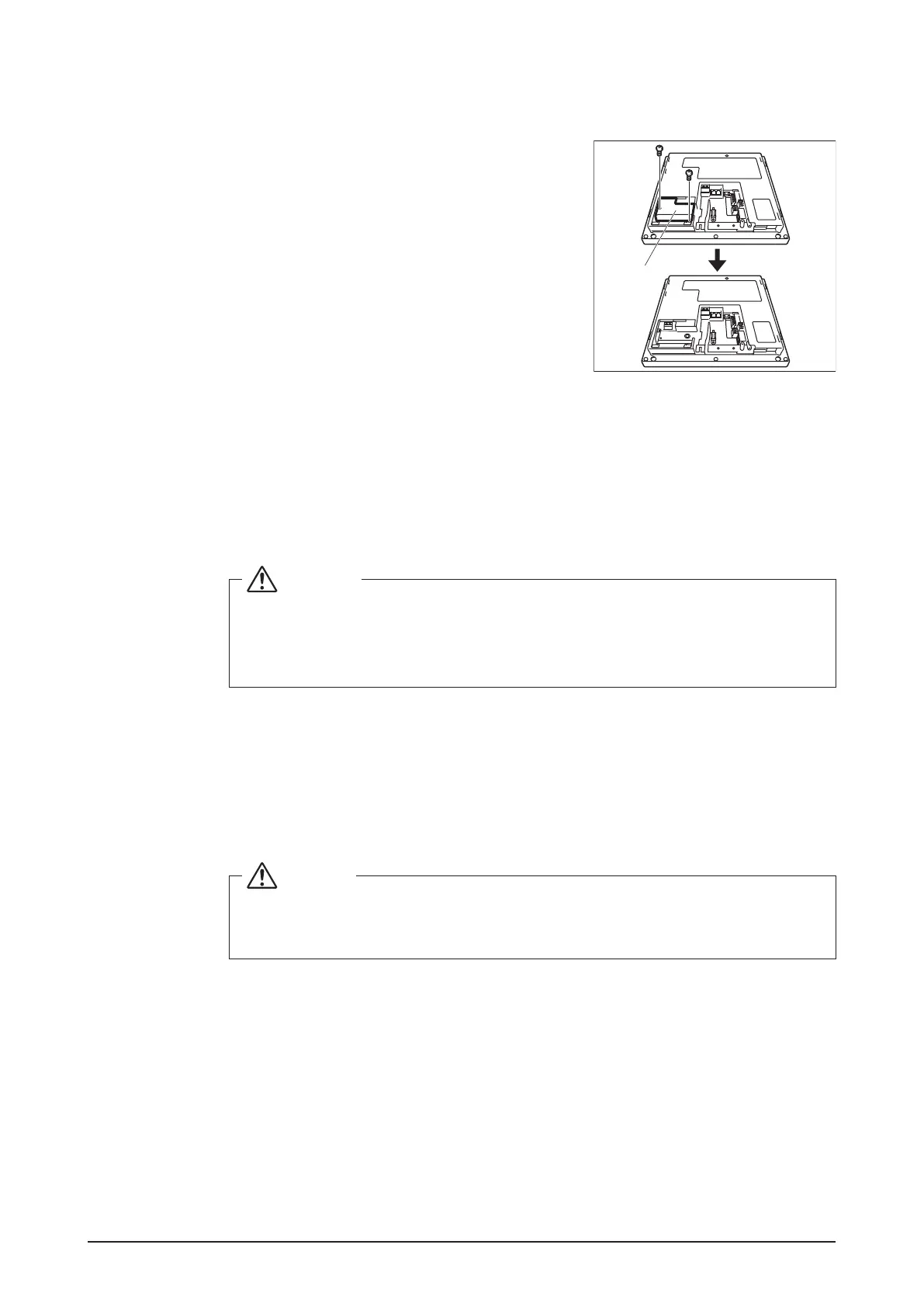
2.1.2 Removing the power supply terminal cover
<Removing the power supply
terminal cover>
Remove the power supply terminal cover.
You can remove the power supply terminal cover by
removing the two screws using a Phillips screwdriver.
A
A Power supply terminal cover
2.2 Connecting DIII-NET-compatible air conditioning equipment
DIII-NET is a unique air conditioning equipment communication capability developed by
DAIKIN. Using DIII-NET, you can centrally control multiple DAIKIN DIII-NET-compatible air
conditioning devices by connecting them to your intelligent Touch Manager.
WARNING
• Be sure to perform this procedure with the power supply turned off. Not doing
so may cause an electric shock.
•
The maximum length of adhered wiring of high current electrical line of power wires
and weak current line of communication wires must be kept to 20 meters or less.
2.2.1 Terminals location and conceptual connection diagram
To connect the DIII-NET communication line, use the 2 terminals F1 and F2 under the
label “DIII” on the rear face. These 2 terminals have no polarity. An example of connecting
more than two air conditioning devices is shown in the following conceptual connection
diagram.
CAUTION
Make sure that the wires you are connecting to the F1 and F2 terminals are not
power wires. Inadvertently connecting power wires to these terminals results in
a failure of the air conditioner or intelligent Touch Manager.










 To Next Page