EasyManua.ls Logo

Daikin DCS601C51 - User Manual

Daikin DCS601C51
98 pages
Print Icon
To Next Page IconTo Next Page
Loading...
Operation Manual
Use smart and save smart
Thank you for purchasing intelligent Touch Controller.
This operation manual contains notes for safe use of the
product.
For correct use, be sure to read this manual carefully
before use.
When you have read this manual, be sure to store it in a
place where the operator can conveniently refer to at
anytime.
In case of personnel change, be sure to give the manual
to the new operator.
Model
DCS601C51
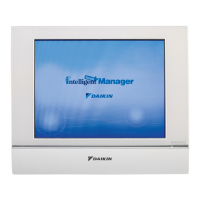
intelligent Touch Controller
Maintenance
Precautions................................................ 83
Maintenance
LCD Maintenance...................................... 84
When Leaving the Product
Turned OFF for a Long Time ..................... 84
Troubleshooting ......................................... 85
Maintenance
For Your Information
Before useOperation
Before use
Safety Considerations
Be sure to follow the instructions below .....1
System Overview......................................... 3
Features and Functions...............................4
Part Names and Functions.......................... 5
Part Names on the Monitoring
Screen and the Functions
List............................................................... 7
Icon.............................................................. 9
Operation
Operation
Quick Reference ........................................13
Air Conditioner Operation.......................... 15
Monitoring Operation of Air Conditioner ... 26
System Setup Menu
..................................... 32
For Your Information
Options ...................................................... 93
Specification .............................................. 94
After-sales Service .....................................95
EM04A055A


Table of Contents

Other manuals for Daikin DCS601C51

Questions and Answers

  • E
    Emily PowersAug 16, 2025
    How to reset Daikin DCS601C51 Controller when it is not working?
    • C
      Christine SmithAug 16, 2025
      If the intelligent Touch Controller cannot be operated or monitoring isn't available, try the following: First, press and hold the reset button on the left screen for 5 seconds. If that doesn't work, press the RESET button with a thin shaft-like object. Also, discharge any static electricity from your body by touching a grounded metal object before operating the Daikin Controller.
  • H
    herreradawnAug 19, 2025
    How to adjust brightness on Daikin DCS601C51 Controller?
    • J
      Jessica SalasAug 19, 2025
      If you want to adjust the screen brightness, contrast, and buzzer sound on your Daikin intelligent Touch Controller, use a Phillips head screwdriver to adjust the volume (variable resistor) on the left side of the controller while checking each level.
  • J
    Jacob RyanAug 22, 2025
    How to turn on Daikin DCS601C51 display?
    • M
      Melissa GrantAug 22, 2025
      If the display of your Daikin intelligent Touch Controller has gone out, touch the screen with the pen provided to turn the display back on.
  • J
    juliachapmanAug 25, 2025
    Why doesn't the backlight go off on my Daikin Controller?
    • F
      Franklin DixonAug 25, 2025
      The backlight of your Daikin Controller will not automatically turn off if the display is set to 'Set/Prop', 'System Setup', etc.
  • K
    Kevin JohnsonAug 27, 2025
    What to do if Daikin Controller touch screen is not responding?
    • C
      cperezAug 27, 2025
      If touching the screen of the Daikin intelligent Touch Controller doesn't change the display right away, it may take some time depending on the communication status with the connected air conditioners. The update should complete in a few seconds.
  • P
    Patrick AcostaAug 30, 2025
    What to do if the Daikin DCS601C51 Controller fails and remote control is disabled?
    • J
      John MasonAug 31, 2025
      If the Daikin Controller fails while the remote control is disabled, preventing start/stop settings for the air conditioners, temporarily turn off the power supply breaker of the intelligent Touch Controller until service personnel can investigate.
  • H
    Hayley DavisSep 2, 2025
    Why does my Daikin DCS601C51 screen flicker?
    • W
      Whitney WallSep 2, 2025
      It is normal for the Daikin Controller screen to flicker at a regular interval. The Monitoring screen updates every 3 seconds to show the latest status of the air conditioners.
  • W
    walkermelissaSep 6, 2025
    Why does my Daikin Controller buzzer sound when I press an area not allocated for a button?
    • L
      lorimarshSep 6, 2025
      If you hear a buzzer sound when pressing an area not allocated for a button on the Monitoring screen of your Daikin Controller, this is normal.
  • N
    Nicholas HernandezSep 8, 2025
    Why does the buzzer sound break up on my Daikin DCS601C51?
    • J
      Javier McdonaldSep 8, 2025
      If the buzzer sound breaks up on your Daikin Controller, it may occur when the load on the CPU is particularly large, but this is not a problem.
  • A
    Alicia NixonSep 12, 2025
    Why are some LCD dots not illuminated on my Daikin DCS601C51?
    • K
      Kimberly SmithSep 12, 2025
      Finding some dots that are never illuminated or always illuminated on the LCD of the Daikin intelligent Touch Controller is normal.

Summary

Before Use

Safety Considerations

Important safety precautions and warnings for installation and use.

System Overview

System Overview

Explains the capabilities and structure of the intelligent Touch Controller.

Features and Functions

Operation Menu

Describes the primary menu for starting/stopping operations by group or zone.

Part Names and Functions

Back Panel Terminals

Details the various connectors and their functions on the rear of the unit.

Quick Reference

Air Conditioner Operation

System Setup Menu

Change Over Settings

Function to automatically switch operation mode based on room temp.

System Setup Menu Operation

Maintenance

Precautions

Important safety and operational precautions.

Troubleshooting

Common issues and their corrective actions.

For Your Information

Options

Describes optional adaptors and their functions for expanded connectivity.

Specification

Technical details including power, consumption, size, and mass.

After-sales Service

Information on product repair, transfer, and general inquiries.

Daikin DCS601C51 Specifications

General IconGeneral
CompatibilityDaikin VRV systems
Power Supply24V DC
Cloud PlatformDaikin Cloud
DisplayColor Touch Screen
Operating Temperature0°C

Related product manuals