When it is desired to adjust screen brightness, contrast and buzzer sound level
92
The screen brightness, contrast and buzzer sound level are
factory adjusted properly before shipment, but in case where
the screen is hard to see and the buzzer is hard to hear, for
example, according to the actual installation condition and
usage, the screen brightness, contrast and buzzer sound
level can be adjusted by the following method.
Item Description and Corrective Action
Screen brightness, contrast
and buzzer sound adjustment
is desired.
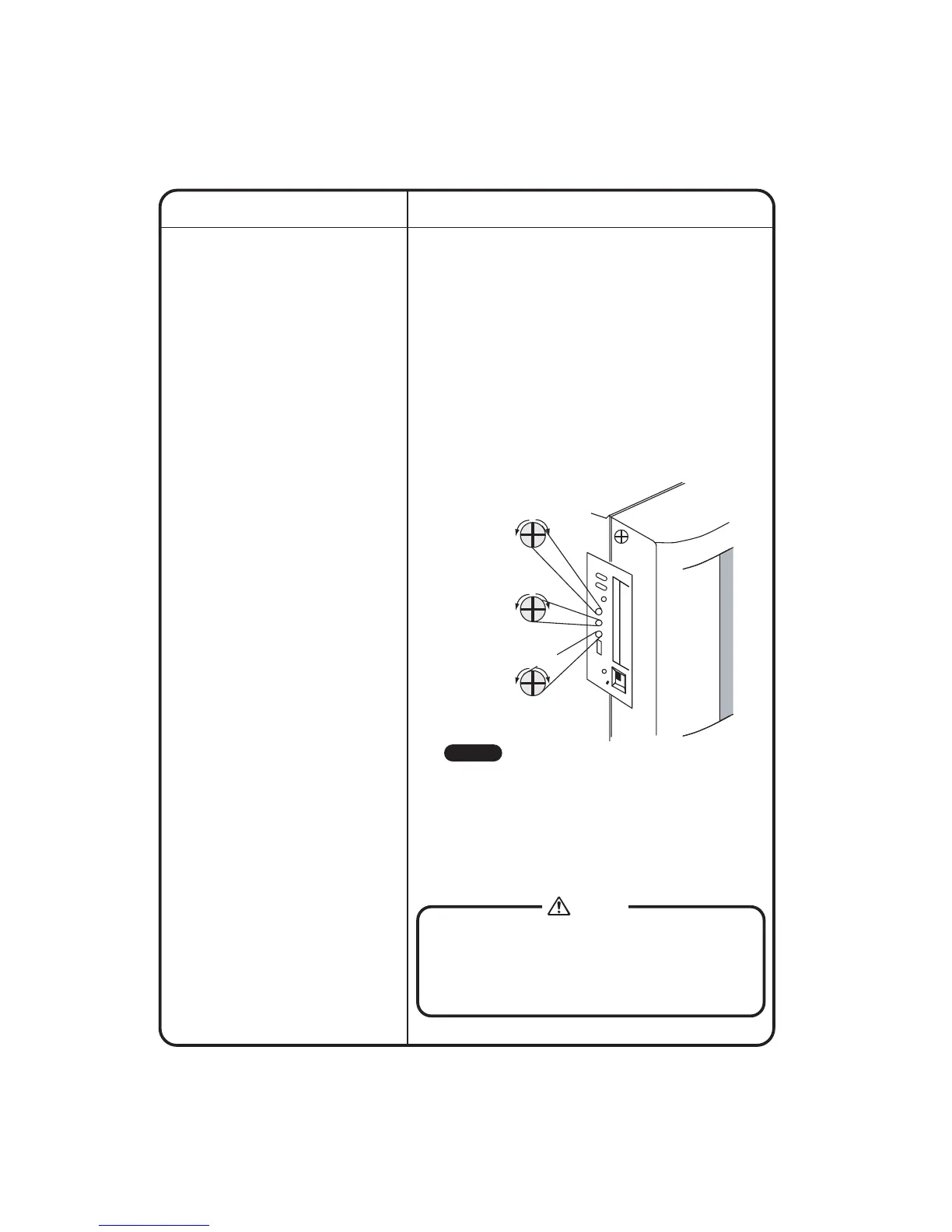
Adjust the volume (variable resistor) on the left side of the
intelligent Touch controller with a Phillips head screwdriver
while checking each level.
The buzzer sound, screen brightness and screen contrast
volume switches are located in sequence from the top as
shown below.
[Adjustment Method]
If electric components in the intelligent Touch Controller are
charged with static electricity, it may cause failure.
Be sure to discharge the static electricity accumulated in
your body before attempting any operation.
To discharge yourself, touch a grounded metal object
(control panel, etc.).
Note
R
E
S
E
T
loud
low
bright
dark
pale
dark
Caution
Buzzer sound
adjusting volume
Liquid crystal
backlight brightness
adjusting volume
Contrast adjusting
volume
• Since each volume is a precision component part, do
not turn the volume switch with excessive force.
It should be noted that a fault is caused to the switch.
• Do not touch other switches.
(The buzzer sound volume and liquid crystal backlight
brightness can be adjusted with the volume switch
described above; normally, however, no such
adjustment is required.)











 To Next Page