46
Dallmeier electronic GmbH & Co.KG
DMS 240 / DMS 160 / DMS 80
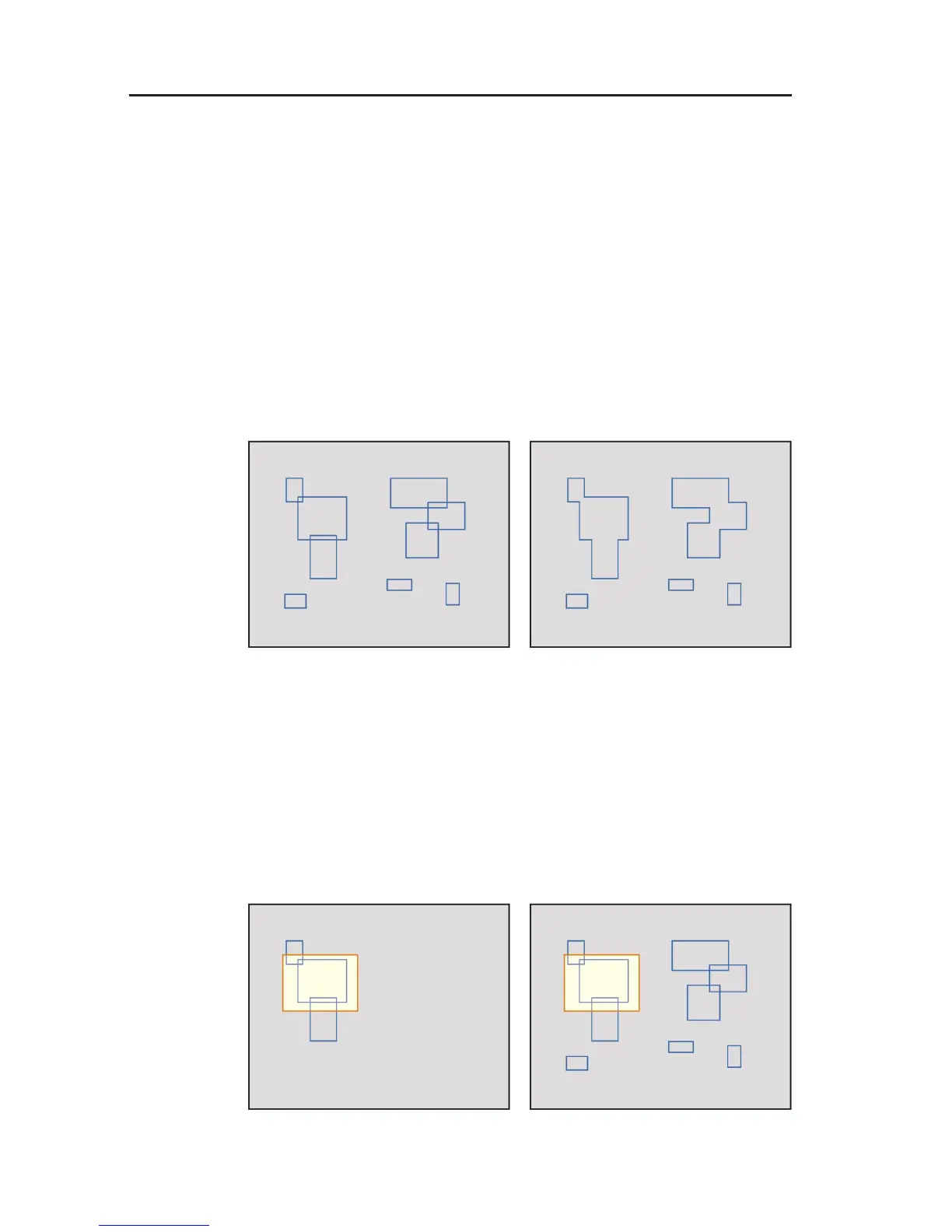
Draw mode
The draw mode influences the display of the existing picture
changes.
$ Rectangle
If you have activated Rectangle in the draw mode, all the
changes are each displayed with a rectangle, whereby
rectangles may also be positioned partially on top of each
other.
If you have not activated Rectangle in the draw mode,
adjacent and overlapping rectangles are combined into a single
area.
$ Intersection
If you have activated Intersection in the draw mode, only
those rectangles are displayed that are linked correspondingly
with the marking drawn by you, depending on the search
method (see Search mode).
If you have not activated Interface, all the rectangles are
displayed.
Fig. 8-11: Rectangle activates Fig. 8-12: Rectangle not activated
Fig. 8-13: Interface activated Fig. 8-14: Interface not activated



 To Next Page