47
Dallmeier electronic GmbH & Co.KG
Search Mode
The selection in the Search Mode field are theoretically used to
specify the search method and thus the number of relevant events.
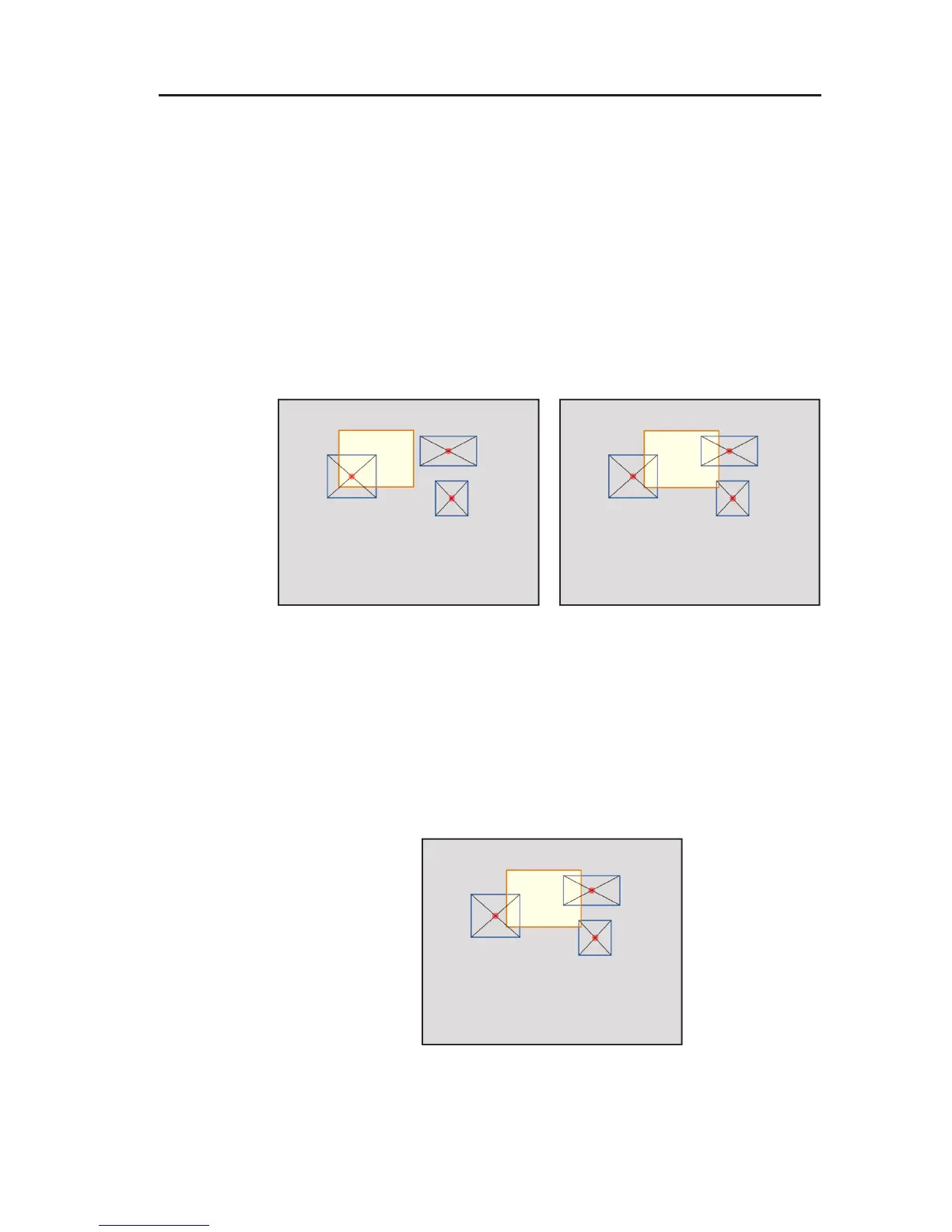
$ Balance Point Search
The rectangles that mark a figure change have an imaginary
geometric balance point assigned.
If Balance Point Search is activated, a hit is always listed
when this geometric balance point lies within the marking
drawn by you.
$ Intersection Search
If Intersection Search is activated, you already obtain a search
result when a rectangle of a figure change intersects the
marking drawn by you by even the smallest amount. The
geometric balance point is not of relevance then.
Fig. 8-15: Balance point within the
marking = Hit
Fig. 8-16: Balance point outside the
marking = No hit
Fig. 8-17: Rectangles intersect the
marking = Hit



 To Next Page