Tally Dascom 5130P
2
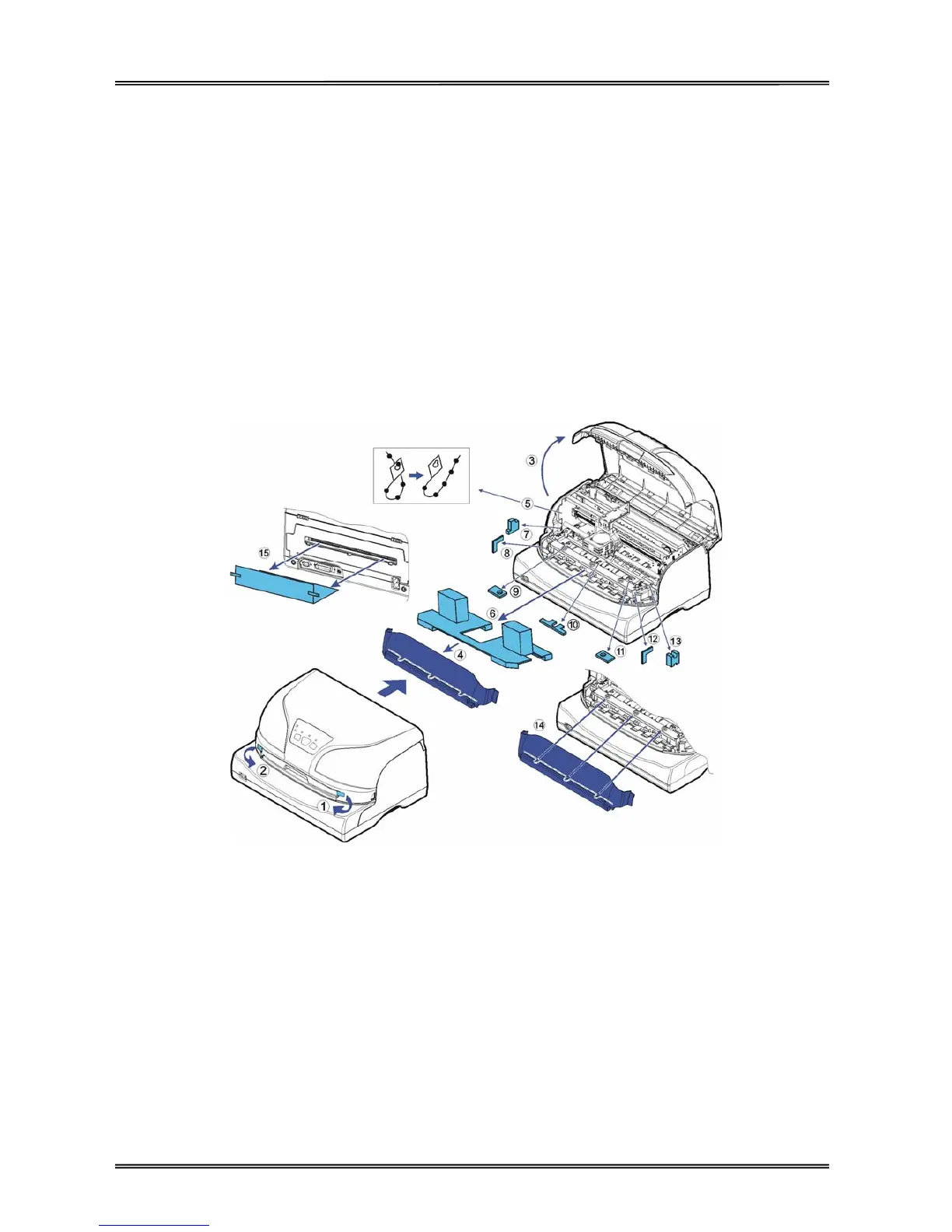
Remove the packaging material from the printer as follows:
1-2: Remove all the visible tapes from the outside of the printer.
3: Open the printer front cover.
4: Remove the transparent cover.
5: Remove the cable ties from the left and right ends of the carriage shaft.
6: Remove the shipping cardboard from around the print head.
7-13: Remove the shipping foams from around the chassis.
14: Install back the transparent cover.
15: Remove the shipping cardboard from the rear of the printer.



 To Next Page