Tally Dascom 5130P
15
2 Paper installation guide
2.1 Paper and printable area specifications
The printer can handle following media:
1)single ply
2)multilayer paper, up to 1+4 copies
3)bankbook and passport
4)continuous paper, up to 1+4 copies (only for 5130P with tractors)
Note:
Please select the correct media in “System Setup” in Setup Menu mode, so as to prevent paper jam or
damage to the print head.
Paper specifications:
Single ply Multilayer paper
Single continuous
paper
Multilayer
continuous paper
Width 60~245mm 60~245mm 101.6~241.3mm 101.6~241.3mm
Length 67~363.2mm 67~363.2mm 139.7mm~ 139.7mm~
Thickness 0.06~0.19mm
0.12~0.35mm
(2P) (5P)
0.08~0.12mm
0.12~0.35mm
(2P) (5P)
Weight 52~157 g/m
2
40 g/m
2
64~100 g/m
2
40 g/m
2
Bankbook-H
(Horizontal-Binding)
Passport-H
(Horizontal-Binding)
Width 105~241mm 150~241mm
Length 134~220mm 134~300mm
Thickness 0.2~2.0mm 0.2~6.0mm
Weight 95~116 g/m
2
95~116 g/m
2
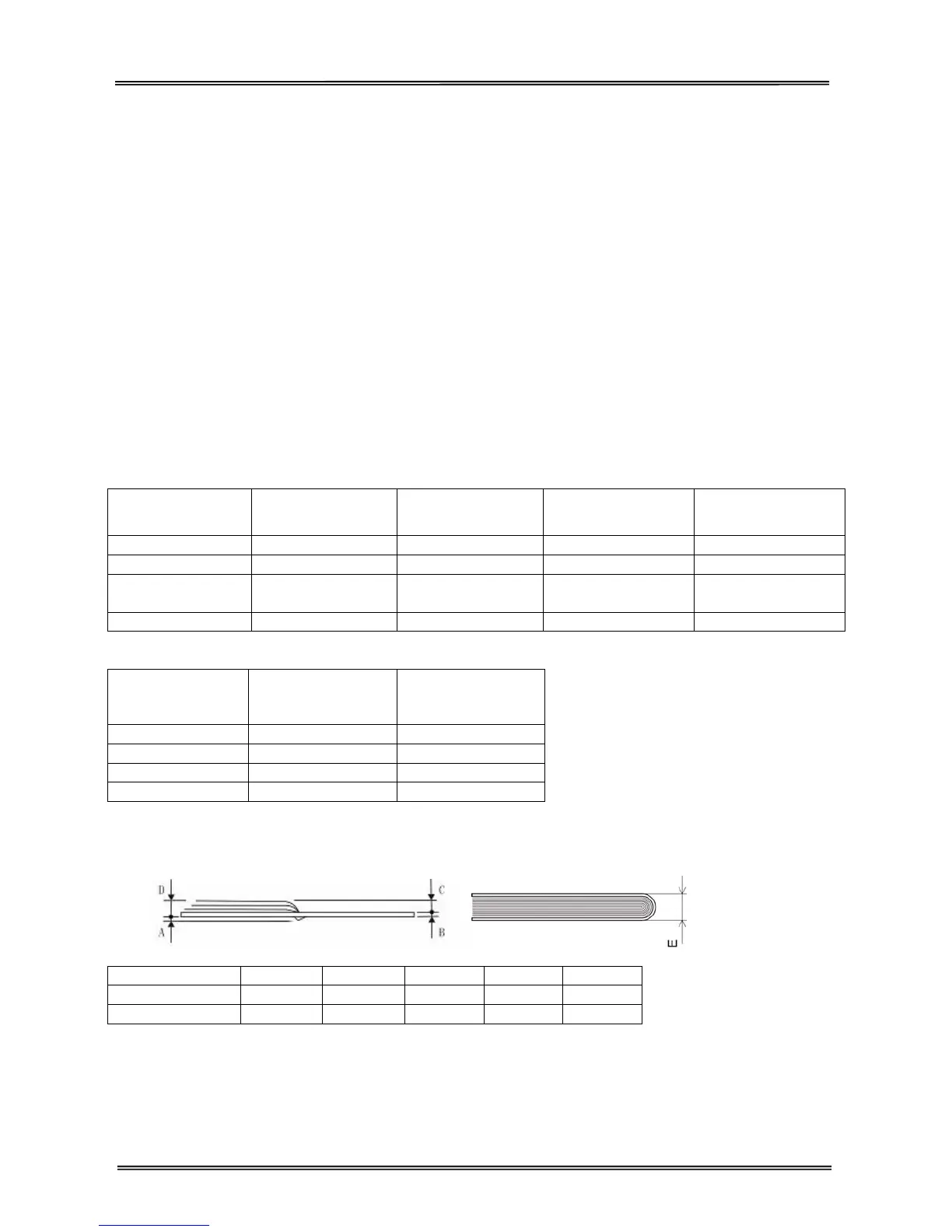
Bankbook/passport thickness
A B C D E
Bankbook-H ≤0.6mm ≤0.5mm ≤1.5mm ≤2.0mm ≤2.0mm
Passport-H ≤1.5mm ≤0.5mm ≤4.5mm ≤5.0mm ≤6.0mm



 To Next Page