Tally Dascom 5130P
6
1.4 Installing and removing ribbon cartridge
Installing ribbon cartridge
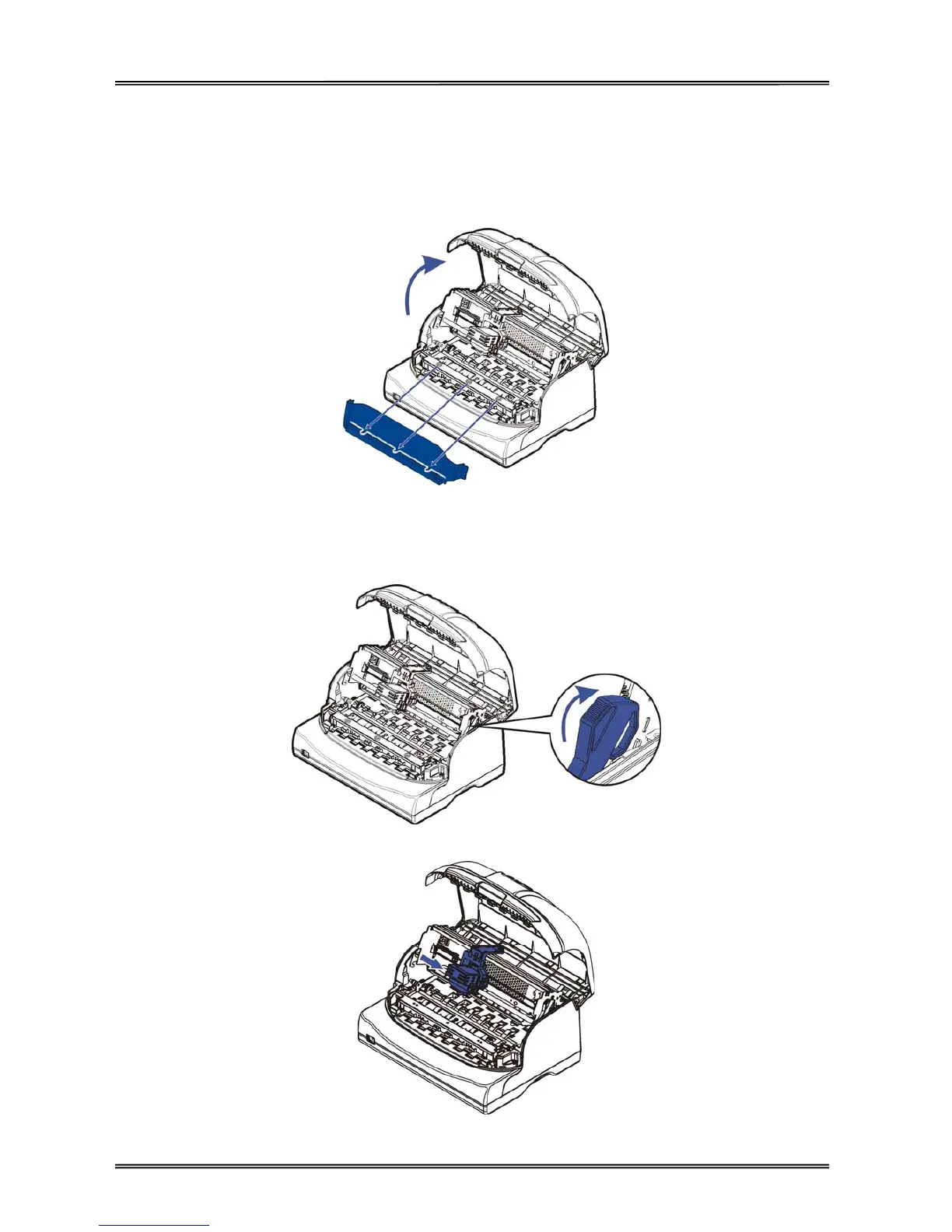
1. Ensure the printer is powered off.
2. Press the recesses of both sides to open the cover. Remove the transparent cover.
3. Push the control lever to lift up the top of mechanism, and make sure the control lever is set to the
latched position.
4. Move the print head to the center of the carriage.



 To Next Page