Tally Dascom 5130P
13
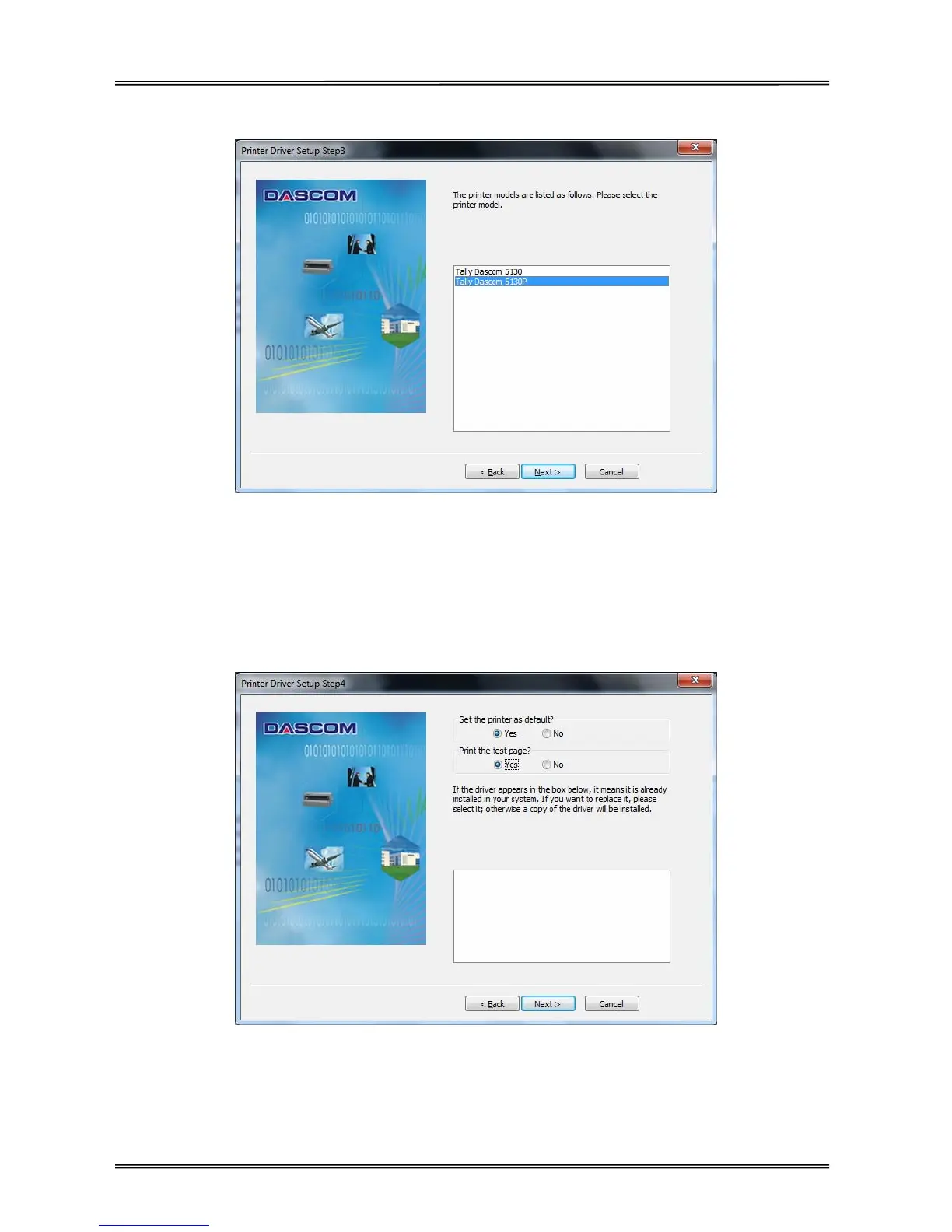
3 Select the desired printer model as shown as below. Click “Next” to continue.
4 Here you can choose whether to set the driver as the system default driver, and whether you want to
print the Test Page after installation is completed. If the driver had been installed before, it would be listed
in the white box as below. Select the listed driver (if any) if you want to replace it; otherwise a copy of the
driver will be installed. Click “Next” to continue.



 To Next Page