Tally Dascom 5130P
18
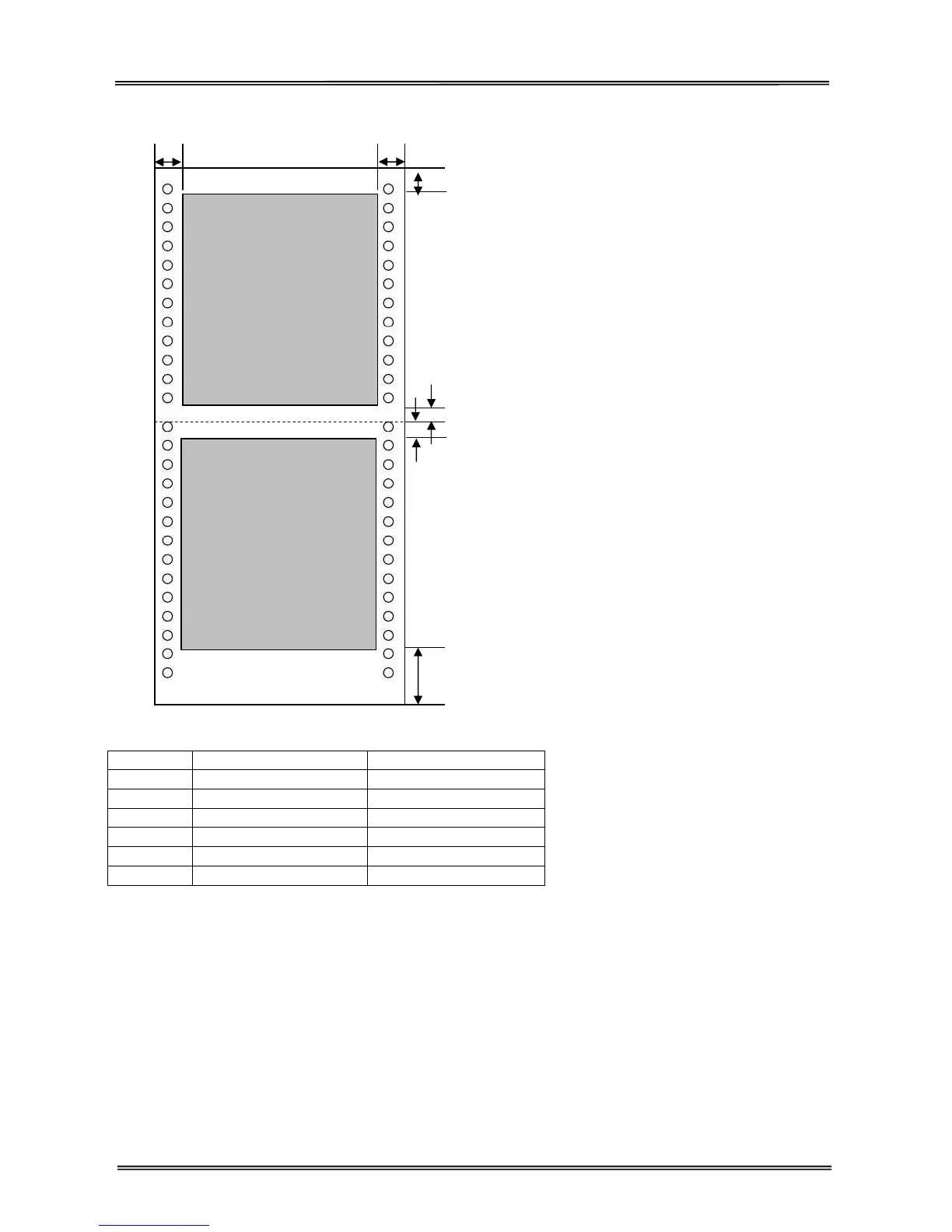
Continuous paper (with optional tractors)
F B
Printable area of continuous paper
Position Dimension Definition
A Min. 3.2 mm Top margin
B Min. 25.4 mm Right margin
C Min. 6 mm Center margin
D Min. 6 mm Center margin
E Min. 165 mm Bottom margin
F Min. 25.4 mm Left margin
Note:
(1)Make sure the cover is closed when operating, as there is a cover open detect sensor.
(2)Do not load media that is curled or folded.
(3)Do not use media that attaches any metal, such as staple.
(4)Do not load bankbook that is damaged, wrinkled or with loose center seam.
(5)Do not use bankbook that sticks glue water.
(6)Do not use bankbook in which inner pages are smaller than cover pages.
(7)Print on the inner pages of the bankbook only. Do not print on the cover pages.
(8)Flatten the bankbook before printing for better reliability.
Printable area
(First page)
Printable area
(Last page)
A
C
D
E



 To Next Page