Chapter 5. DM4000 MPU192
LED CONDITION STATUS
OFF Indicates that a 100M inactive.
Link Act ON/Blinking Connection established.
OFF No connection established.
5.4. Console and Ethernet Outband Management Ports
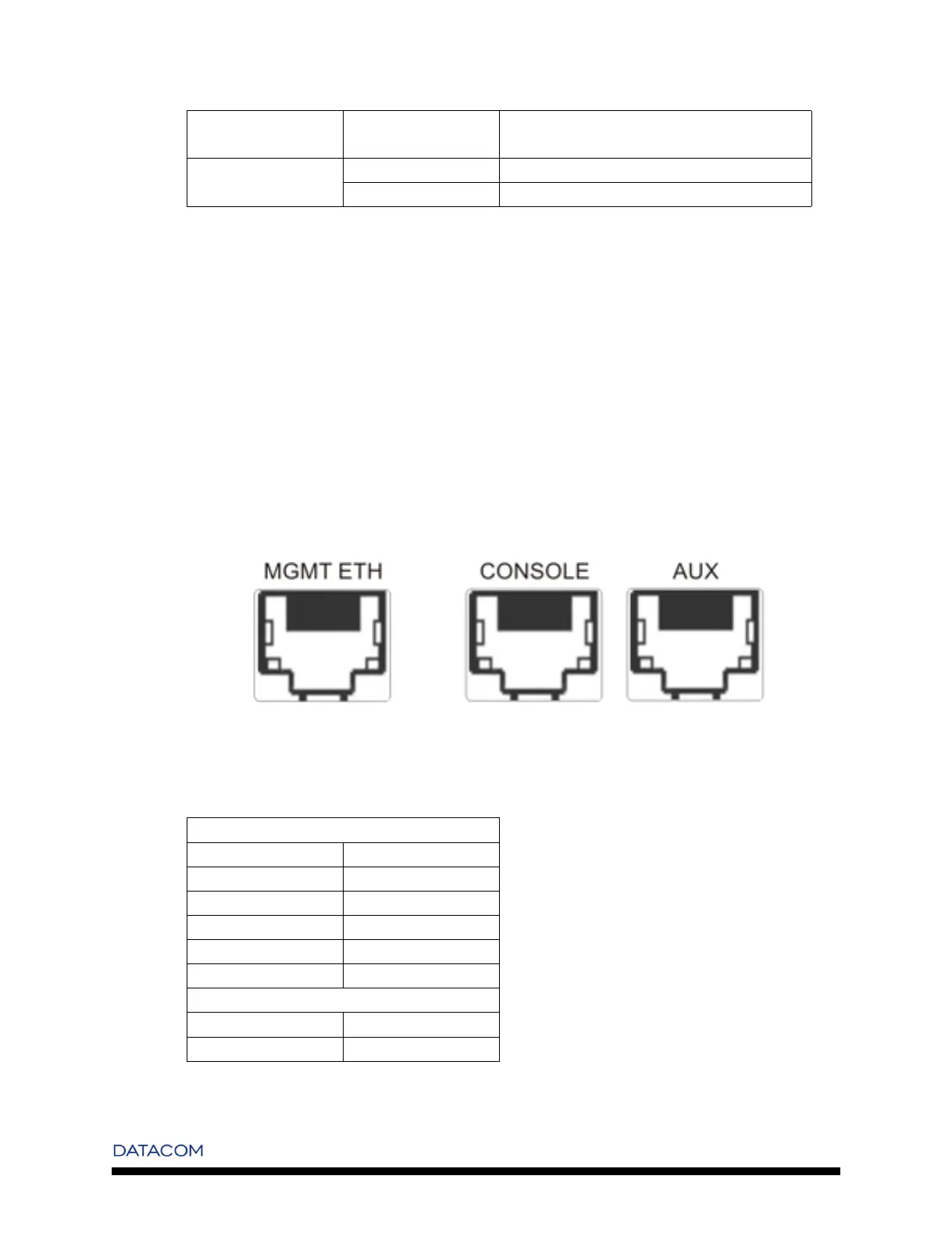
The DM4000 MPU192 contains three RJ-45 connectors on its front panel. One for Outband Management
a console port and a AUX console Port for future implementation.
The Management interface can be connected to a desktop throught a CAT 5 ethernet cable and the console
cable pinout to a standard DB9 connector can be found in the appendice A.
The pin-out of both console and outband management ports are shown in the next figure.
Figure 5-4. DM4000 MPU192 - Front Panel Conectors
Table 5-2. Interface Pinout
Management Port
RJ-45 Signal
1 Tx+
2 Tx-
3 Rx+
6 Rx-
4,5,7,8 -
RJ-45 Serial Port
3 Tx
6 Rx
13


 To Next Page