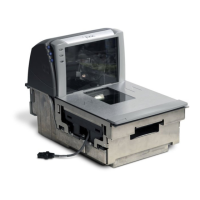
2-38 Magellan
®
9500
Installation
1. Make sure that all cables are firmly attached (except that the AC/
DC power supply should not be connected to the AC outlet yet).
Reference
Figure 2-5, Figure 2-20, and Figure 2-21.
2. Remove the All Weighs™ Platter to gain access to the lift handles.
Grasp the platter as shown in Figure 2-22 and gently lift it from the
scanner. If the top edge of the platter is blocked, you may find it eas-
ier to grasp the platter vertical bezel as shown in
Figure 2-22b.
Figure 2-22. Removing the All Weighs™ Platter
Vertical Bezel
Obstruction
a
b
OR


 To Next Page
 Loading...