2.3 Removable Hard Disk Installation
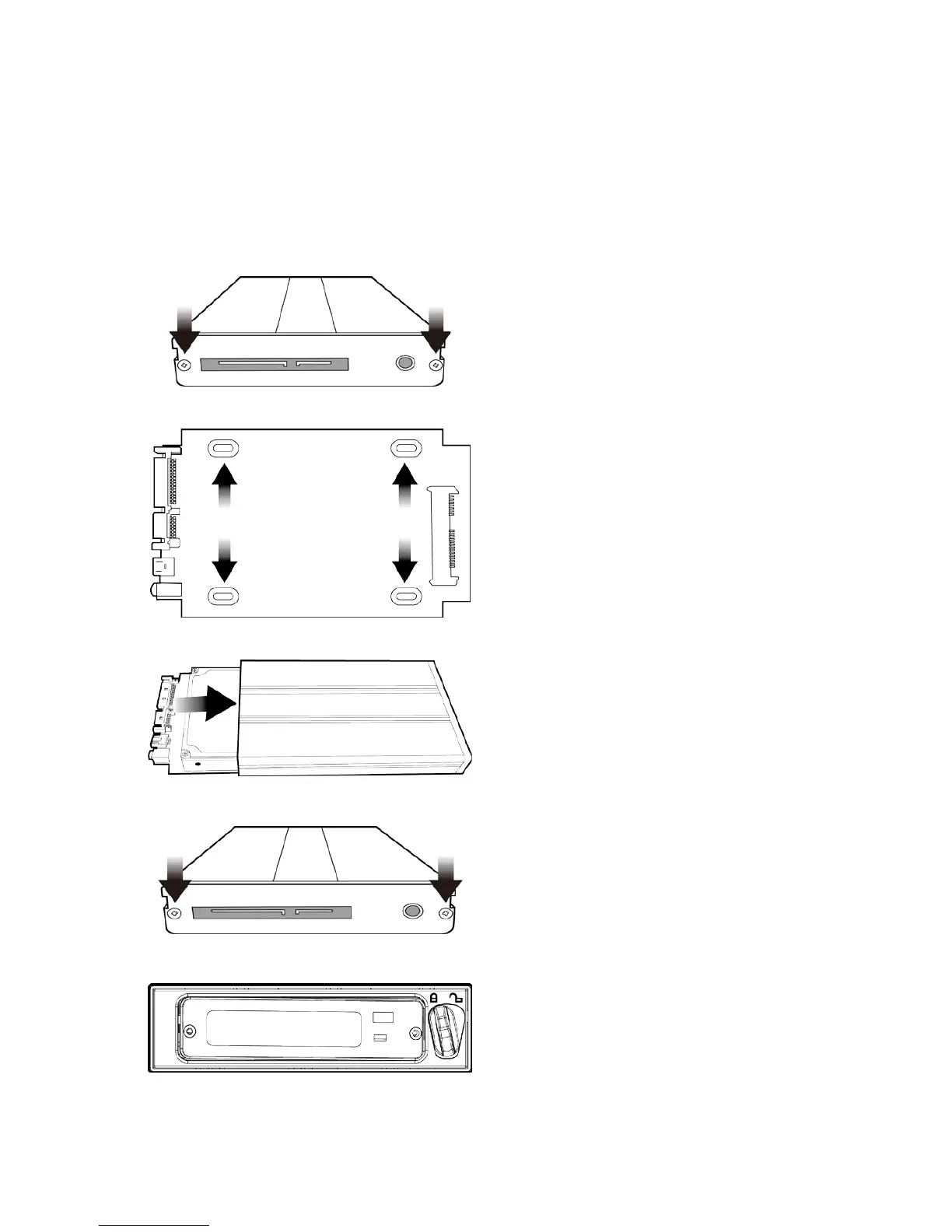
How to Assemble 2.5" HDD in Removable Rack
Warning: You must use TVS-2000A proprietary HDD and not any Datavideo HDR series or DN
series.
Avoid HOT PLUGGING during operation (while writing to and reading from the disk) because
it may cause damage to the system and other files.
1. Remove the two screws on the rear cover
of the removable 2.5" HDD enclosure and
manually pull out the PCB
2. Tighten four screws to fasten 2.5" HDD on
the PCB as shown in the diagram below
3. Push the PCB with 2.5" HDD into the HDD
4. Tighten the two screws of the rear cover of
the removable 2.5" HDD enclosure
5. Push the removable 2.5" HDD enclosure
into the front slot of the TVS-2000A system



 To Next Page