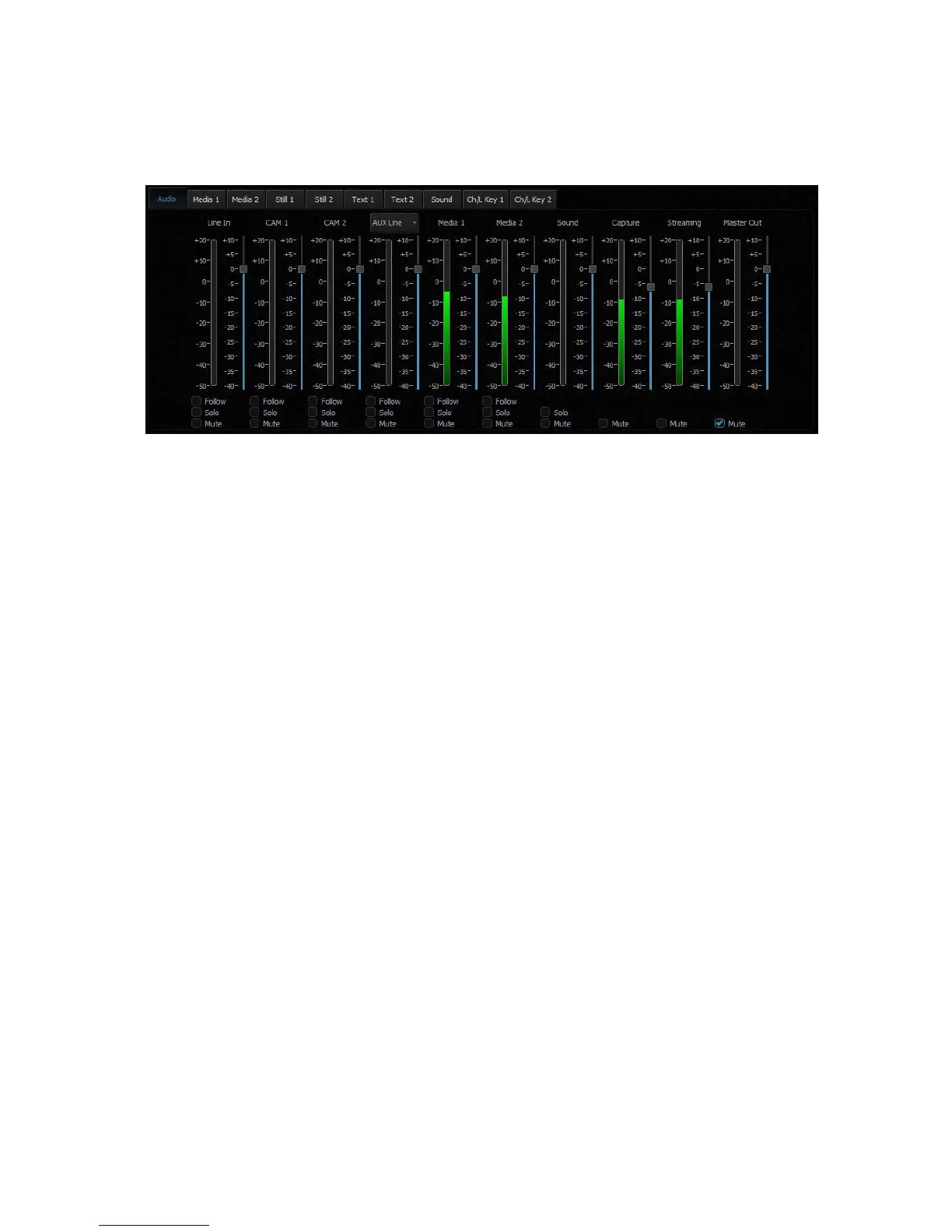
Chapter 8 Sound mixer
The TVS-2000A comes equipped with a sound mixer function, which serves to mix sound
signals. It also allows the user to adjust the signal level for each source separately as well as
the sound output.
The sound mixer allows the user to adjust the following channels:
• Line IN (3.5 mm Phone Jack) – an external input channel (stereo analogue input on the
input card).
• CAM 1 – audio input channel of camera 1.
• CAM 2 – audio input channel of camera 2.
• AUX Line – audio input channel of AUX input.
• Media1 – an input channel from files played by the virtual player supported by the
Media1 Bin tab.
• Media2 – an input channel from files played by the virtual player supported by the
Media2 Bin tab.
• Sound – Audio level of the audio file imported from the disk (Audio Bin tab).
• Capture – the TVS-2000A system captured audio input.
• Streaming – audio output of the streaming channel.
• Master Out – an audio output channel.
The signal level for each channel can be set with a slider next to the signal level bar.
Additionally, a separate Master Out slider can be used to set the output signal level. The
Master Out slider is also displayed next to the Program window. Sound can be adjusted from -
40 dB to +10 dB. The 0 level corresponds to -10 dBV (-7.8 dBu or 0.316 V RMS).
Also, the following functions can be turned on for each input channel:
• Follow – This function mutes the sound of the selected channel until the video signal
associated with the sound source comes on air. This is related to Media1, Media2, and
the CAM source associated with Line IN. Switching on this function with a selected
channel causes the sound of a given source to be muted if the source is not streamed
(shown) to the PGM output.
• Solo – This function sends the selected signal to the output separately. Switching on
this function with a selected channel causes the other input channels to be muted.
Only the signal for which the SOLO function has been enabled is sent to the outputs.
• Mute – This function completely mutes the signal for a given source.



 To Next Page