Chapter 7 3D Studio Editor
7.1 Open the 3D Studio Editor
Follow the steps below to open the 3D Studio Editor:
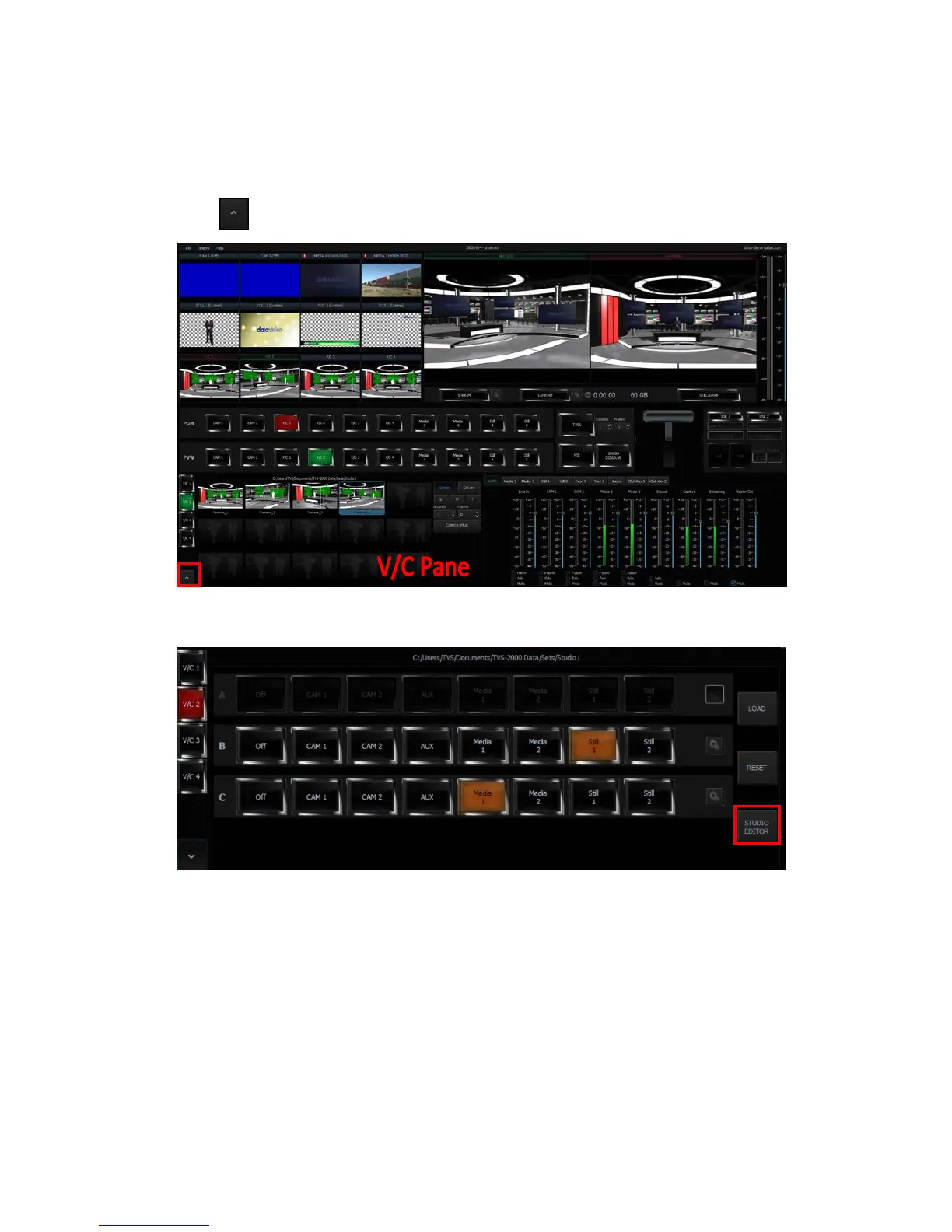
1 Open the TVS-2000A program to enter the Production interface.
2 Click at the bottom left corner to open the interface for selecting raw materials.
3 Click the “Studio Editor” button at the bottom right corner of the V/C pane to open the
user interface of Studio Editor.
7.2 Studio Editor Overview
As shown in the diagram below, the Studio Editor consists of the virtual camera customization
tool, view of the scene and scene object selection.



 To Next Page