All settings of a studio (selected sources, source positions, camera phases) can be stored for
later use by saving them in a session file. The settings saved in this way can be loaded by
opening the session file upon starting the Production Live module.
4.5 File Management
The TVS-2000A allows the user to apply videos and still images to the program window. The
file management system is designed to serve this purpose by allowing the user to do all the
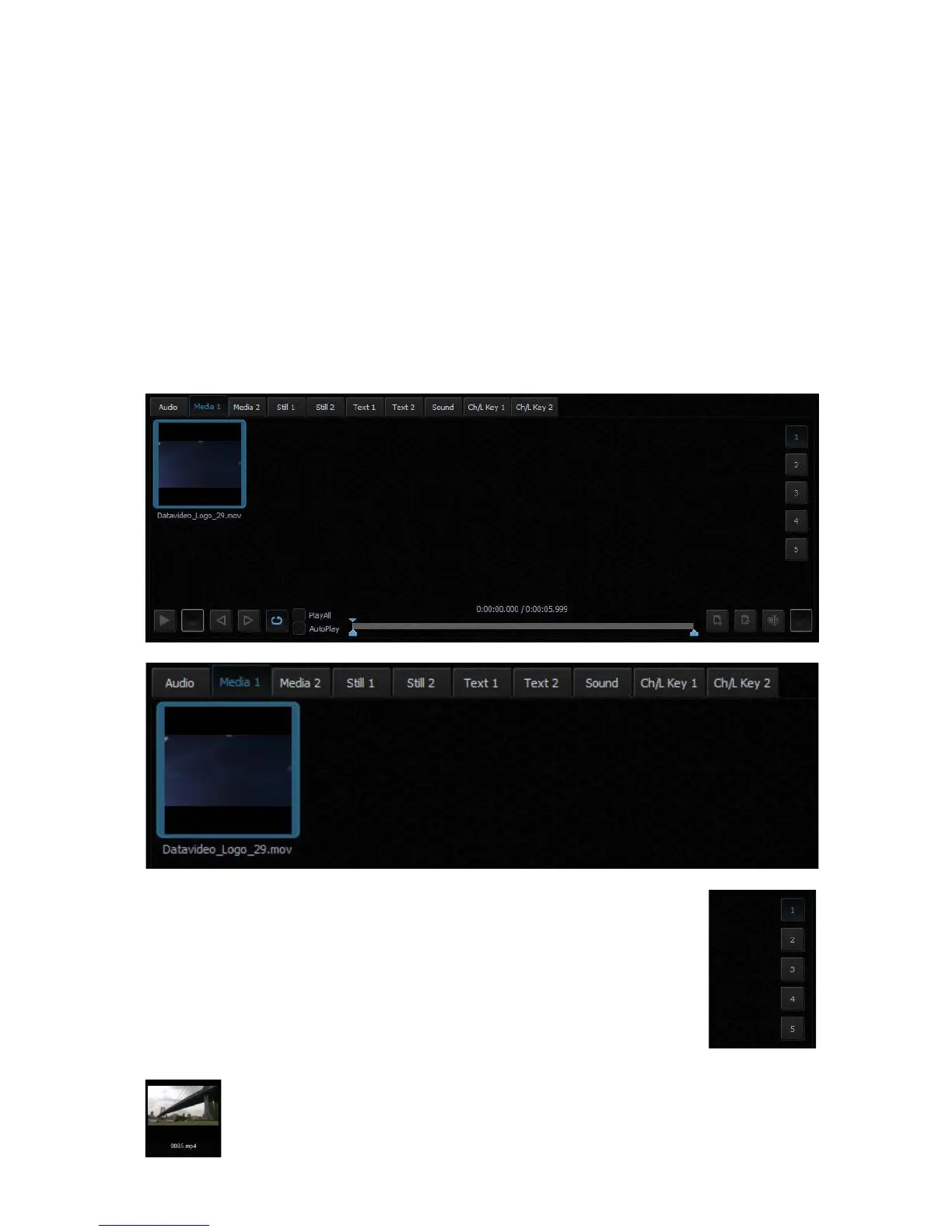
preparation work before the broadcast. It is also known as Media Bin, which is divided into
tabs as shown in the diagram below. Shortcuts to the media files are placed in the appropriate
tabs. This facilitates the use of media during live production.
The bin has six tabs for files assigned to a given player. There are two tabs for video files
(Media1, Media2), two for bitmaps (Still1, Still2), and for text (Text1, Text2). TVS-2000A
supports the use of media in multiple formats. It has also integrated support for many codecs
to play video files.
In each specific tab, the user can also divide the content (files) into five
categories (maximum). This is done by means of sections (designated 1 to 5).
The sections can be used to keep files in order, for specific activities.
The use of media requires two actions:
• the addition of a file to the bin;
• loading the medium into a virtual player.
For each file added to the Media Bin, an icon is automatically generated. This
enables the preview of the file content. Within a given tab, icons can be sorted
using drag and drop. For files with the alpha channel (with transparency), a
preview is displayed showing transparency against a background of a gray and



 To Next Page