Chapter 4 Production Live Screen
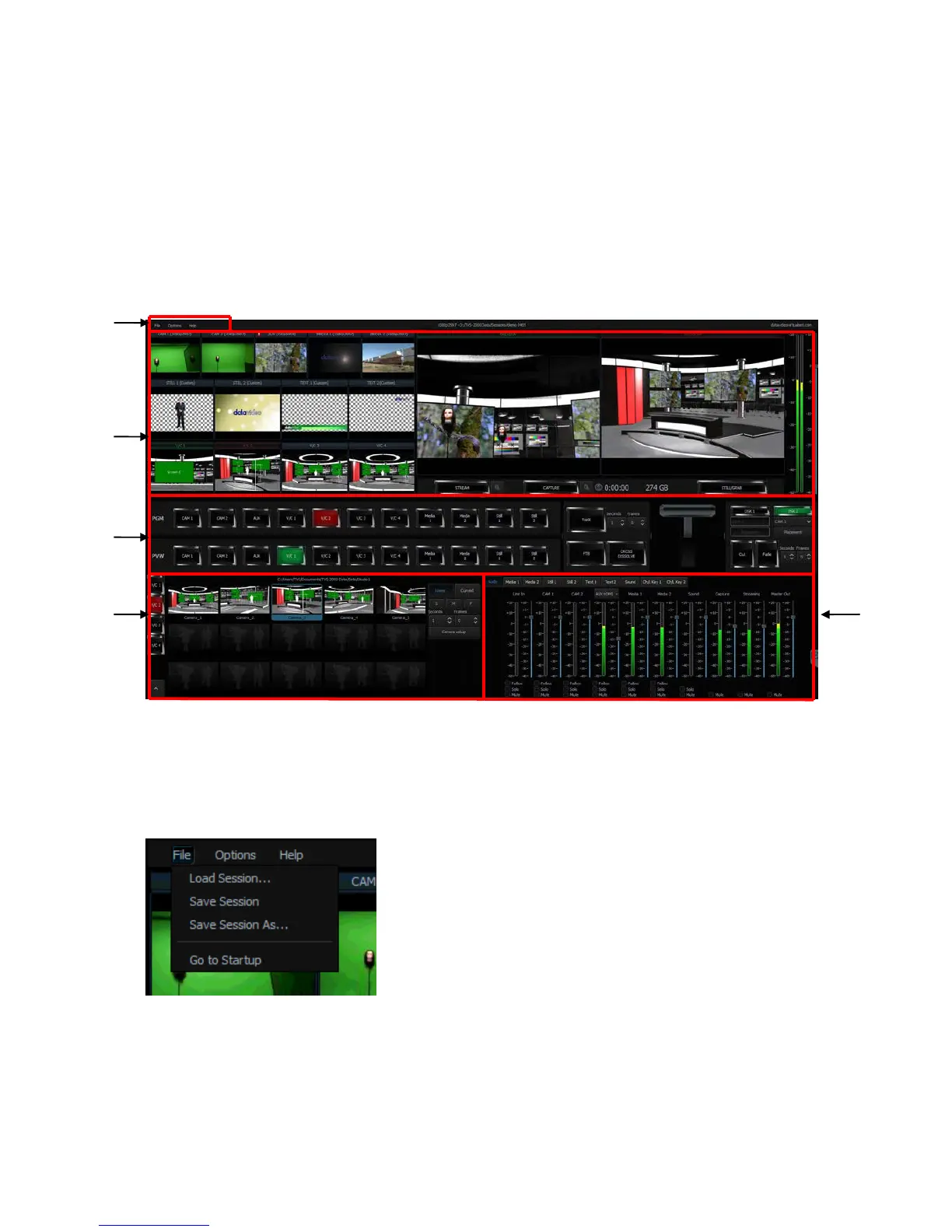
After entering the production live option, the production screen will appear as illustrated in
the diagram below. The production screen can generally be divided into five areas:
1. Tool Bar
2. Multi-View Screens
3. Switcher-like Buttons
4. Scene Editing
5. File Management
4.1 Tool Bar
There are three options on the tool bar: File, Options and Help.
File
• Load Session: Opens previously saved production
• Save Session: Saves the current production
• Save Session As: Saves the current production with a
different name
• Go to Startup: Takes the user back to the startup
screen
Options
In Options, you will be able to select the number of screens used, set the UI language and
open the configuration window.



 To Next Page