After configuring the stream setting, you may also save your configuration in xml format on
the hard disk for future use. To import the configuration file, simply click the “Import FMLE
profile…” button to start the import process.
4.11 Tracking Cameras
The Camera Control Card allows connection of two PTC-150 cameras to the TVS-2000A via RJ-
45 ports such that they can also be controlled on the RMC-280 Virtual Studio Remote Control
Unit.
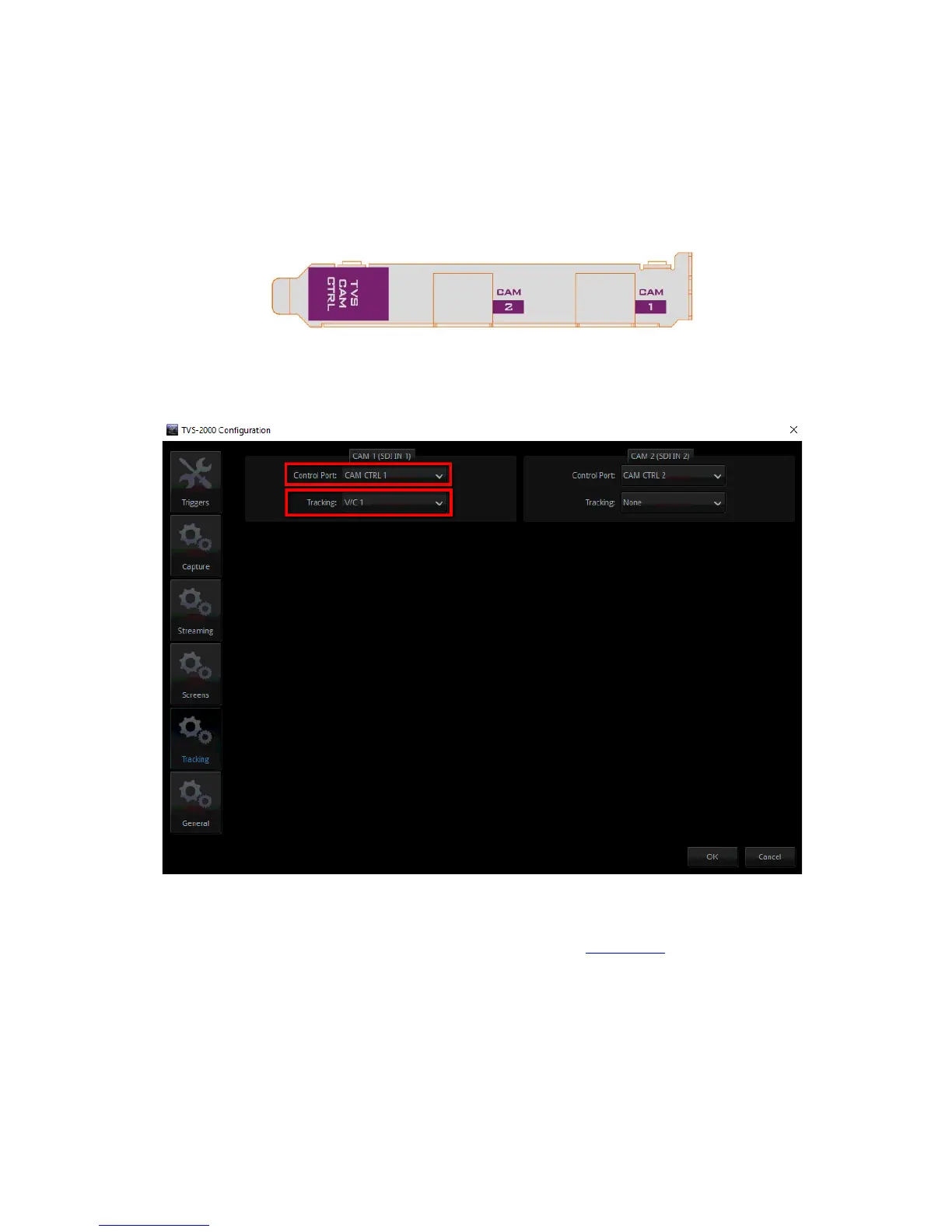
After connecting the tracking camera (PTC-150) to the camera control card as shown in the
diagram above, you may enable its tracking feature in the “Tracking” tab of the TVS-2000A
Configuration window.
In the example above, on the CAM 1 (SDI IN 1) pane, the Control Port is set to CAM CTRL 1
with the connected camera assigned to V/C 1 where the user will be able to configure
different lens positions to track movements of the talent. See Section 4.4 to configure V/C 1
for camera tracking purpose.



 To Next Page