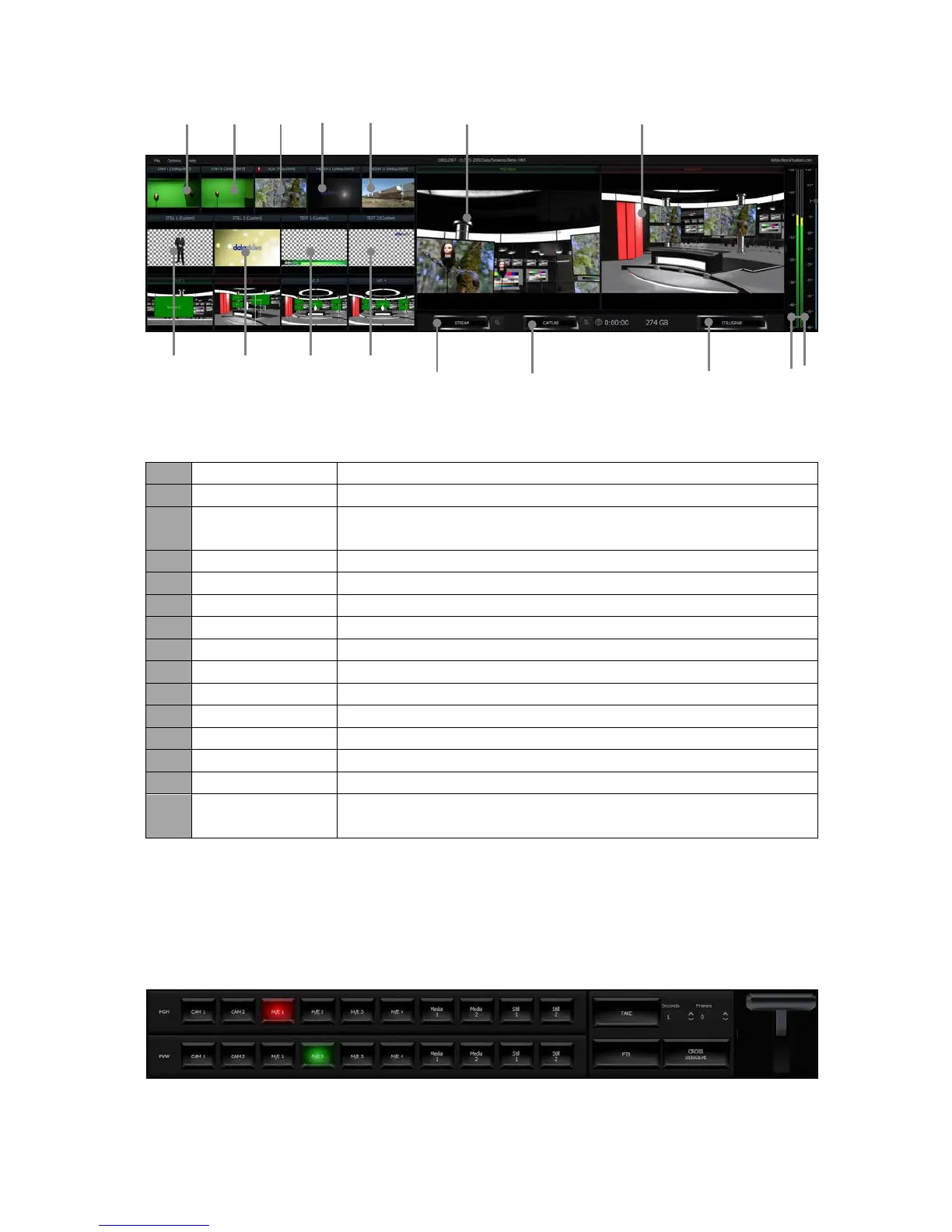
Details of each individual element are described in the table below.
SDI Camera preview window 1
SDI Camera preview window 2
Additional camera or media player input or Powerpoint
presentation input
Video clip 1 from hard disk drive
Video clip 2 from hard disk drive
Preview window for picture 1
Preview window for picture 2
Preview window for the still text source 1
Preview window for the still text source 2
Stream the program video to the Internet
Record the program video to PC’s hard disk
Capture still picture on the program screen
Audio Meters /
Volume Control
Audio meters display the output audio signal strength & volume
control adjusts the output audio signal strength
4.3 Program and Preview Rows & Function Settings
The central part of the screen of Production Live is occupied by the Production Switcher. The
Production Switcher panel consists of two rows of buttons and a block of executive buttons. It
is used to send selected content on air and prepare the next material for broadcasting.
Program and Preview Rows are production switcher style buttons. The user is able to switch
between different sources displayed on the Preview and Program screens by clicking on the
corresponding buttons.



 To Next Page