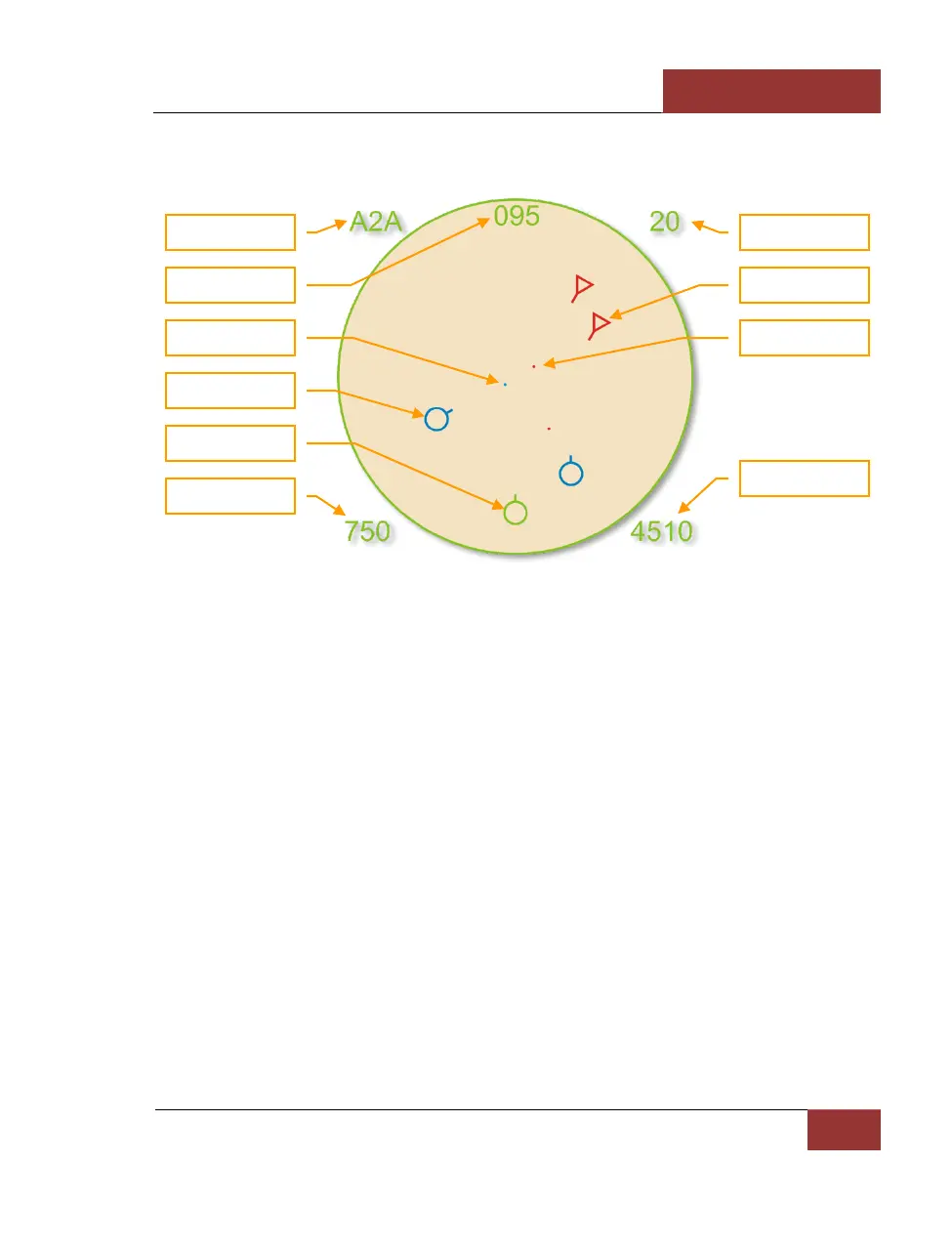
Air to Air Mode
Figure 23: Air to Air Mode
Unique symbols of the Air to Air mode include:
• (Player symbol). Your aircraft is indicated as a green circle at the bottom of the display.
• (Friendly aircraft). All friendly aircraft are indicated as blue circles with lines coming from
them that indicate flight direction.
• (Enemy aircraft). All enemy aircraft are indicated as red circles with lines coming from
them that indicate flight direction.
• (Friendly missile). A friendly missile is indicated as a blue dot.
• (Enemy missile). An enemy missile is indicated as a red dot.
Useful key commands when in Air to Air mode include:
• Auto Lock Center Aircraft: [RAlt - F6]
• Auto Lock Nearest Aircraft: [RAlt - F5]
• Auto Lock On Next Aircraft: [RAlt - F7]
• Auto Lock Previous Aircraft: [RAlt - F8]



 To Next Page