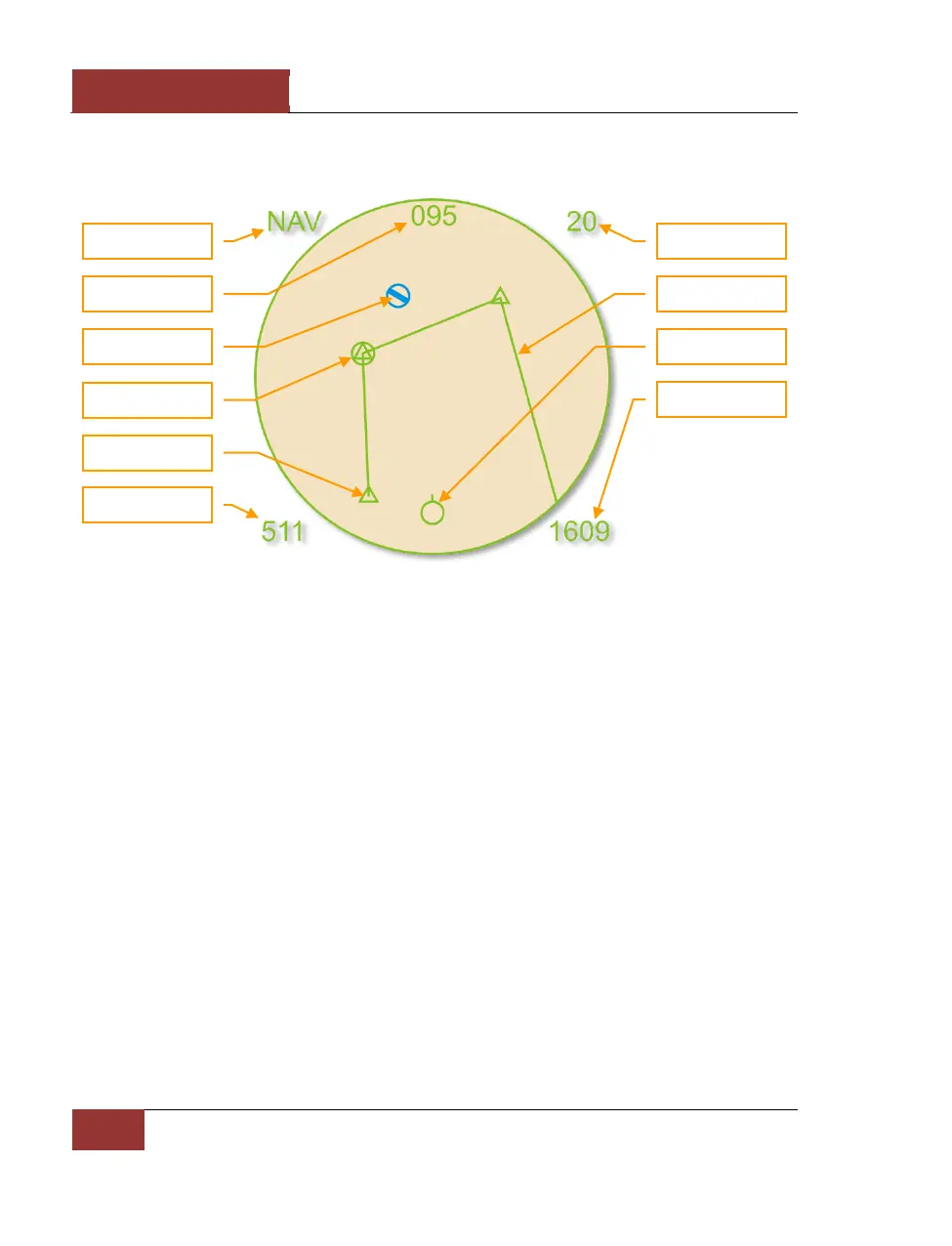
Navigation Mode
Figure 22: Navigation Mode
Unique symbols of the Navigation mode include:
• (Player symbol). Your aircraft is indicated as a green circle at the bottom of the display.
• (Friendly Airfield symbol). This blue symbol indicates friendly airfields.
• (Current waypoint symbol). This green circle indicates your current waypoint. You can
cycle your waypoint with the [LCtrl - ~] (tilde) key.
• (Waypoint symbol). This green triangle indicates other waypoints in your flight plan.
• (Route line). Green route lines connect the waypoints in your flight plan.



 To Next Page