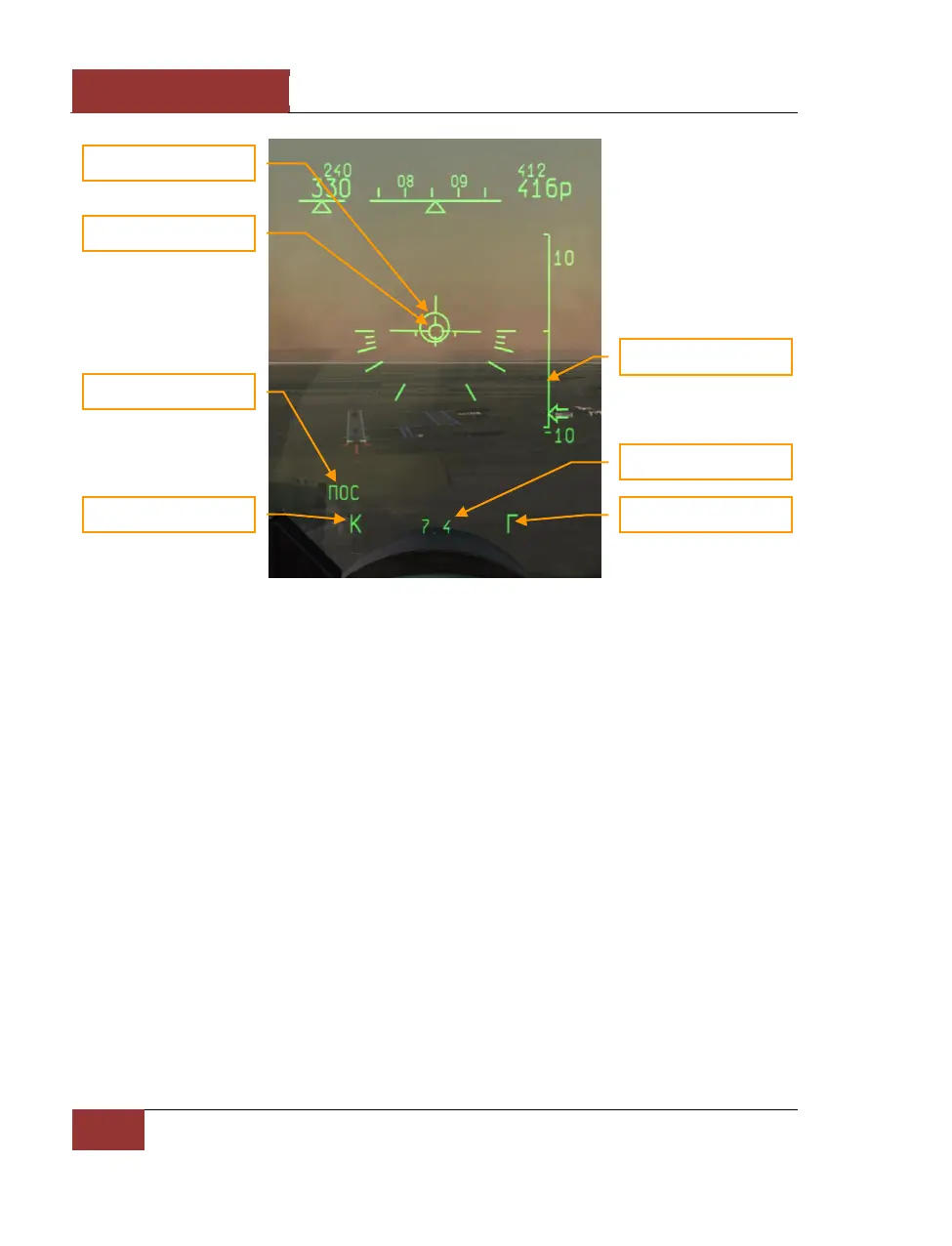
Figure 47: ILS landing
In the LANDING sub-mode, the HUD director circle points to the landing airfield. The direction to the
landing airfield is also displayed on the HDD. Different airfields can be cycled with the [LCtrl-~] key.
A vertical velocity scale appears at the right side of the HUD to indicate the aircraft rate of descent.
Beyond Visual Range Combat Modes
There are several beyond visual combat (BVR) combat modes: "ОБЗ" (SCAN) – scan, "СНП" (TWS) –
track-while-scan, and "РНП" (STT) – single target track.
"ОБЗ" (SCAN) MODE
"ОБЗ" (SCAN) mode is first activated by pressing the [2] key. This is the primary BVR search mode.
Up to 24 targets can be detected. It’s also necessary to turn on one of the fire control sensors (radar
or IRST) before targets can be detected and engaged. In BVR mode, the fighter’s radar is normally
used. The radar enables target detection at longer ranges, and also the use of semi-active radar
homing (SARH) missiles.
Information necessary for target search and lock on is displayed on HUD. The range scale can be
controlled with the [+] and [-] keys. The scan pattern can be slewed discretely through three
azimuth positions, center – right – left. The scan pattern can be slewed in elevation using one of two
methods - smoothly by direct elevation slewing, or discretely by the range-angle method. To use the
range-angle method, first you should set the expected range to target in kilometers using the
[RCtrl-+] and [RCtrl--] keys, then set the expected target elevation difference with respect to your



 To Next Page