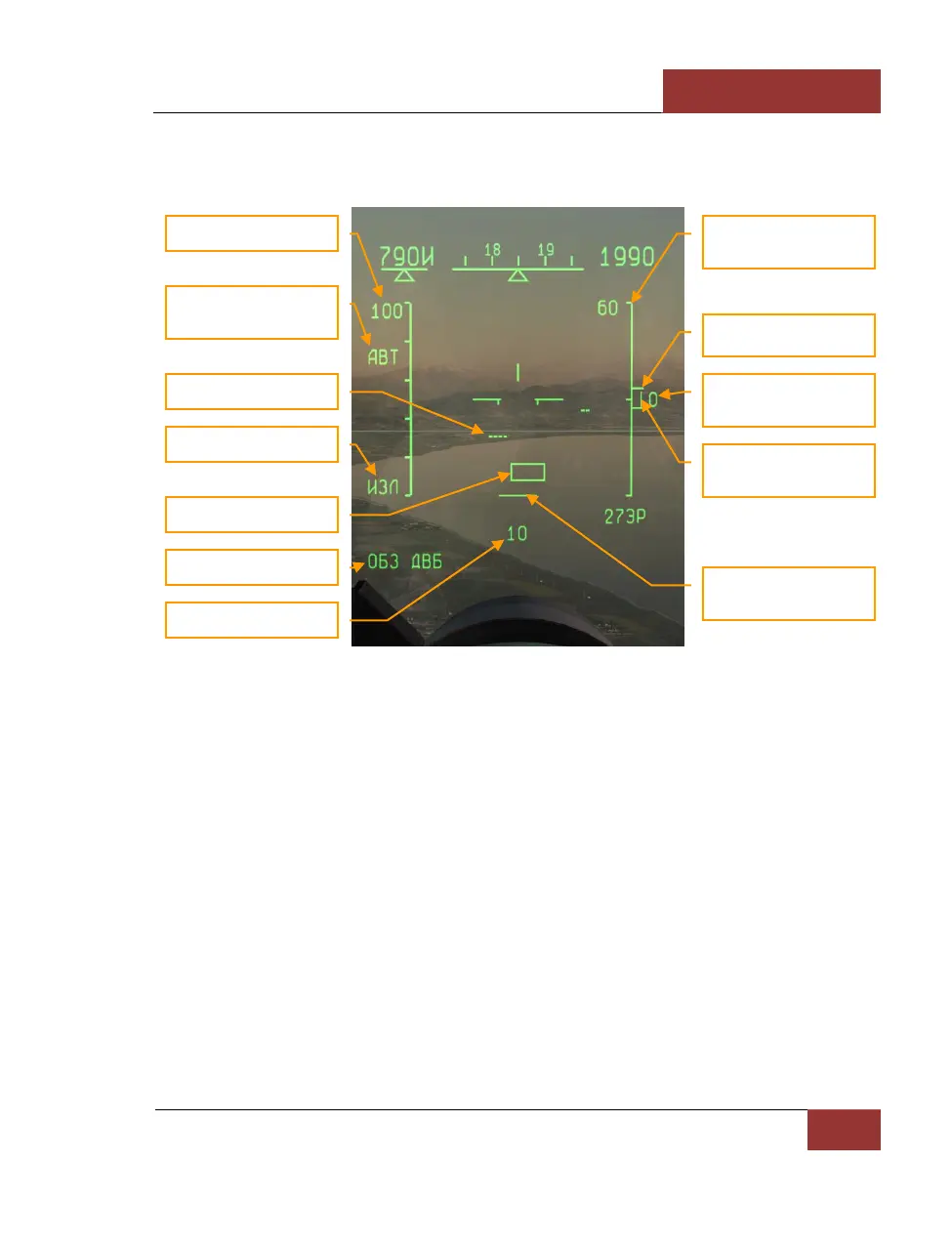
aircraft using the [RShift-;] and [RShift-.] jeys, also in kilometers. The expected range you set is
indicated under the azimuth coverage mark at the bottom of the HUD, and the expected elevation
difference is indicated to the right of the elevation coverage mark on the right side of the HUD.
Figure 48: "ОБЗ" (SCAN) mode - BVR
When the fire control sensor detects a target, it is represented by a small, horizontal row of dots on
the HUD. "Friendly" targets responding to the radar’s identification system (IFF) are represented by
a double row.
• Range scale is changed by the [+] and [-] keys.
• The expected target aspect hemisphere is controlled with the [RShift-I] key. АВТ (ILV)
mode can be used if the target aspect is unknown. The expected target aspect determines
the pulse repetition frequency (PRF) to be used by the fighter radar in search mode. High
PRF (HPRF), which provides the longest detection range against approaching forward-
hemisphere targets, is indicated by ППС (HI), whereas medium PRF (MPRF) for receding
rear-hemisphere targets is indicated by ЗПС (MED). In АВТ (ILV) mode, high and medium
PRFs are interleaved on alternate bars of the radar scan pattern. This provides all-aspect
target detection at the expense of a 25% reduction in maximum range.
• An air target is indicated on the HUD as a horizontal row of dots. The number of dots
corresponds to the approximate size of the target as measured by its radar cross-section
(RCS). One dot indicates a target RCS of 2 sq. m or less, two dots – from 2 up to 30 sq.
m, 3 dots – from 30 up to 60 sq. m, and four dots - 60 sq. m or more. Tactical fighters
typically have RCS values between 3 and 30 sq. m, dependent upon the type, external



 To Next Page