Su-27 HUD and HDD Operational Modes
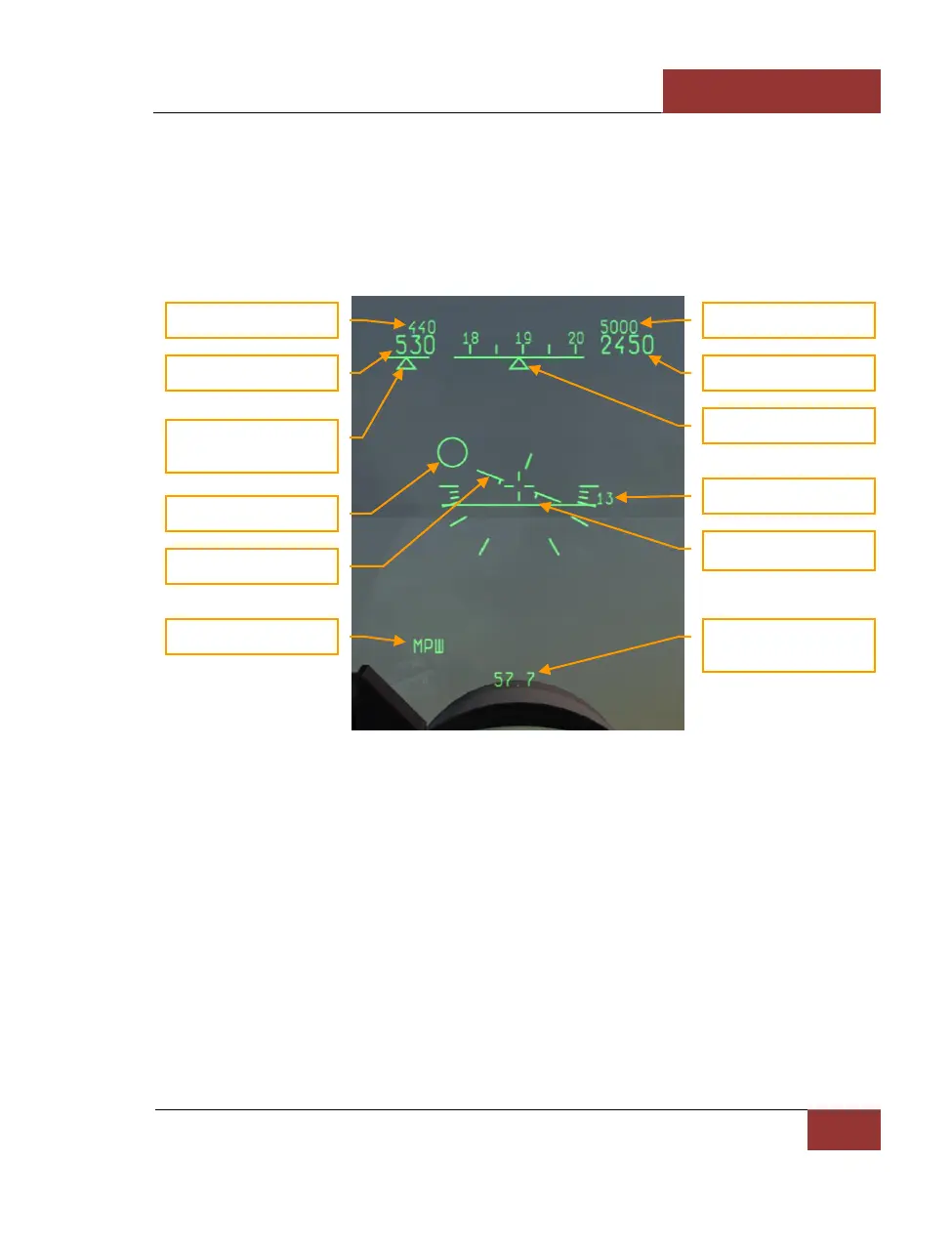
Basic HUD symbols
Regardless of the avionics mode, some HUD symbology is unchanged between modes. We will take
a look at the HUD in ROUTE mode.
Figure 45: HUD basic symbols
1. The Required Speed indicator displays the assigned airspeed for the current flight mode.
When in ROUTE mode, the Required Speed will be the assigned airspeed for the currently
selected route leg.
2. Indicated aircraft speed (IAS) is shown to the left of the scale. Above the current IAS, the
required airspeed is indicated. It depends on the flight mode, and in the case of route flight
mode, it shows the required aircraft speed.
3. Under the numerical speed indicators is a triangular index that shows longitudinal
acceleration. To the right – acceleration, to the left – deceleration.
4. In the center of the HUD there is an aircraft datum, indicating aircraft pitch and roll.
5. The navigation mark (large ring) shows the flight direction to follow the preplanned route
and altitude to the next waypoint. When it is in the center of the datum, you are on-route.



 To Next Page