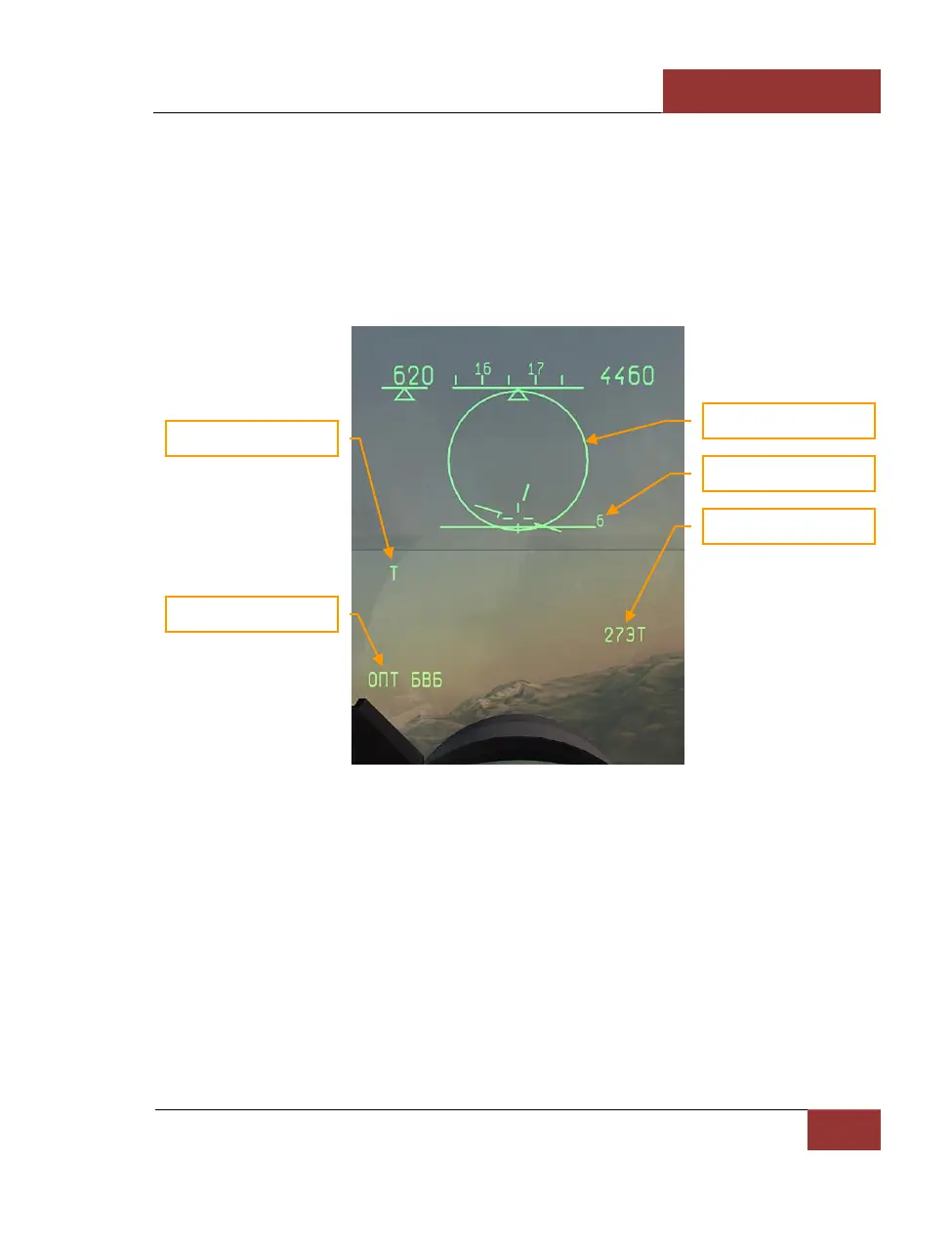
BORE - Close Combat Mode
This sub-mode [4] is similar to VS mode, with the distinction that the sighting system does not scan,
but is rather bore sighted in one direction along the aircraft axis in a narrow (about 2.5 degrees)
cone. This zone is displayed on the HUD in the form of circle with the angular size of 2.5 degrees.
Target lock-on is accomplished by moving the circle over the target, either by maneuvering the
fighter or with the help of target designator control keys [;], [,], [.], [/], and pressing the lock-on
[Enter] key. After locking the target, the display on the HUD will change to Attack (STT) mode.
This mode provides good aiming precision and a slightly longer lock range than the VS mode.
Figure 57: BORE Mode
BORE mode selects the IRST sensor by default. The default weapon is the IR missile missile. In
order to launch missiles with radar instead, the radar is first activated with the [I] key, then the
desired missile is selected with the [D] key.
HELMET - Close Combat Mode
This unique mode is useful for maneuvering combat, and selected with the [5] key. The pilot can
aim weapons at the target simply by turning his head to look at it, with the help of the Schel-3UM
helmet-mounted sight (HMS). The sighting ring on the screen emulates the HMS sighting system
viewfinder located in front of the pilot right eye. The pilot can superpose the viewfinder over the
target by panning the view. The viewfinder is not a HUD symbol remains in the center of the screen
even when the view is panned off the HUD. This mode is used in close combat to get an advantage



 To Next Page