In a complex threat environment, it is often difficult to define the threat type and its direction. In
this case, it is recommended to use the RWS mode filter [RShift-R] that removes all emitters
operating in acquisition mode.
The RWR can produce multiple audio alerts. You can adjust their volume by pressing [RAlt-,] –
[RAlt-.] keys.
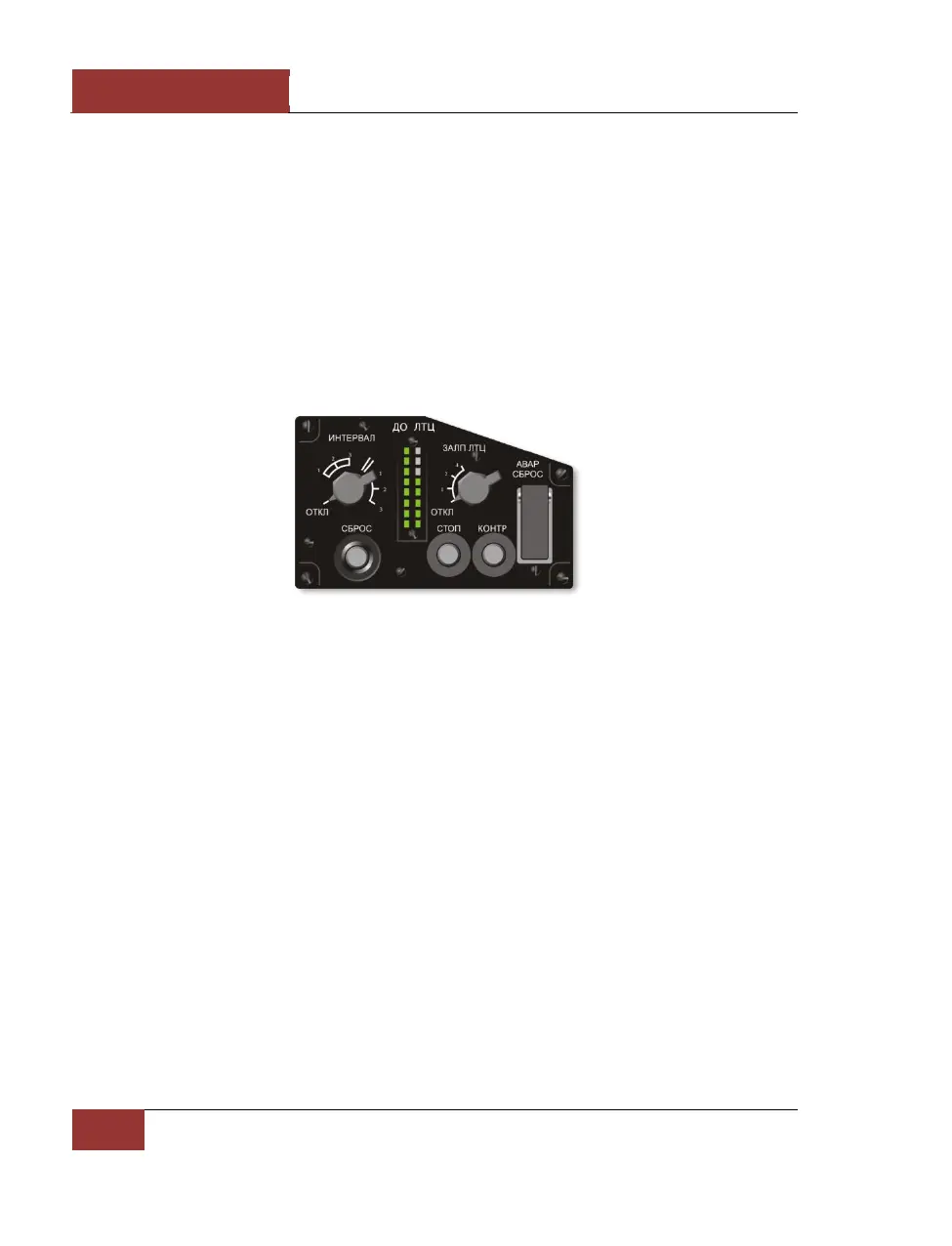
PPD-SP Panel
On the right side of the cockpit is the PPD-SP control panel. In the of part of the panel is the PI-SP
indicator. This displays the remaining infrared flares and radar reflecting chaff bundles. The left
column indicates remaining chaff. One indicator light corresponds to 16 chaff bundles. The right
column indicates the number of remaining flares. One indicator light corresponds to eight flare
cartridges. Flares are released in pairs.
Figure 39: PPD-SP panel
Direct Control Switch
The DIRECT CONTROL mode is switched on by pressing the [S] key in the event that the fly-by-wire
system fails. Piloting in this mode requires special care; the flight is characterized by:
• Insufficient pitching stability
• Low aerodynamic damping
• Increased longitudinal stick sensitivity
It is in this mode that the “Pougachev’s cobra” aerobatic maneuver can be performed. The mode is
switched off by pressing the [S] key again. The on/off control can be checked by the switch on the
left panel in the cockpit.



 To Next Page